CinemaLife FOGLINE: fog lights that turn on with the low beams on ATS trucks for American Truck Simulator
Makes the fog lights on 76 stock bumpers across 14 ATS truck families turn on with the low beams. Version 1.1.1 for 1.62, updated on November 3, 2026; 10.2 MB.
Download CinemaLife FOGLINE: fog lights that turn on with the low beams on ATS trucks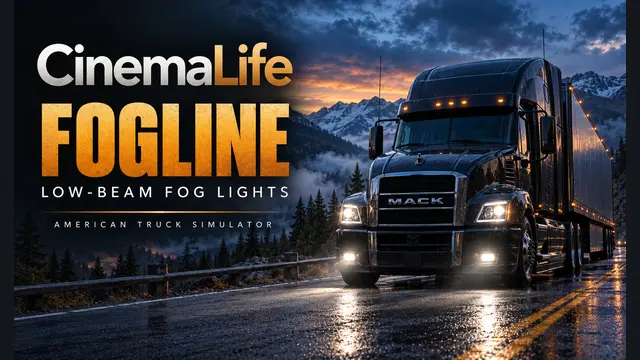
More screenshots on steamcommunity.com (Steam Workshop) ↗
What this mod does
CinemaLife FOGLINE – Low-Beam Fog Lights, by Plainolalex (CinemaLife), adds detail to the fog lights on the stock American Truck Simulator bumpers and makes them turn on together with the low beams, not the parking lights. It does not add a separate fog light key.
What it includes
- 76 fog-equipped bumper models across 14 truck families, including Cascadia 2019, International LT, 9900i and LoneStar, Kenworth T680 2022, Mack, Peterbilt 579, Volvo VNL and VNR Electric, and Western Star 49X and 5700XE.
- Version 1.1.0 added International LT and 9900i configurations; 1.1.1 fixed five bumpers on the Western Star 5700XE and the 2019 Cascadia.
- Original SCS meshes and materials; placement and tuning by the author.
Version and warnings
It is built on 1.62.0.14; the author does not confirm 1.61. It does not cover bumpers without stock fog lamps, custom bumpers or third-party trucks, and mods that change the same bumpers may override it. Use only the latest version and disable older fog light packages. The author himself says the low-beam switching and the night look have not been tested in game, and in the comments players report fog lights that do not work, cut-off bumpers and crashes; the author replies and asks for the game.log.txt. Check the ATS load order guide.
Holyfix Check
Will it work with your mods?
Load your game.log.txt and check whether this mod is for your ATS version, whether you're missing a mod or DLC it needs and where to place it.
It's in Documents › American Truck Simulator › game.log.txt. It's read in your browser: the file is never uploaded.
Something else failing? Holyfix for ATS checks all your mods at once.
User rating
Highlights and things to keep in mind
- Fog lights that come on with the low beams
- Covers 76 bumpers across 14 truck families
- Active author who replies and fixes issues
- Uses only original SCS parts
- Players report fog lights that do not work, cut-off bumpers and game crashes
- The author has not tested the low-beam switching or the night look in game
- It does not cover custom bumpers or third-party trucks
- Mods that change the same bumpers may override it
- Unofficial mod: trademarks belong to their owners; neither Holymod nor the author is affiliated with them
Requirements
- American Truck Simulator
- A stock truck with one of the fog-equipped bumpers the mod covers
- A Steam account to subscribe on the Workshop
How to install it
- Open the mod page on Steam Workshop and click "Subscribe".
- Start American Truck Simulator and open the Mod Manager for your profile.
- Disable older FOGLINE versions and other fog light packages.
- Enable the mod and confirm the changes.
- Turn on the low beams in a supported truck to see the fog lights.
Version history
-
1.1.13 Nov 2026Current
Updates five bumper models (Western Star 5700XE and Cascadia 2019)
-
initial24 Oct 2026
Released on Steam Workshop
Common problems
How do the fog lights turn on?
With the low beams, not the parking lights; there is no separate key.
Which trucks does it cover?
76 stock bumpers across 14 families, such as Cascadia 2019, International LT, Kenworth T680 2022, Peterbilt 579, Volvo VNL or Western Star 49X.
Does it work with trucks from other modders?
No: custom bumpers and third-party trucks are not included.
Which version is it for?
1.62 (built on 1.62.0.14); 1.61 is not confirmed.
Does it cause problems?
Some players report fog lights that do not turn on, cut-off bumpers and crashes; 1.1.1 fixed several bumpers.
More mods for ATS
 ATS 1.61Requires DLC
 ATS 1.61