Custom Rally Pacenotes for BeamNG.drive
Record co-driver pacenotes for any stage in your own voice and the game calls them out as you drive, without editing maps or text files.
Download Custom Rally Pacenotes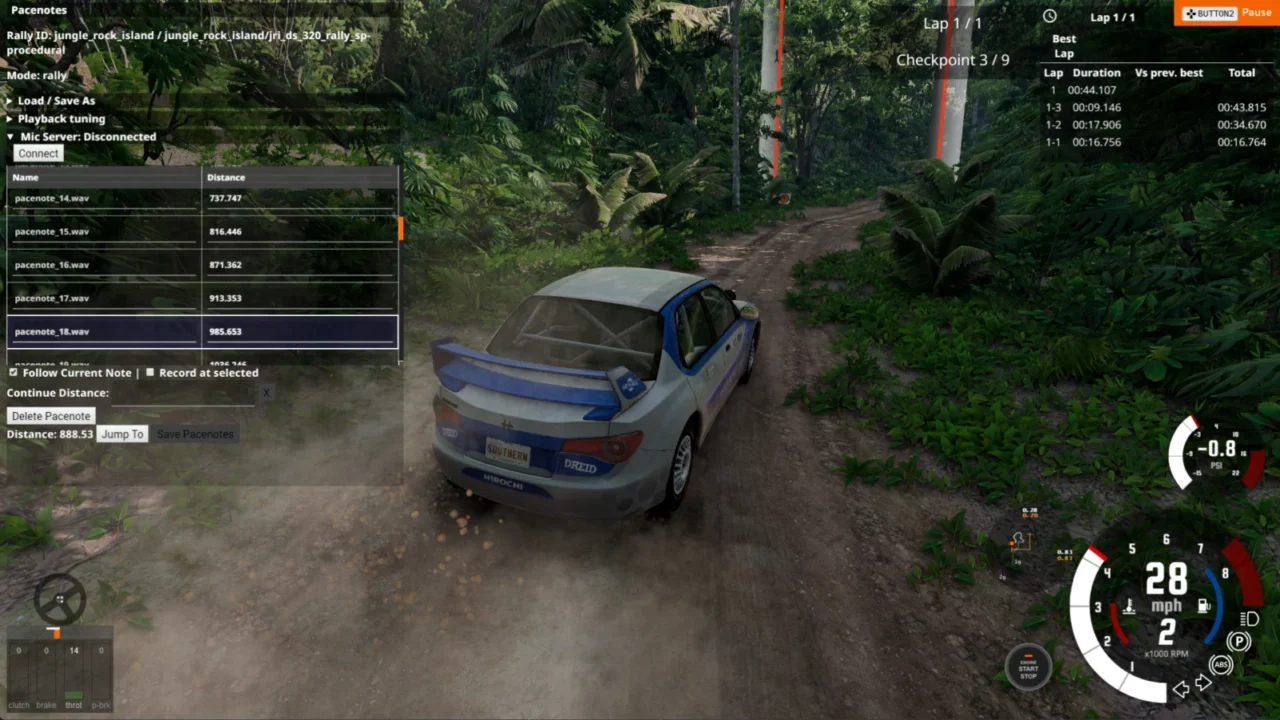
More screenshots on Official BeamNG Repository (beamng.com/resources) ↗
What this mod does
Custom Rally Pacenotes lets you record and play back rally co-driver pacenotes in BeamNG.drive in your own voice, without using the map editor or touching text files. The author points out that this way the notes don’t sound robotic.
What’s included
- Pre-recorded notes for the Mixed Surface Rally Stage in East Coast USA, accessible from Freeroam.
- Automatic loading and playback when you start a scenario or time trial that has notes.
- Settings for look-ahead distance, a speed-based multiplier and volume.
- An editor to change each note’s name, distance and continuation distance, and to delete notes.
How to record them
The game can’t access the microphone on its own, so you need a small external microphone server (the author provides an executable or a Python script, with a video walkthrough). Then you bind the Record Pacenote key, start a scenario or create a route in the editor, drive slowly and hold the key to record each note. Avoid reversing or crashing while recording: the route can’t be edited after the first pass.
Compatibility
Version 0.1.9, from April 2026, is updated for 0.38 and automatically mutes the voice notes of BeamNG’s official rally mode when there are custom notes for the stage. The Toggle Custom Rally Pacenotes key switches you back to the official ones.
User rating
Mod video
Highlights and things to keep in mind
- Co-driver notes in your own voice for any stage
- Integrates with the official rally mode
- Includes ready-to-use sample notes
- Recording requires an external program (executable or Python)
- Beta updated for 0.38; the current game version is 0.40 (released October 19, 2026): the mod doesn't list it and may need an update; after a major update the game disables mods and you have to re-enable them
Requirements
- BeamNG.drive 0.38
- A microphone and the author's microphone server to record notes
How to install it
- Open the Custom Rally Pacenotes page on the official BeamNG Repository.
- Click Download to get the .zip, or subscribe from the in-game Repository (Subscribe button).
- If you download it manually, copy the .zip, without unzipping it, into the mods folder inside your BeamNG.drive user folder (the launcher opens it via Manage User Folder).
- Launch the game and check in the Mod Manager that it's enabled.
- To record, install the microphone server the author links and bind the Record Pacenote key in the controls.
- Start a scenario or create a route in the pacenote editor and record by holding down the key.
Version history
-
0.1.921 Apr 2026Current
Fix for 0.38 and automatic muting of BeamNG's official notes.
-
—27 Mar 2025
Muting of the official rally notes.
-
—27 Mar 2025
Wrong-way warning and bug fixes.
Common problems
Why do I need a separate program?
BeamNG can't use the microphone directly; the author's microphone server acts as a bridge.
Can I switch back to the official notes?
Yes, with the Toggle Custom Rally Pacenotes key, in the General section of the controls.
Can I fix the route afterwards?
No: after the first pass only the notes can be edited, not the route.
More mods for BeamNG