Simple Bar HUD – Bar Only (No Minimap): a bottom HUD bar without minimap for ETS2 for Euro Truck Simulator 2
Replaces the ETS2 widget HUD with a fixed bottom bar showing speed, gear, fuel, time and ETA, with no minimap. For 1.61. Updated on October 1, 2026; 74 KB.
Download Simple Bar HUD – Bar Only (No Minimap): a bottom HUD bar without minimap for ETS2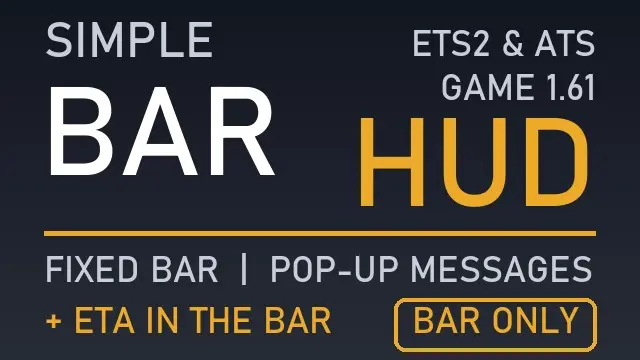
More screenshots on steamcommunity.com (Steam Workshop) ↗
What this mod does
Simple Bar HUD – Bar Only (No Minimap), by junseo2709, replaces the Euro Truck Simulator 2 widget HUD with a fixed-length bottom bar and no minimap. The time and ETA move into the bar itself. The author says he was inspired by the «minimal adviser interface» mod by ptr1ck and that it also works for ATS 1.61.
What it shows
- Indicators, money, damage, speed limit, speed, gear, fuel, time and ETA.
- Company messages pop up on the right and job info appears above the bar.
- Fatigue and mandatory break alerts appear in a small box above the bar.
- F6 turns parts off (their space stays empty) and F3 hides all widgets.
Version and warnings
It is made for 1.61 and, according to the author, may break with game updates. It replaces ui/adviser.sii, so it conflicts with other mods that change the HUD layout. The Navigation widget must stay on for the time and ETA to work. There is a «Classic» version with bar and minimap: enable only one of the two. A player warned in the comments that the game crashes with the Coaches DLC buses because of the new HUD elements. It was released and updated on October 1, 2026 and weighs 74 KB. If you use other UI mods, check the load order guide.
Holyfix Check
Will it work with your mods?
Load your game.log.txt and check whether this mod is for your ETS2 version, whether you're missing a mod or DLC it needs and where to place it.
It's in Documents › Euro Truck Simulator 2 › game.log.txt. It's read in your browser: the file is never uploaded.
Something else failing? Holyfix for ETS2 checks all your mods at once.
User rating
Highlights and things to keep in mind
- All driving info in a single bar
- Time and ETA built in without a minimap
- Parts can be turned off with F6
- Very light: 74 KB
- Made for 1.61; may break with updates
- A player reports crashes with the Coaches DLC buses
- Conflicts with other mods that replace ui/adviser.sii
- Do not enable the "Classic" version at the same time
- Inspired by the "minimal adviser interface" mod by ptr1ck, according to the author
Requirements
- Euro Truck Simulator 2
- The Navigation widget turned on (for the time and ETA)
- A Steam account to subscribe on the Workshop
How to install it
- Open the mod page on Steam Workshop and click "Subscribe".
- Start Euro Truck Simulator 2 and open the Mod Manager for your profile.
- Disable other HUD mods and the "Classic" version of this mod if you have it.
- Enable the mod and confirm the changes.
- In game, use F6 to turn parts off and F3 to hide the widgets.
Version history
-
1.01 Oct 2026Current
Update on the release day (2 change notes; no public details)
-
initial1 Oct 2026
Released on Steam Workshop
Common problems
Does it have a minimap?
No: this version is just the bar; there is a "Classic" version with bar and minimap.
Which version is it for?
1.61; the author warns it may break with updates.
Does it work with the Coaches DLC?
A player reported that the game crashes with the buses because of the new HUD elements.
Is it compatible with other HUD mods?
No: it replaces ui/adviser.sii and conflicts with other HUD layout mods.
More mods for ETS2
 ETS2 1.61Multiplayer
 ETS2 1.61
 ✓ ETS2 1.62
 ✓ ETS2 1.62Requires DLC
 ✓ ETS2 1.62Requires DLC