Node Based Tire Wear for BeamNG.drive
Tire wear and temperature simulated node by node: flat spots from lockups, camber wear, pressure that changes with heat, and wheel repair.
Download Node Based Tire Wear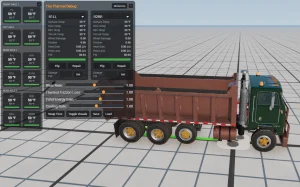
More screenshots on Official BeamNG Repository (beamng.com/resources) ↗
What this mod does
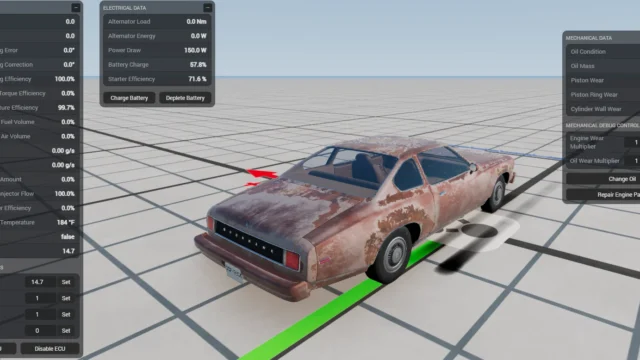
Node Based Tire Wear adds tire wear and temperature to BeamNG.drive. It’s made by Jesus Goose, who also created Advanced Engine Tuning and Wear and Individual Part Repair Menu, and it simulates friction, wear and mass on every node of the tire. That allows effects like flat spots from locking up the brakes or natural wear from wheel camber.
What’s included
- Per-node wear that changes the friction and mass of each point on the rubber.
- Rim, air, carcass and surface temperatures.
- Pressure that varies with map conditions and heat, and that you can change while driving.
- A per-node wear viewer and optional temperature apps.
- Save, load, repair, rotate and swap tires.
- Sliders to adjust the wear rate.
How to enable it
For performance reasons, it only works on vehicles fitted with the «Wheel Damage» part, which goes in the license plate design slot of the Vehicle Config. The author links an add-on that applies it to every vehicle.
Compatibility
Version 2.71 adds experimental support for Career mode. The mod page mentions 0.39 but not 0.40. Reviewers recommend it for endurance racing and track driving.
User rating
Mod video
Highlights and things to keep in mind
- Very detailed tire simulation
- Pressure adjustable while driving
- From the author of Individual Part Repair Menu
- Tagged as Experimental
- Has to be enabled on each vehicle
- The mod page doesn't mention 0.40
Requirements
- BeamNG.drive 0.39 or later
- About 2 MB of free space for the .zip file
How to install it
- Open the Node Based Tire Wear page on the official BeamNG Repository.
- Click Download to get the .zip, or subscribe from the in-game Repository (Subscribe button).
- If you download it manually, copy the .zip, without unzipping it, into the mods folder inside your BeamNG.drive user folder.
- Launch the game and check in the Mod Manager that it's enabled.
- In the Vehicle Config, fit the Wheel Damage part in the license plate design slot and, if you like, add the Tire Thermal Display and Tire Thermal Debug apps.
Version history
-
2.7112 Oct 2026Current
Experimental support for Career mode.
-
—30 Jul 2026
UI fixes for 0.39.
-
—10 Jun 2026
Fix for prop wheels.
Common problems
I can't see the temperature apps, why?
They're hidden if the mod isn't active on the vehicle: fit the Wheel Damage part first.
Can it be enabled on every car?
Yes, with the add-on the author links on the mod page.
Does it work in Career mode?
Version 2.71 adds experimental support for Career mode.
More mods for BeamNG