Advanced Engine Tuning and Wear for BeamNG.drive
Advanced engine simulation: air-fuel mixture, piston and cylinder wear, battery and alternator, active ECU and a tuning and repair app. Updated for 0.40.
Download Advanced Engine Tuning and Wear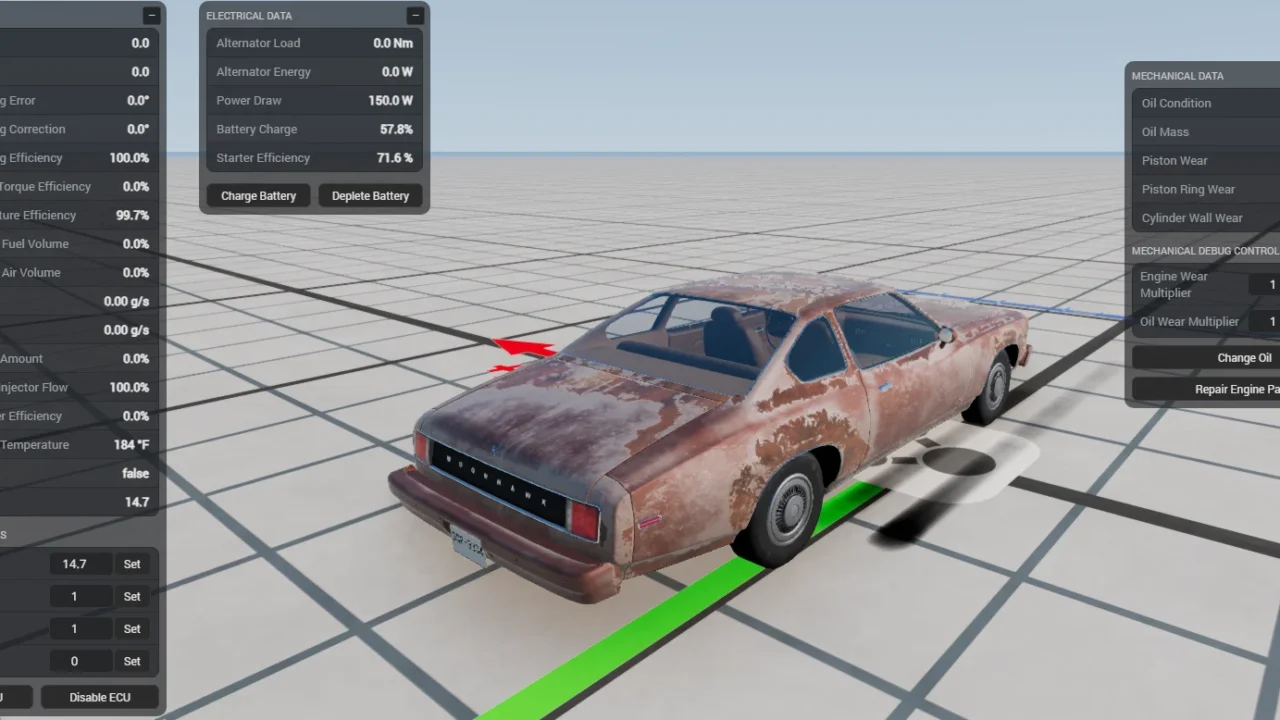
More screenshots on Official BeamNG Repository (beamng.com/resources) ↗
What this mod does
Advanced Engine Tuning and Wear, by Jesus Goose, makes BeamNG.drive’s combustion engines feel much more alive: the air-fuel mixture, heat and wear depend on how you drive and how you’ve tuned the engine. It applies automatically to any vehicle that uses the game’s standard combustion engine simulation.
What it adds
- Air-fuel ratio calculated from engine and environmental conditions.
- Mechanical wear of the piston crown, rings and cylinder walls.
- Simulated battery, alternator and starter motor, with their own wear.
- Fuel condensation: when cold, the engine runs worse and uses more fuel.
- Active ECU on cars with an engine management part, which you can disable to tune by hand.
- Reworked engine thermals, partial diesel support (including runaway from oil leaks) and nitrous treated as extra air.
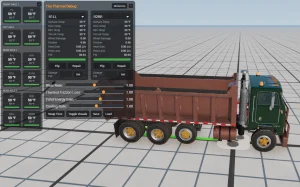
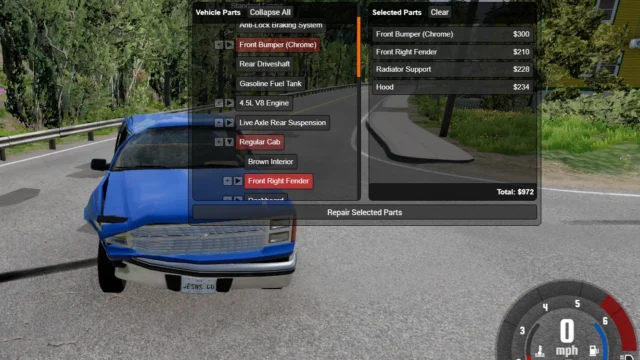
- A UI app to view engine data, make repairs and change the tune.
Career and compatibility
Career mode support is partial: new cars come with wear based on their mileage, but cars bought before installing the mod don’t. The author recommends his Individual Part Repair Menu for saving and loading engine state. Version 1.4, from October 20, 2026, adds support for 0.40, mostly sound changes and fixes.
Tips
By default an engine lasts about 200,000 miles, so wear progresses slowly; if you want to see it sooner, raise the multipliers in the app. It’s still in Beta.
User rating
Mod video
Highlights and things to keep in mind
- Much deeper engine simulation than stock
- Applies automatically to almost every car
- Already adapted to 0.40
- Still in Beta, and diesel, nitrous and Career support is partial
- One user saw very fast piston wear after 0.39 (the author couldn't reproduce it)
- May cause issues with old Automation engine mods
Requirements
- BeamNG.drive 0.40
- About 2 MB of free space for the .zip file
How to install it
- Open the Advanced Engine Tuning and Wear page on the official BeamNG Repository.
- Click Download to get the .zip, or subscribe from the in-game Repository (Subscribe button).
- If you download it manually, copy the .zip (don't unzip it) into the mods folder inside your BeamNG.drive user folder (AppData > Local > BeamNG > BeamNG.drive > current > mods).
- Launch the game and check in the Mod Manager that it's enabled.
- Add the mod's app from the UI apps editor to view engine data, make repairs and change the tune.
Version history
-
1.420 Oct 2026Current
0.40 support: mostly engine sound changes and fixes.
-
—5 Oct 2026
Fixes for the limiter leaning out the mixture, errors with modded traffic, alternators blowing up the engine in rare cases and turbo oil leak logic.
-
—10 Aug 2026
Fixes for simple traffic and instability when setting the throttle to 0.
Common problems
The engine barely wears, is it working?
Yes: by default an engine lasts about 200,000 miles; raise the wear multipliers in the app if you want to notice it sooner.
Does it work in Career mode?
Partly: new cars come with wear based on their mileage, but ones you bought without the mod installed don't.
My Automation engines throw errors, why?
One user says it conflicts with old Automation mods (UE_24 or earlier); the author points out that the usual conflict is packs with their own combustion engine Lua file.
More mods for BeamNG