CoursePlay for Farming Simulator 25
The classic automation mod: create and edit courses so helpers can harvest, unload, collect bales or work the silo. PC/Mac only and needs the latest game patch.
Download CoursePlay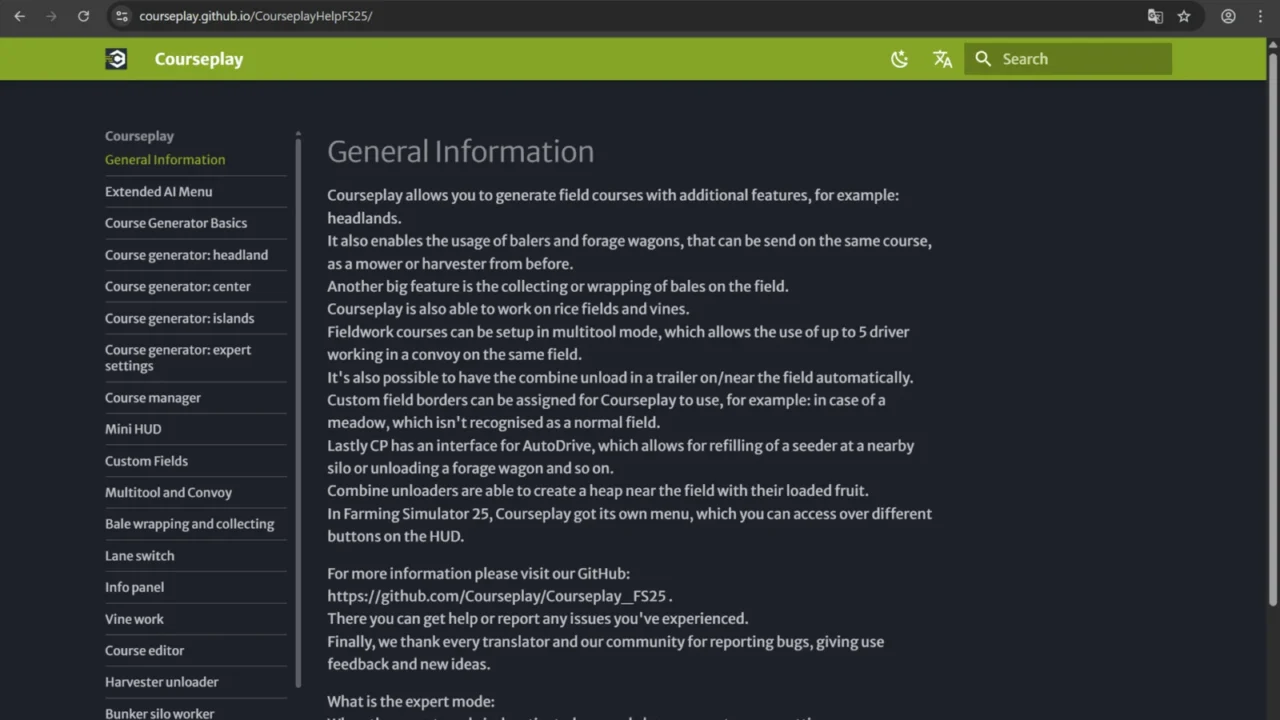
More screenshots on GIANTS ModHub (farming-simulator.com) ↗
What this mod does
CoursePlay has been the go-to automation mod in Farming Simulator for almost 15 years, and its FS25 version is available on the official ModHub. It replaces and expands the base game helpers: you decide how and where the machines work.
What you can automate
- Generate and edit fieldwork courses, with a course editor on its own screen.
- Have several vehicles work together on the same field.
- Harvesting with automatic unloading into trailers, or the combine unloading itself.
- Bale collection and wrapping, loader work and picking up heaps.
- Vineyards and other special crops.
- Pushing and compacting in the bunker silo.
Who it’s for
It’s almost essential if you run a big farm and don’t want to drive every machine yourself. It pairs with AutoDrive for road transport between fields, sheds and selling points.
Release notes
Version 8.1.0.0 revamped the interface, gave the course editor its own screen, added a loop turn at the headland for trailed implements that can’t reverse and sped up path calculation. Version 8.1.0.3 fixes a multiplayer bug when starting a helper with the implement already unfolded. It needs the latest version of the game. It’s only available for PC and Mac.
Holyfix Check
Will it work with your mods?
Load your log.txt and check whether this mod is for your FS25 version, whether you're missing a mod or DLC it needs and where to place it.
It's in Documents › My Games › FarmingSimulator2025 › log.txt. It's read in your browser: the file is never uploaded.
Something else failing? Holyfix for FS25 checks all your mods at once.
User rating
Highlights and things to keep in mind
- Far more flexible automation than the game's helpers
- Course editor and coordinated work across multiple vehicles
- Actively maintained by its team, with official help and repository
- PC/Mac only
- Learning curve: it's worth reading the official help
- Requires the game to be on the latest version
Requirements
- Farming Simulator 25 on PC or Mac (not available on console)
- Game updated to the latest patch
- Optional: AutoDrive for transport between fields and the farm
How to install it
- Update Farming Simulator 25 to the latest version.
- Go to the mods section (ModHub) in the main menu, search for "CoursePlay" and download it.
- Or download the .zip from the official ModHub page and copy it, without unzipping it, to Documents/My Games/FarmingSimulator2025/mods.
- Load your savegame and enable CoursePlay in the mod list.
- Get into a vehicle and open the CoursePlay menu from the buttons it adds to the HUD to create the course and start the helper.
- Check the official help (courseplay.github.io/CourseplayHelpFS25) for each type of job.
Version history
-
8.1.0.311 Feb 2026Current
Fixes a multiplayer bug when starting a helper with the implement unfolded, plus other errors
-
8.1.0.0
New interface, course editor on its own screen, loop turn at the headland and faster path calculation
-
8.0.0.0
First version for FS25
Common problems
Is it on PS5 or Xbox?
No. On the ModHub it's listed for PC/Mac only, because it's a script mod.
CoursePlay won't load after updating
Version 8.1 requires the latest game patch. Update Farming Simulator 25 before loading your savegame.
Does it work in multiplayer?
Yes; version 8.1.0.3 includes a fix specifically for multiplayer. All players must have the same version of the mod.
Can I use it together with AutoDrive?
Yes, the authors say it integrates with AutoDrive.
More mods for FS25
 PC and consoles
  PC and consoles
  PC and consoles
  PC and consoles
  PC and consoles
  PC and consoles