Ground Textures for Farming Simulator 25
Placeable ground textures to decorate your farm: gravel, dirt, oil stains and more, all adapting to the terrain. $50 each. Free on PC and consoles.
Download Ground Textures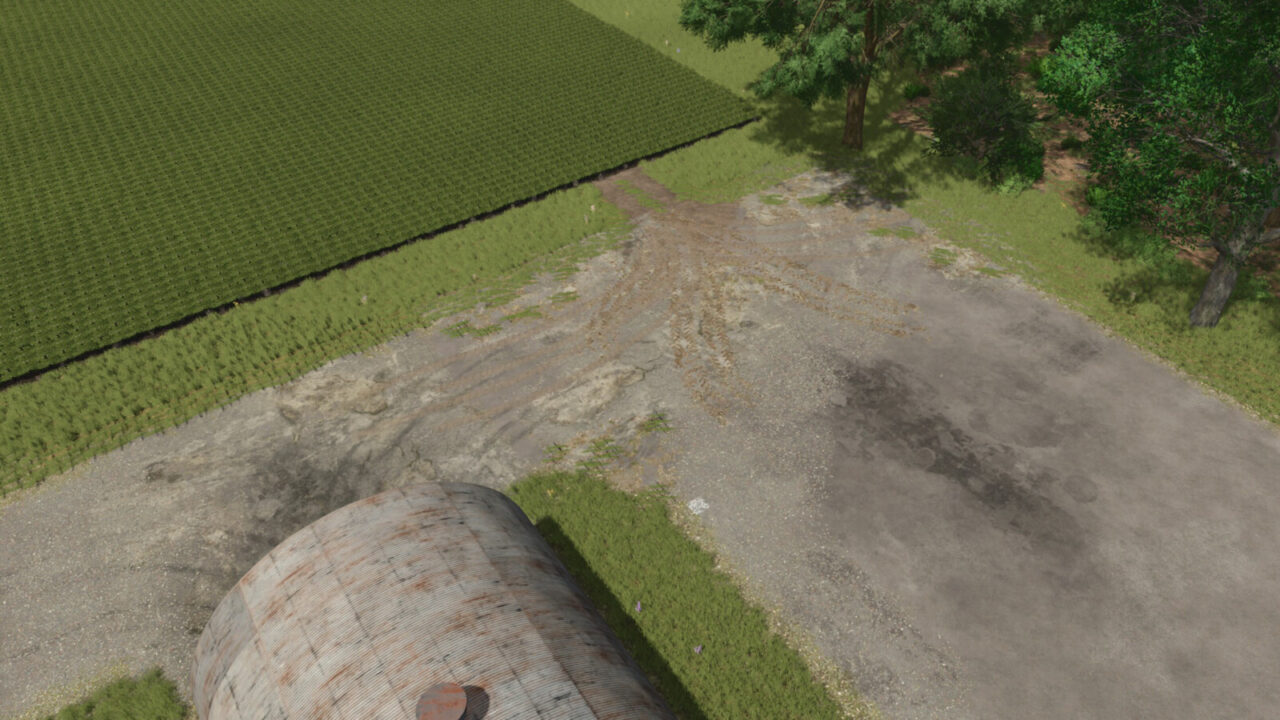
More screenshots on GIANTS ModHub (farming-simulator.com) ↗
What this mod does
Ground Textures by AgrarKadabra is a decoration mod that adds placeable ground textures to give your farm a more lived-in look: paths, yards, dirt patches next to the sheds or oil stains where you park your machinery.
How it works
- Each texture adapts to the shape of the terrain.
- If you later raise or lower the terrain, the texture adjusts on its own.
- Includes dirt patches and oil stains in several sizes.
- Each piece costs $50 and can be sold if you change your mind.
Choosing the size
In the construction menu, select the texture and open the configuration menu (F key by default on PC). Pick the size, close it with Escape and place it wherever you want.
What’s new
Version 1.1.0.0, from May 2025, adds nine new textures and fixes some translations.
Who it’s for
If you like decorating and taking screenshots, or want a realistic-looking farm, it’s an almost essential mod. It’s cheap, lightweight and doesn’t affect gameplay or savegame performance. It works on PC/Mac, PS5, Xbox Series X|S and Nintendo Switch 2.
Holyfix Check
Will it work with your mods?
Load your log.txt and check whether this mod is for your FS25 version, whether you're missing a mod or DLC it needs and where to place it.
It's in Documents › My Games › FarmingSimulator2025 › log.txt. It's read in your browser: the file is never uploaded.
Something else failing? Holyfix for FS25 checks all your mods at once.
User rating
Highlights and things to keep in mind
- Adapts to the terrain
- Very cheap: $50 per piece
- Lightweight, no dependencies
- Decorative only
- Placing lots of pieces takes time
Requirements
- Farming Simulator 25 on PC/Mac, PS5, Xbox Series X|S or Nintendo Switch 2
- About 6 MB of free space
How to install it
- On console: open ModHub from the game menu, search for "Ground Textures" and download it.
- On PC/Mac: download it from the in-game ModHub or get FS25_groundTextures.zip from the official mod page.
- If you download it manually, copy the .zip (don't unzip it) into Documents > My Games > FarmingSimulator2025 > mods.
- Enable the mod when you load or create your savegame.
- In construction mode, find the textures under decoration, pick the size in the configuration menu and place them.
Version history
-
1.1.0.022 May 2025Current
Nine new textures and translation fixes
Common problems
Is it on consoles?
Yes, ModHub offers it on PS5, Xbox Series X|S and Nintendo Switch 2, as well as PC/Mac.
Do they adapt to the terrain?
Yes, and they readjust if you later modify the terrain.
How do I change the size?
In the configuration menu (F key by default on PC) before placing it.
More mods for FS25
 PC and consoles
  PC and consoles
  PC and consoles
  PC and consoles
  PC and consoles
  PC and consoles