Freightliner Cascadia 2024 Add-ons (Sherman) for American Truck Simulator
Chrome stacks, grille and bumper, plastic skirts, mirror cameras and an Elite Midnight interior for SCS's Cascadia 2024. Free, by Sherman, for ATS 1.55 to 1.61.
Download Freightliner Cascadia 2024 Add-ons (Sherman)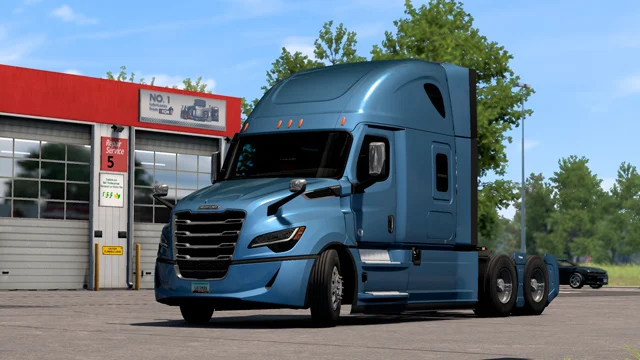
More screenshots on Steam Workshop ↗
What this mod does
Sherman’s Freightliner Cascadia 2024 Add-ons add parts and interiors that SCS’s fifth-generation Cascadia doesn’t come with. It’s a free pack with more than 21,000 subscribers on Steam Workshop.
What it adds
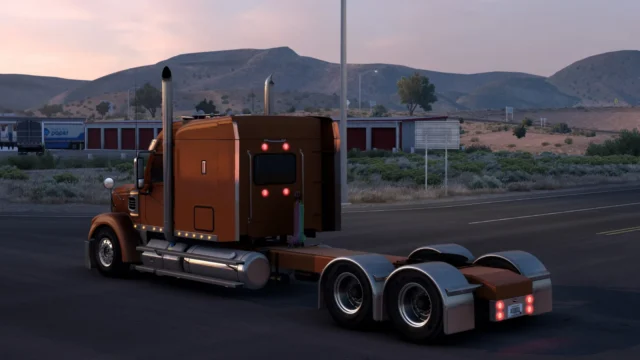
- New exhausts and tanks without fairings.
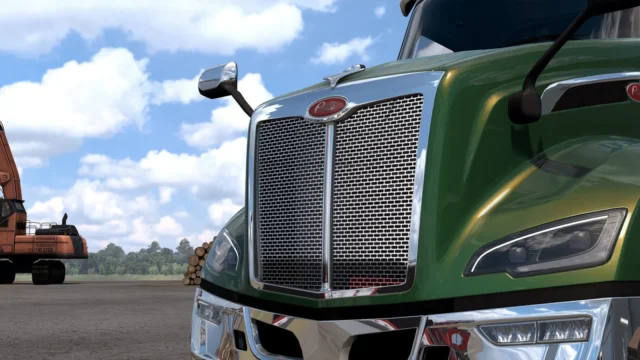
- Full chrome grille, chrome bumper, chrome steps and chrome fenders.
- Plastic side skirts.
- Removable roof and side fairings.
- A cameras-only option instead of mirrors, in chrome or plastic.
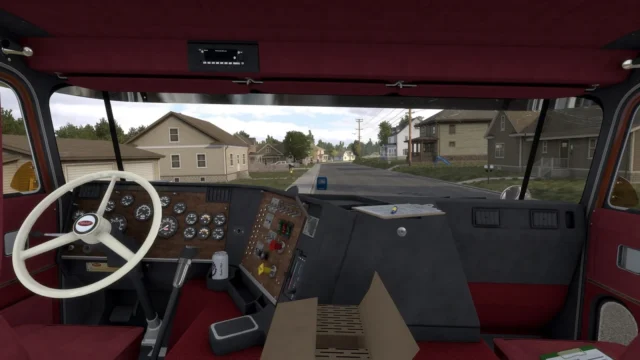
- Elite Midnight interior for the XT and RR cabs.
- Aero skirt bar for the Cascadia 2019.
Requirements and version
It’s designed for SCS’s Cascadia 2024, which is sold as a DLC (Freightliner Cascadia, fifth generation); the skirt bar is for the Cascadia 2019 from the 3rd/4th generation DLC. According to its description, it works from 1.55 to 1.61; the file was last updated on July 19, 2025.
Known issue
The author himself warns that painted parts break paint jobs: on the painted chrome bumper, designs don’t line up and only solid colors look right. If you use a patterned paint job, choose the chrome or plastic versions.
Holyfix Check
Will it work with your mods?
Load your game.log.txt and check whether this mod is for your ATS version, whether you're missing a mod or DLC it needs and where to place it.
It's in Documents › American Truck Simulator › game.log.txt. It's read in your browser: the file is never uploaded.
Something else failing? Holyfix for ATS checks all your mods at once.
User rating
Our rating
0.0 / 5- Chrome, skirts and cameras instead of mirrors for the Cascadia 2024
- Elite Midnight interior for the XT and RR cabs
- Free, with more than 21,000 subscribers
- Requires the fifth-generation Cascadia DLC
- Painted parts break patterned paint jobs (a bug acknowledged by the author)
- The file hasn't changed since July 19, 2025: 1.61 compatibility comes from the author's description
- Unofficial mod: trademarks belong to their owners; neither Holymod nor the author is affiliated with them
Requirements
Links go to each DLC’s official Steam page.
- American Truck Simulator 1.55 to 1.61
- Freightliner Cascadia (fifth generation) DLC, SCS's Cascadia 2024
- Optional: Freightliner Cascadia (3rd/4th generation) DLC for the Cascadia 2019 skirt bar
- A Steam account to subscribe on the Workshop
How to install it
- Open the “Freightliner Cascadia 2024 Add-ons” page on Steam Workshop and click “Subscribe.”
- Launch American Truck Simulator and wait for the download to finish.
- Open the Mod Manager and enable the mod.
- Load your save and take your Cascadia 2024 to a garage or a Freightliner dealer.
- Pick the new parts and the Elite Midnight interior in the tuning menu.
Version history
-
19 Jul 2025Current
Last file update (the changelog has 8 change notes)
-
15 Oct 2024
Released
Common problems
Which cabs is the Elite Midnight interior for?
The XT and RR cabs of the Cascadia 2024.
My paint job looks wrong on the bumper
It's a bug the author acknowledges: painted parts only look right with solid colors.
Does it work on the Cascadia 2019?
It only includes one part for it, the aero skirt bar; the rest is for the Cascadia 2024.
More mods for ATS
 ✓ ATS 1.61Requires DLC
  ATS 1.59
  ✓ ATS 1.61Requires DLC
  ✓ ATS 1.61
  ✓ ATS 1.61
  ✓ ATS 1.61