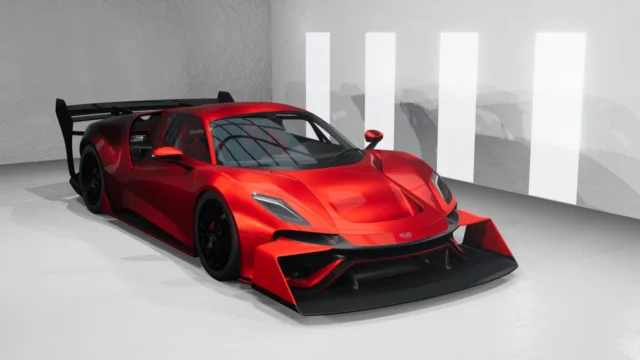
High Idling Cold Engines (Universal) for BeamNG.drive
Adds a high idle when the engine is cold to almost any combustion vehicle, just like real cars. It installs as a part and is adjusted in the Tuning menu.
Download High Idling Cold Engines (Universal)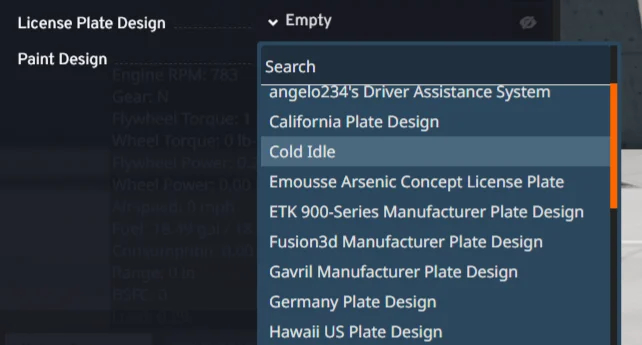
More screenshots on Official BeamNG Repository (beamng.com/resources) ↗
What this mod does
High Idling Cold Engines (Universal), by arpax0.110, recreates a real-car detail the base game doesn’t simulate: when the engine is cold, the idle speed rises and then drops as it warms up. It works on almost any vehicle with a combustion engine.
What’s included
- A Cold Idle ECU that you install as a part.
- Adjustable minimum and maximum temperatures.
- Configurable high idle RPM.
- A reduction factor when a gear is engaged.
How to use it
In the Vehicle Config, go to the license plate design slot, find Cold Idle and select the ECU. For the engine to start cold, go to Options > Gameplay and uncheck the box that starts engines preheated; otherwise you won’t notice the effect. Then adjust the temperatures and RPM in the Tuning menu.
Compatibility
Version 1.2, from September 7, 2026, fixes a conflict with the UPP pack that made only one of the two mods show up. It’s marked as experimental, and the mod page doesn’t mention Career or multiplayer. The vehicle control script is by charl, credited by the author.
Tips
Some users say they don’t notice the change or that it doesn’t show up in the game. Make sure the preheated start option is off and the ECU is installed; if it still doesn’t appear in the license plate slot, the author asks you to let him know.
User rating
Highlights and things to keep in mind
- Realistic detail the game doesn't include
- Works on almost any combustion car
- Tiny file
- Marked as experimental
- Few ratings (5)
- Some users can't get it to show up
- May need an update for 0.40 (released October 19, 2026)
Requirements
- BeamNG.drive 0.39 or later
- Turn off preheated engine starts in Options > Gameplay
How to install it
- Open the High Idling Cold Engines (Universal) page on the official BeamNG Repository.
- Click Download to get the .zip, or subscribe from the in-game Repository (Subscribe button).
- If you download it manually, copy the .zip, without unzipping it, into the mods folder inside your BeamNG.drive user folder.
- Launch the game and check in the Mod Manager that it's enabled.
- In the Vehicle Config, go to the license plate design slot, choose Cold Idle and install the ECU.
Version history
-
1.27 Sep 2026Current
Fixed the conflict with the UPP pack.
-
1.129 Jan 2026
Previous version released.
Common problems
I don't notice any change, what should I do?
Turn off preheated engine starts in Options > Gameplay and check that the Cold Idle ECU is installed.
Where's the part?
In the license plate design slot of the Vehicle Config, under Cold Idle.
Is it compatible with UPP?
Since 1.2, the conflict that made only one of the two mods show up has been fixed.
More mods for BeamNG