Percheron Off-Road Bar-Grip Tires for BeamNG.drive
The Gavril MD-Series Bar-Grip off-road tires adapted to the Cherrier Percheron truck, with new wheels and a 4×4 config ready for the mud.
Download Percheron Off-Road Bar-Grip Tires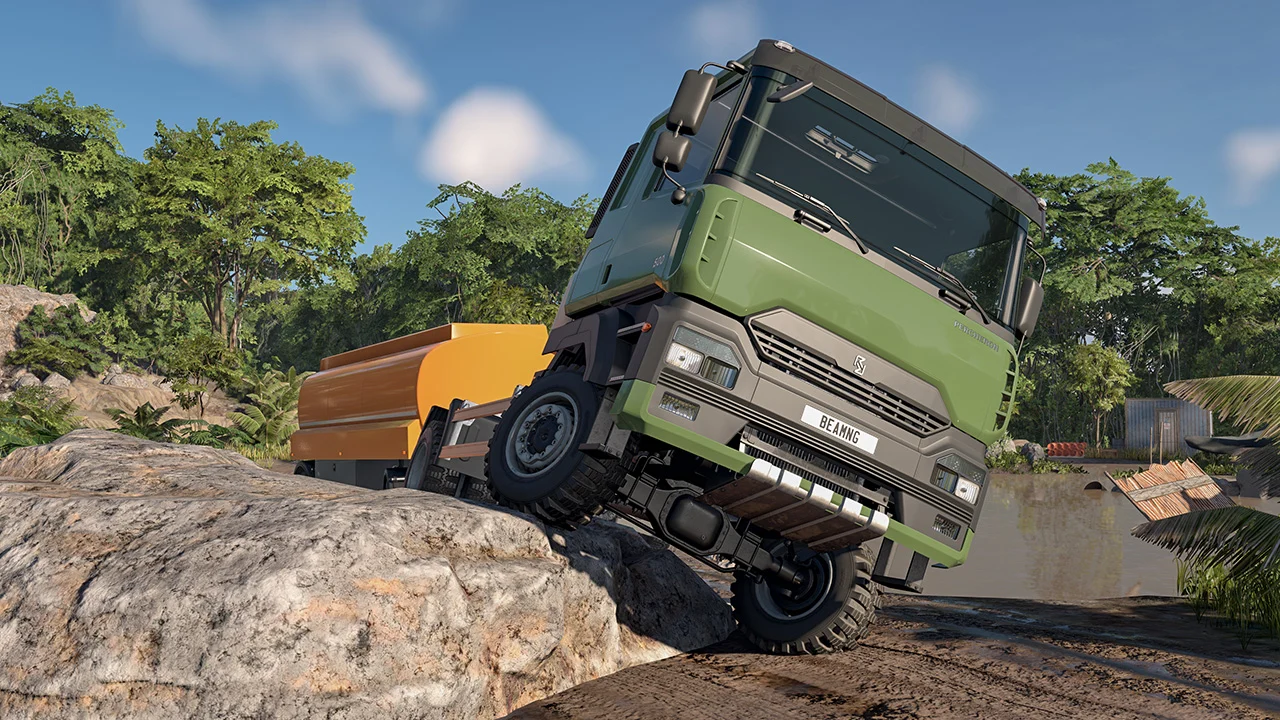
More screenshots on Official BeamNG Repository (beamng.com/resources) ↗
What this mod does
Percheron Off-Road Bar-Grip Tires, by Steelorse, brings the Gavril MD-Series Bar-Grip off-road tires to the Cherrier Percheron, the European truck that arrived with BeamNG.drive version 0.40. The Percheron shipped without a real off-road tire option, and this mod adds one so you can take it through mud, rocks, sand and steep trails.
What’s included
- Bar-Grip tires for every Percheron axle: front, second steer axle, tag axles and both rear drive axles.
- Wide 445/55R22.5 singles on new 22.5×14 wheels and 14R22.5 rear duals on 22.5×10.5 wheels.
- Steel and aluminum versions of each wheel.
- Built-in spacers so the big wheels don’t hit the steering or the leaf springs.
- A bit more grip in mud, dirt, sand and grass, deliberately more than realistic.
Included config
It comes with the Custom BarGrip 4×4 off-road config: an L cab 4×4 with a fifth wheel, 500 hp, a 12-speed manual, locking differentials, no sway bars and an 850-liter tank behind the cab.
Tips
The fun part is building your own version: in Wheels, pick a 22.5×14 or 22.5×10.5 wheel and the Bar-Grip tire is fitted automatically. You can build 6×6 and even 8×8 trucks. Lower the pressure in the tuning menu for more traction. It doesn’t add new models: it reuses the game’s own.
User rating
Highlights and things to keep in mind
- Turns the Percheron into an off-road truck
- Ready-to-drive 4x4 config
- Very small file
- Grip is slightly higher than realistic, on purpose
- Just released, with only one review
- For the Cherrier Percheron only
Requirements
- BeamNG.drive 0.40 (with the Cherrier Percheron)
- About 2 MB of free space for the .zip file
How to install it
- Open the Percheron Off-Road Bar-Grip Tires page on the official BeamNG Repository.
- Click Download to get the .zip, or subscribe from the in-game Repository (Subscribe button).
- If you download it manually, copy the .zip (don't unzip it) into the mods folder inside your BeamNG.drive user folder (AppData > Local > BeamNG > BeamNG.drive > current > mods).
- Launch the game and check in the Mod Manager that it's enabled.
- Load the Custom BarGrip 4x4 off-road config or, on your Percheron, pick a 22.5x14 or 22.5x10.5 wheel in Wheels.
Version history
-
1.020 Oct 2026Current
First version.
Common problems
How do I put the tires on my Percheron?
In the configurator, under Wheels, pick a 22.5x14 (single) or 22.5x10.5 (rear dual) wheel; the Bar-Grip is fitted automatically.
Are they new tires?
No: they're the game's Gavril MD-Series Bar-Grips adapted to the Percheron; all credit for the models goes to BeamNG.
How do I get more traction?
Lower the tire pressure in the tuning menu.
More mods for BeamNG