Devil Accessory: lights, antennas and a CB radio for trucks for Euro Truck Simulator 2
Front, rear, brake and reverse lights, antennas, a CB radio and the Michelin Man for many trucks. By FLVinge [DK]; the author doesn't state a game version.
Download Devil Accessory: lights, antennas and a CB radio for trucks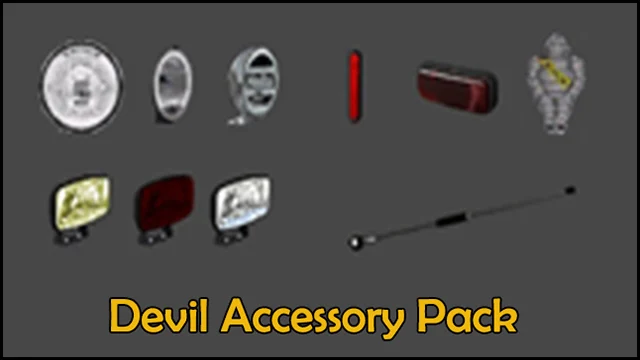
More screenshots on Steam Workshop ↗
What this mod does
Devil Accessory is an accessory pack by FLVinge [DK], the author of the BDF Tandem Truck Pack. It adds parts to decorate many trucks in Euro Truck Simulator 2 and has over 340,000 subscribers.
What’s included
- Front and rear lights, brake lights and reverse lights.
- Antennas, which go where the flags go.
- A CB radio.
- The Michelin Man.
How to place them
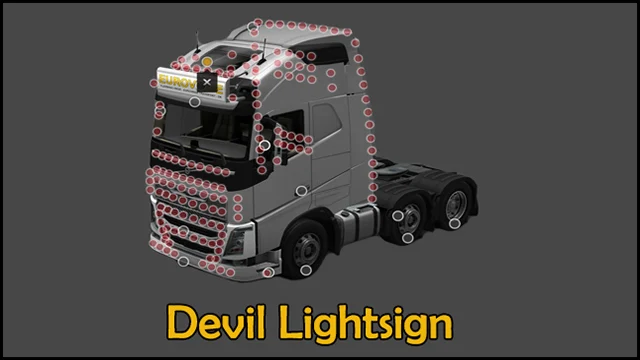
According to the author, the lights can go almost anywhere on the truck where an attachment point shows up. You pick the accessories when customizing the truck at the service shop. It can be combined with Devil Lightsign, by the same author, which adds more than 160 attachment points to some Scania and Volvo trucks.
What players say
One player says it works on 1.58; others ask for an update for 1.57 and 1.61. Some also say the CB radio doesn’t work for them and that it can’t be used on TruckersMP.
Version
The author doesn’t state a game version. The latest update is from October 27, 2024. It’s free and needs no DLC.
Holyfix Check
Will it work with your mods?
Load your game.log.txt and check whether this mod is for your ETS2 version, whether you're missing a mod or DLC it needs and where to place it.
It's in Documents › Euro Truck Simulator 2 › game.log.txt. It's read in your browser: the file is never uploaded.
Something else failing? Holyfix for ETS2 checks all your mods at once.
User rating
Our rating
0.0 / 5- Lots of parts to decorate your truck
- Pairs with Devil Lightsign
- Free and with no dependencies
- The author doesn't state a game version. It may cause errors on 1.61; Holyfix will warn you if so.
- Some players say the CB radio doesn't work
- Doesn't work on TruckersMP, according to the comments
- Unofficial mod: trademarks belong to their owners; neither Holymod nor the author is affiliated with them
Requirements
- Euro Truck Simulator 2
- No DLC or other mods required
- Optional: Devil Lightsign, by the same author
How to install it
- Open the “Devil Accessory” page on Steam Workshop and click “Subscribe”.
- Launch Euro Truck Simulator 2 and wait for Steam to finish the download.
- Open your profile's Mod Manager, enable the mod and confirm the changes.
- At the service shop, open the truck customization and look for the parts on the attachment points.
- Antennas go in the flag slots.
Common problems
Where do the lights go?
Almost anywhere on the truck where an attachment point shows up, according to the author.
Where do the antennas go?
In the flag slots.
Can I use it with Devil Lightsign?
Yes, the author says they can be used together.
More mods for ETS2
 ETS2 1.57
 ETS2 1.56