Universal Autoload for Farming Simulator 25
Script that adds autoloading to base game trailers: pallets, containers and logs, by type or mixed. Works with AutoDrive and CoursePlay. PC/Mac only.
Download Universal Autoload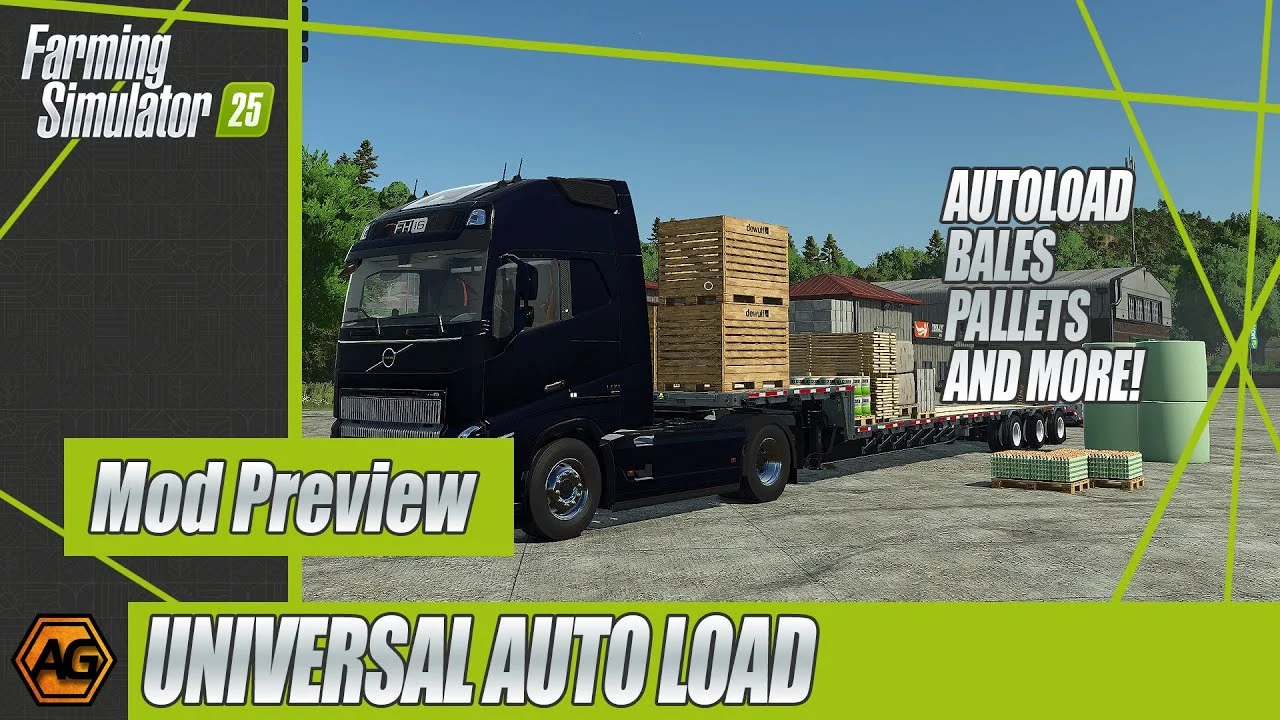
More screenshots on GIANTS ModHub (farming-simulator.com) ↗
What this mod does
Universal Autoload is a script by loki_79 that adds an autoload feature to the base game trailers. It doesn’t add new vehicles: it modifies the existing trailers and applies both to the ones you buy and to those already on your farm.
What changes in the game
- It loads any type of pallet and container, as well as logs on forestry vehicles.
- You can load and unload filtering by material or container type, or choose «ALL» to load mixed types one after another.
- You can limit loading to full pallets only.
- Option to load in stacks or in layers; items are sorted by size to make the most of the space.
- Compatible trailers are configured from the interface when you buy them.
- It works alongside AutoDrive and CoursePlay to automate hauling.
Who it’s for
For players who move lots of pallets (seeds, fertilizer, factory products) or logs and are tired of placing them one by one. It’s especially useful in savegames with productions and in multiplayer.
Version
Version 1.1.1.0 fixes a bug that could create duplicate pallets in the shop. Version 1.1.0.0 added support for the Highlands DLC, a global setting to enable physics on loaded pallets (off by default) and the ability for admins to change global settings in multiplayer. The mod includes a readme file with setup instructions.
Holyfix Check
Will it work with your mods?
Load your log.txt and check whether this mod is for your FS25 version, whether you're missing a mod or DLC it needs and where to place it.
It's in Documents › My Games › FarmingSimulator2025 › log.txt. It's read in your browser: the file is never uploaded.
Something else failing? Holyfix for FS25 checks all your mods at once.
User rating
Mod video
Highlights and things to keep in mind
- Works with the base game trailers, no need to buy new vehicles
- Filters by load type, plus log loading
- Integration with AutoDrive and CoursePlay, and multiplayer support
- PC and Mac only
- It's worth reading the readme to get the most out of the settings
Requirements
- Farming Simulator 25 on PC or Mac (not available on console)
- No DLC or other mods needed
How to install it
- Open the Universal Autoload page on the official ModHub and download the ZIP.
- Copy the ZIP without unzipping it to Documents/My Games/FarmingSimulator2025/mods.
- Launch the game and enable the mod in your savegame's mod selection (new or existing).
- Buy a compatible trailer or use one you already own; autoloading also applies to existing ones.
- Configure the trailer from the interface when you buy it and check the included readme for advanced settings.
Version history
-
1.1.1.05 Apr 2026Current
Fixes a bug that created multiple pallets in the shop
-
1.1.0.0
Highlands DLC support, global setting for loaded pallet physics and global settings editable by admins in multiplayer
-
1.0.1.0
Prevents runtime errors and improves loading of shipping containers
Common problems
Does it work on console?
No. The ModHub page only lists PC/Mac.
Does it affect my current trailers?
Yes. The author says it applies to new trailers and to those already on your farm.
I can't change the settings in multiplayer
Since 1.1.0.0, global settings can only be changed by players with admin permissions.
Loaded pallets don't move in corners
Physics on loaded pallets is off by default; you can turn it on in the global settings.
More mods for FS25
 Multiplayer
  PC and consoles
  PC and consoles
  PC and consoles
  PC and consoles