49X/57X/Cascadia Dashboard Fuel Level Display (Punicron) for American Truck Simulator
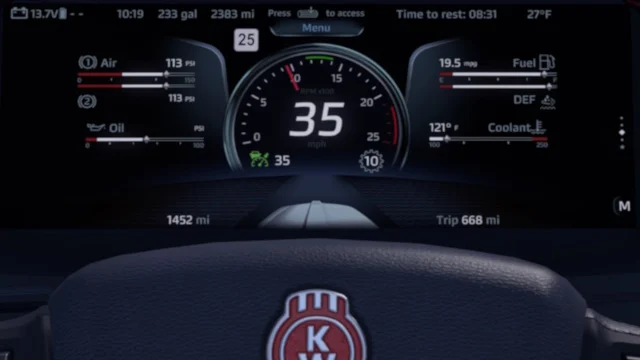
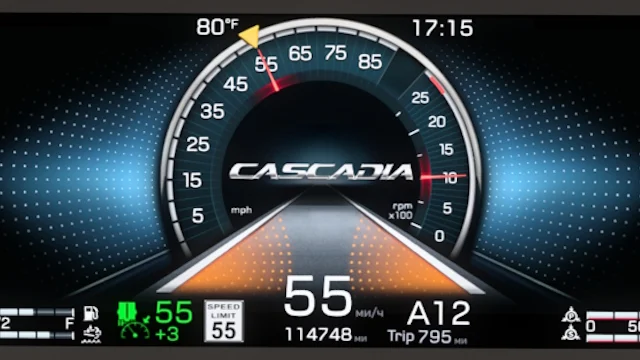
Punicron adds fuel left and range to the Western Star 49X, 57X and Freightliner Cascadia screens, and brings the speed limit back to the GPS. Updated for 1.55.
Download 49X/57X/Cascadia Dashboard Fuel Level Display (Punicron)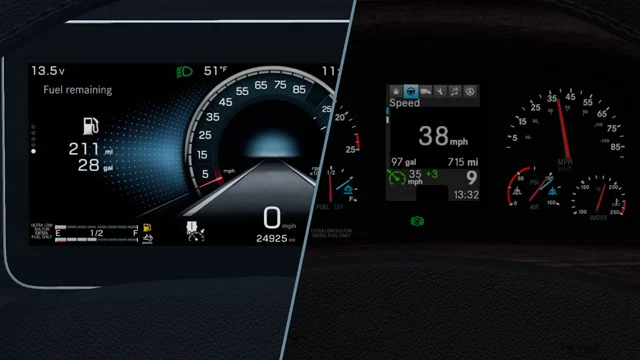
More screenshots on Steam Workshop ↗
What this mod does
49X/57X/Cascadia Dashboard Fuel Level Display is a mod by Punicron that adds fuel left and distance to empty to the screens of the Western Star 49X, Western Star 57X and Freightliner Cascadia in American Truck Simulator. It has almost 18,000 subscribers.
Analog dashboard
It replaces the fuel economy and speed readouts. Temperature and the odometer move to the engine status screen. Press the «i» key to switch screens.
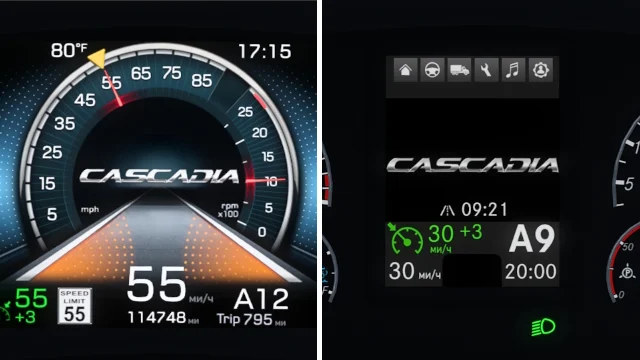
Digital dashboard (Cascadia and 57X)
- Range on the trip info screen.
- ETA and cruise control speed on the main screen.
- Shows the speed limit on the GPS screen again.
Version
The description doesn’t list a version. In the changelog, the latest note (July 17, 2025) says «1.55» and adds the Cascadia 2024 gauges. Before that, he had already added support for the Cascadia 2024 (October 2024) and for 1.49 (December 2023).
Player feedback
In December 2025 two players thanked him for the speed limit on the Cascadia’s GPS, including on Steam Deck. In 2024 another said he only saw three options on the 49X. The author explained that only the Cascadia has both dashboard types.
Holyfix Check
Will it work with your mods?
Load your game.log.txt and check whether this mod is for your ATS version, whether you're missing a mod or DLC it needs and where to place it.
It's in Documents › American Truck Simulator › game.log.txt. It's read in your browser: the file is never uploaded.
Something else failing? Holyfix for ATS checks all your mods at once.
User rating
Our rating
0.0 / 5- Range always in view
- Speed limit back on the GPS
- Covers three SCS trucks
- Latest game version confirmed by the author: 1.55. It may cause errors in 1.61; Holyfix will warn you if so.
- Only for the Western Star 49X, the 57X and the Freightliner Cascadia
- Unofficial mod: trademarks belong to their owners; neither Holymod nor the author is affiliated with them
Requirements
Links go to each DLC’s official Steam page.
- American Truck Simulator 1.55 (latest confirmed by the author)
- Steam account to subscribe on the Workshop
- Western Star 49X, Western Star 57X or Freightliner Cascadia DLC (the truck you're going to use)
How to install it
- Open the "49X/57X/Cascadia Dashboard Fuel Level Display" page on Steam Workshop and click "Subscribe".
- Launch American Truck Simulator and wait for Steam to finish the download.
- Open your profile's Mod Manager and enable the mod.
- Get in your 49X, 57X or Cascadia and press "i" to switch dashboard screens.
Version history
-
17 Jul 2025Current
1.55: Cascadia 2024 gauges
-
19 Oct 2024
Support for the Cascadia 2024
-
13 Dec 2023
Update for 1.49
Common problems
Where do I see the temperature?
On the engine status screen; switch screens with the "i" key.
Does it work on the Cascadia 2024?
Yes: the changelog adds its support and gauges.
Which trucks have a digital dashboard?
The Cascadia and the 57X; only the Cascadia has both types.
More mods for ATS
 ✓ ATS 1.61
  ✓ ATS 1.61
  Requires DLC
  Requires DLCMultiplayer
  Requires DLC
  ✓ ATS 1.61Requires DLC