Improved Lighting (TGModz) for American Truck Simulator
More realistic lighting for ATS without touching the game's skies. By TGModz, updated September 17, 2026 after 1.61. Can't be combined with other graphics mods.
Download Improved Lighting (TGModz)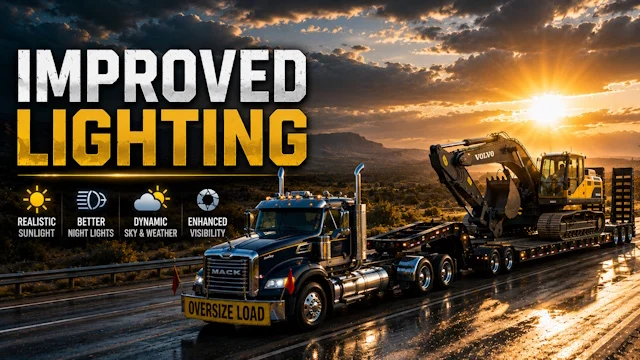
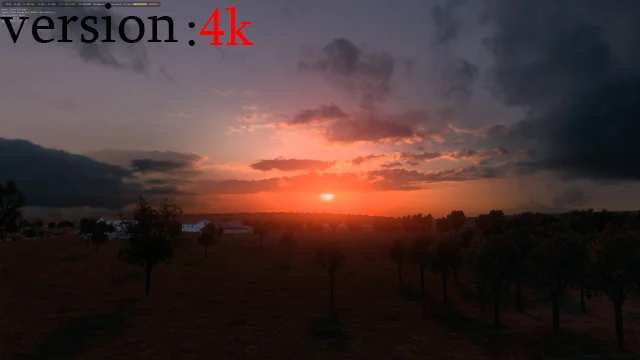
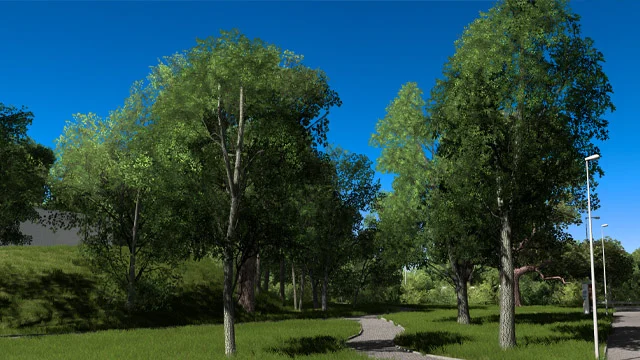
Official screenshots by the author: © TGModz on Steam WorkshopMore screenshots on Steam Workshop ↗
What this mod does
Improved Lighting is the lighting mod by TGModz, the same author behind Ultimate Graphics Mod. It tweaks how light behaves in American Truck Simulator so it’s closer to real-world physics, without adding new skies or changing the rest of the environment.
What it changes
- More natural lighting, with light spread more realistically.
- The game’s skies (skybox) stay as they are: the author promises no drastic changes to the scenery.
- It’s very lightweight: about 4 MB.
Compatibility
The author warns in all caps that it doesn’t work with any other graphics mod. In the comments he confirms it can’t be used alongside his Ultimate Graphics Mod or with other lighting mods either: you have to pick one. It doesn’t need any DLC.
Version
After 1.61 arrived on September 15, 2026, several users reported that it had stopped working, and the author updated it on September 17, 2026. The description doesn’t list a game version. It has 7 change notes since it was published in May 2024 and has passed 8,000 subscribers.
The author asks you not to edit or reupload the files, and to report bugs in the Steam Workshop comments.
Holyfix Check
Will it work with your mods?
Load your game.log.txt and check whether this mod is for your ATS version, whether you're missing a mod or DLC it needs and where to place it.
It's in Documents › American Truck Simulator › game.log.txt. It's read in your browser: the file is never uploaded.
Something else failing? Holyfix for ATS checks all your mods at once.
User rating
Highlights and things to keep in mind
- More natural light without changing the game's look
- Very lightweight: about 4 MB
- Active author: updated it two days after 1.61
- Incompatible with any other graphics mod
- The description doesn't list a game version
- The author forbids editing or reuploading it
Requirements
- American Truck Simulator 1.61
- Steam account
- No DLC or other mods needed
How to install it
- Open the "Improved Lighting" page on Steam Workshop and click "Subscribe".
- Launch American Truck Simulator and wait for Steam to finish downloading the mod.
- Open the Mod Manager in your profile and enable "Improved Lighting".
- Disable any other graphics or lighting mod, including Ultimate Graphics Mod.
- Confirm the changes and load your profile.
Version history
-
17 Sep 2026Current
Latest update, after 1.61 (the log has 7 notes)
-
8 May 2024
Release
Common problems
Can I use it with Ultimate Graphics Mod?
No. The author says you have to pick one or the other.
Does it change the skies?
No. It only adjusts the lighting; the game's skies stay the same.
Does it work on 1.61?
The author updated it on September 17, 2026, two days after 1.61, following reports that it had stopped working.
More mods for ATS
 ATS 1.58
 ✓ ATS 1.61
 ✓ ATS 1.61
 ✓ ATS 1.61Multiplayer
 ✓ ATS 1.61
 ✓ ATS 1.61