Road Trip: Visible Speed Limit for American Truck Simulator
Shows the speed limit on the screens of the F-150, Bronco and Crown Victoria from the Road Trip: Ford DLC, using the game's own navigation data. UI only; requires ATS 1.61.
Download Road Trip: Visible Speed Limit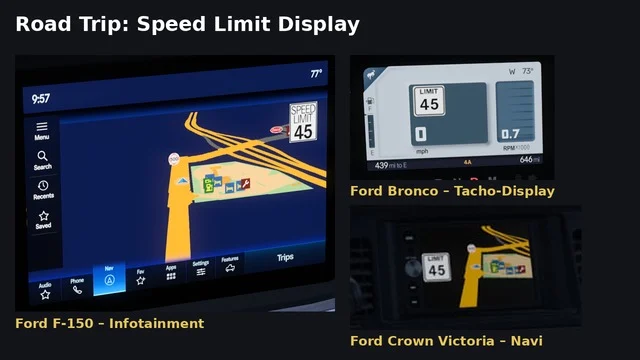
More screenshots on Steam Workshop ↗
What this mod does
In the Road Trip: Ford DLC cars, it’s hard to tell how fast you’re allowed to go. Road Trip: Visible Speed Limit, by XanarGaming, puts a speed limit sign on the dashboard screens, using the game’s own navigation data and each car’s style.
Where it appears
- Ford F-150 2023: a large sign in the top right corner of the infotainment map.
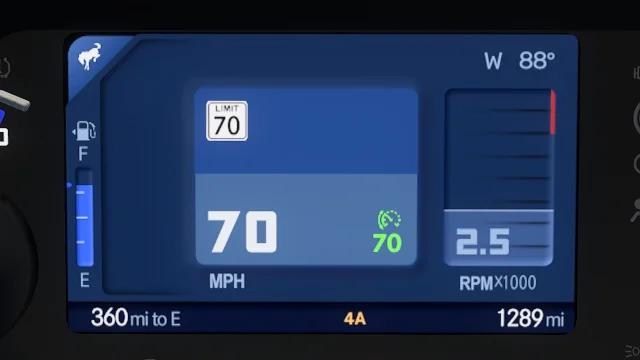
- Ford Bronco 2024: an enlarged sign on the digital instrument cluster; the center screen doesn’t get the data.
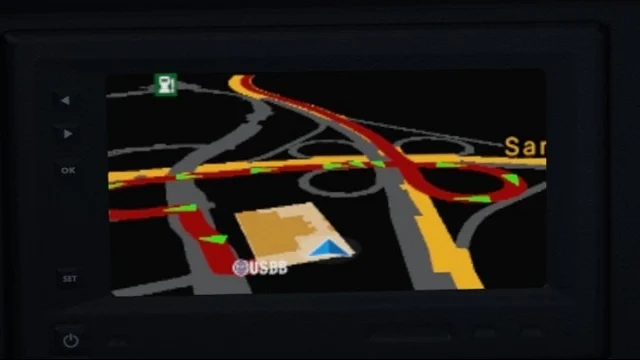
- Ford Crown Victoria: an enlarged sign on the navigation screen.
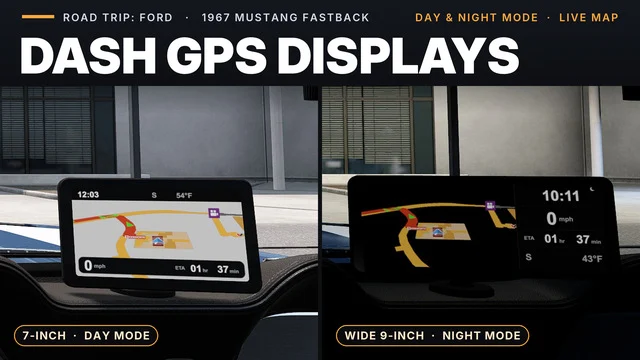
- The Mustang 1967 has no screen and isn’t compatible.
Requirements and compatibility
It needs ATS 1.61 and the Road Trip: Ford DLC, and it only loads if you own the DLC. It modifies UI files only. It may conflict with mods that edit the same screens: place it above them. Since the October 8 update, it’s optional in Convoy.
If you don’t see it
Some users only saw it in the Bronco. The author explains that you need to remove the phone from the car, due to a game engine limitation. One user confirmed that fixes it.
Holyfix Check
Will it work with your mods?
Load your game.log.txt and check whether this mod is for your ATS version, whether you're missing a mod or DLC it needs and where to place it.
It's in Documents › American Truck Simulator › game.log.txt. It's read in your browser: the file is never uploaded.
Something else failing? Holyfix for ATS checks all your mods at once.
User rating
Highlights and things to keep in mind
- Clearly visible speed limit in three cars
- Matches each dashboard's style
- Lightweight file that only touches the UI
- Requires the Road Trip: Ford DLC
- Doesn't work with the phone installed in the car
- In the Bronco it only appears on the instrument cluster
Requirements
- American Truck Simulator 1.61
- Road Trip: Ford DLC
- Steam account
How to install it
- Open the "Road Trip: Visible Speed Limit" page on Steam Workshop and click "Subscribe".
- Launch American Truck Simulator and wait for Steam to finish downloading the mod.
- Open the Mod Manager in your profile and enable "Road Trip: Visible Speed Limit".
- Place it above other mods that change the screens of the Road Trip Fords.
- If you don't see the sign in the F-150 or the Crown Victoria, remove the phone from the car at the service shop.
Version history
-
8 Oct 2026Current
Latest update (the author announced it would be optional in Convoy)
-
30 Sep 2026
Release
Common problems
Does it work in the Mustang?
No: the Mustang 1967 has no screen.
Why can't I see it in the F-150?
Remove the phone from the car; the author says it's a game engine limitation.
Does it work in Convoy?
Yes, it's been optional in Convoy since the October update.
More mods for ATS
 ✓ ATS 1.61Requires DLC
  ✓ ATS 1.61
  ATS 1.58
  ATS 1.59
  ATS 1.59
  ✓ ATS 1.61Requires DLC