Better Navigation FOV for American Truck Simulator
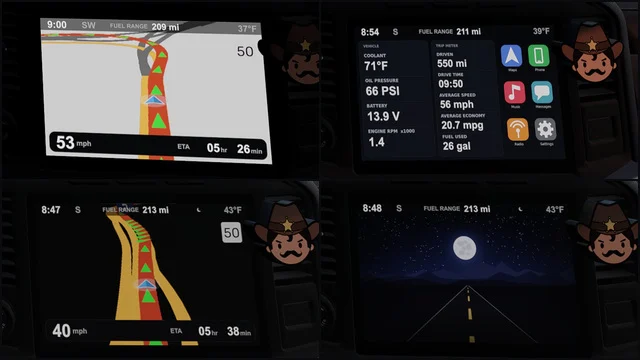
Widens the field of view of the dashboard GPS screen so you see more of the road ahead. Free on Steam Workshop, tested with SCS trucks and the Cabin Accessories DLC GPS.
Download Better Navigation FOV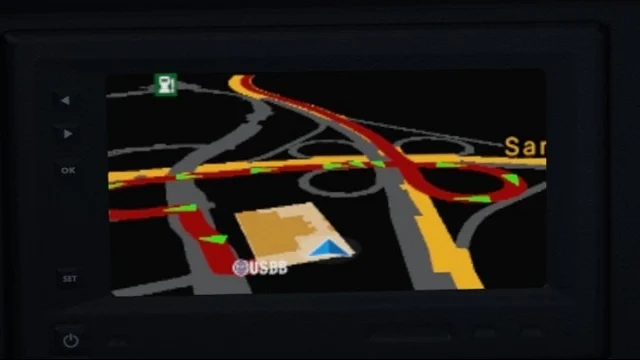
More screenshots on Steam Workshop ↗
What this mod does
Better Navigation FOV is a mod by Hungarikum that improves the navigation field of view on the dashboard GPS screen. With the stock view you see very little road ahead; with this mod you get a wider picture to anticipate exits and intersections.
What it changes and what it doesn’t
- It only modifies the dashboard GPS.
- It doesn’t change the route advisor (the HUD navigation screen), according to the author.
- Includes an optional parameter, added in January 2026.
Compatibility
The author has only tested it with SCS trucks and with the phone and GPS from the Cabin Accessories DLC. He hasn’t tested it with modded maps or trucks. The description doesn’t list a game version; the latest update is from May 2026, and one user confirms it worked on 1.58.
Related versions
- Light: a variant with a light background.
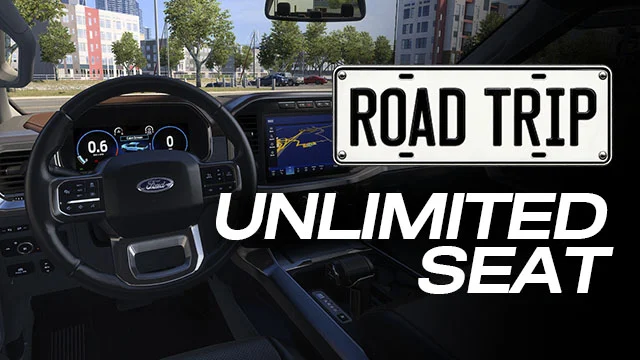
- Road Trip: a separate version for that DLC’s cars; this mod is for trucks.
- A version for Euro Truck Simulator 2.
- Waze-style colors, like Waze colors for navigation, and matching icons.
One user says they run it without problems alongside a Google Maps-style navigation mod. No bugs are reported in the visible comments.
Holyfix Check
Will it work with your mods?
Load your game.log.txt and check whether this mod is for your ATS version, whether you're missing a mod or DLC it needs and where to place it.
It's in Documents › American Truck Simulator › game.log.txt. It's read in your browser: the file is never uploaded.
Something else failing? Holyfix for ATS checks all your mods at once.
User rating
Highlights and things to keep in mind
- More of the road visible on the dashboard GPS
- Very lightweight (162 KB)
- Variants for Road Trip, a light theme and ETS2
- No game version listed
- Not tested with modded maps or trucks
- Doesn't affect the HUD route advisor
Requirements
- American Truck Simulator (no version listed; updated in May 2026)
- Steam account
- SCS truck with a dashboard GPS
How to install it
- Open the "Better Navigation FOV" page on Steam Workshop and click "Subscribe".
- Launch American Truck Simulator and wait for Steam to finish downloading the mod.
- Go to your profile's Mod Manager and enable "Better Navigation FOV".
- If you drive the Road Trip cars, also subscribe to their dedicated version.
- Get in your truck and check the dashboard GPS screen.
Version history
-
14 May 2026Current
Latest update (8 change notes)
-
3 Jan 2026
Optional parameter added (per a comment from the author)
Common problems
Does it change the HUD route advisor?
No. It only affects the dashboard GPS screen.
Does it work with modded trucks?
The author hasn't tested it; he only guarantees SCS trucks.
Is there a version for the Road Trip cars?
Yes, it's a separate mod; this one is for trucks.
More mods for ATS
 ✓ ATS 1.61
  ATS 1.59
  ✓ ATS 1.61Requires DLC
  ✓ ATS 1.61Requires DLC
  ✓ ATS 1.61Requires DLC
  ATS 1.59