Dash GPS Displays – 1967 Mustang (Road Trip: Ford) for American Truck Simulator
An accessory touchscreen GPS for the dashboard of the Road Trip: Ford Mustang 1967, in 7- and 9-inch versions, with map, speed limit, range and engine data. Free on Steam Workshop and tested on ATS 1.61.
Download Dash GPS Displays – 1967 Mustang (Road Trip: Ford)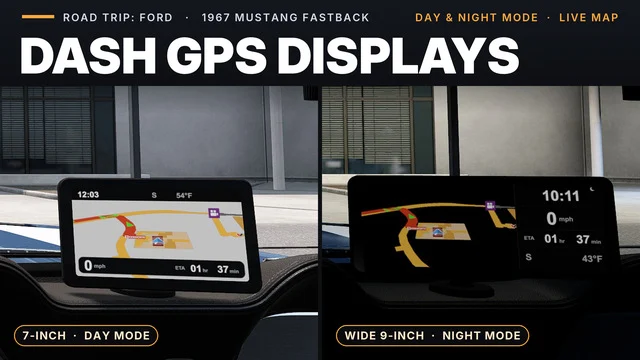
More screenshots on Steam Workshop ↗
What this mod does
The 1967 Mustang Fastback that comes with the Road Trip: Ford DLC has no navigation screen. Dash GPS Displays – 1967 Mustang, by Superneo10, puts an accessory touchscreen GPS on top of the dashboard, in a 7-inch version or a 9-inch widescreen one.
The four pages
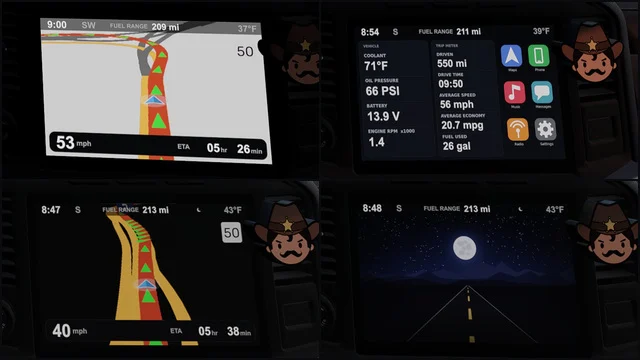
- Navigation: map, speed, speed limit, estimated time of arrival, range, cruise control speed and low-fuel warning.
- Map only.
- Home: trip data and engine readouts (added in 1.2.0).
- Standby: a day or night image.
You switch pages with the «Infotainment Display Mode» control under Options > Keys & Buttons; you may need to bind a key to it. The screen switches to night mode when you turn on the headlights and follows the dashboard lighting intensity.
Compatibility and warnings
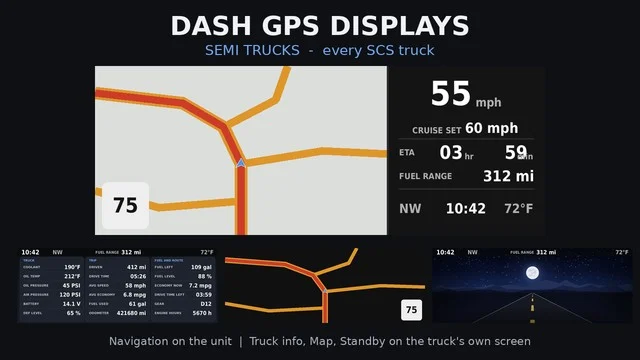
You buy it at the service shop, in the dashboard items section. It replaces a file in the Mustang’s interior, so it has to load above other interior mods for this car. The arrival readout shows driving time, not distance. Some users saw the rest counter stuck at 14 hours, and the author announced he would remove that readout. There are versions for the Crown Victoria, the F-150, the Bronco and the trucks (Dash GPS Displays – Semi Trucks).
Holyfix Check
Will it work with your mods?
Load your game.log.txt and check whether this mod is for your ATS version, whether you're missing a mod or DLC it needs and where to place it.
It's in Documents › American Truck Simulator › game.log.txt. It's read in your browser: the file is never uploaded.
Something else failing? Holyfix for ATS checks all your mods at once.
User rating
Highlights and things to keep in mind
- Gives navigation to a car that doesn't have it
- Two screen sizes and four pages
- Automatic night mode with the headlights
- Requires the Road Trip: Ford DLC
- Must go above other Mustang interior mods
- The rest counter was buggy (the author was going to remove it)
Requirements
- American Truck Simulator 1.61
- Road Trip: Ford DLC
- Steam account
How to install it
- Open the "Dash GPS Displays - 1967 Mustang (Road Trip: Ford)" page on Steam Workshop and click "Subscribe".
- Launch American Truck Simulator and wait for Steam to finish downloading the mod.
- Open the Mod Manager in your profile and enable "Dash GPS Displays - 1967 Mustang (Road Trip: Ford)".
- Place it above other Mustang 1967 interior mods in the Mod Manager.
- At the service shop, buy the GPS under the dashboard items (Dashboard Panel Items).
- Bind a key to "Infotainment Display Mode" in Options > Keys & Buttons to switch pages.
Version history
-
17 Oct 2026Current
Latest update (the change log has 9 notes)
-
1.2.024 Oct 2026
Range, cruise speed, trip data, engine readouts and a thinner bezel
-
2 Oct 2026
Release
Common problems
How do I switch pages?
With the Infotainment Display Mode control in Options > Keys & Buttons; if it has no key, bind one.
Where do I buy it?
At the service or upgrade shop, under the dashboard items.
Why doesn't the arrival readout match the distance?
Because it shows the remaining driving time, not the kilometers.
Is there a truck version?
Yes, the author publishes Dash GPS Displays - Semi Trucks.
More mods for ATS
 ✓ ATS 1.61Requires DLC
  ✓ ATS 1.61
  ✓ ATS 1.61
  ATS 1.58
  ATS 1.59
  ATS 1.59