Backfire/Afterfire Mod for BeamNG.drive
Adds exhaust backfires and flames to stock cars and many modded ones, with intensity and duration you can adjust from the Tuning menu.
Download Backfire/Afterfire Mod
More screenshots on Official BeamNG Repository (beamng.com/resources) ↗
What this mod does
Backfire/Afterfire Mod, by TommoT, adds exhaust backfires and flames to BeamNG.drive’s stock vehicles and to many modded cars. It’s a file of just 33 KB with almost 700,000 downloads, and its source code is published on GitHub.
How to use it
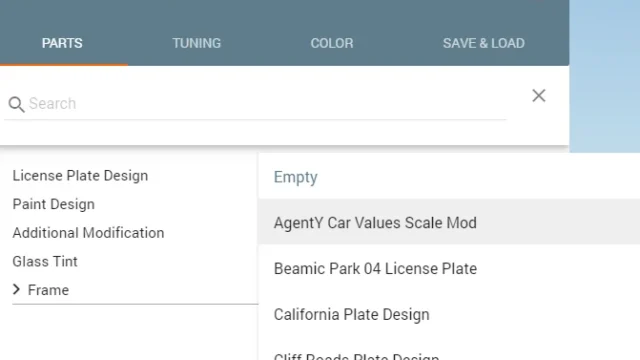
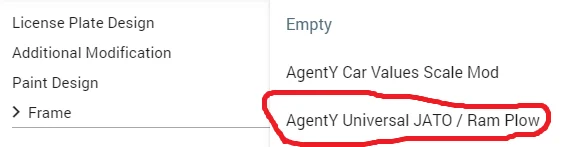
- In the Vehicle Config menu, find the “Afterfire” part under Additional parts and fit it.
- Adjust the effect’s duration and intensity from the Tuning menu; the default values are less over the top than in older versions.
- It works with mods that have a “_mod” slot: the mod itself generates the compatibility files in a separate folder.
- The effect’s particles can also be customized.
Tips
Some exhausts aren’t compatible: if you don’t see flames, try a race exhaust or the Straightpipes mod, which the author recommends. If you cap the game at 30 FPS or use graphics mods or ReShade, the flames may not show. The generated files are cleaned up when you close the game.
Multiplayer
In BeamMP, having it in your mods folder isn’t enough: according to the author, the mod has to be installed on the server.
Release notes
Version 0.0053, from March 25, 2026, fixes file generation and loading. It’s still marked as experimental and predates 0.39, although reviews don’t mention any recent compatibility complaints.
User rating
Mod video
Highlights and things to keep in mind
- Very flashy effect on almost any car
- Compatible with many mods
- Tiny file and open source
- Marked as experimental
- Some exhausts don't show flames
- Latest version predates 0.39
- May need an update for 0.40 (released October 19, 2026)
Requirements
- BeamNG.drive 0.38 or later
- Optional: the Straightpipes mod for more flame-capable exhausts
How to install it
- Open the Backfire/Afterfire Mod page on the official BeamNG Repository.
- Click Download to get the .zip, or subscribe from the in-game Repository (Subscribe button).
- If you download it manually, copy the .zip (don't unzip it) into the mods folder inside your BeamNG.drive user folder.
- Launch the game and check in the Mod Manager that it's enabled.
- Open the car's Vehicle Config menu, fit the Afterfire part under Additional parts and adjust the effect in Tuning.
Version history
-
0.005325 Mar 2026Current
Fixes to file generation and loading.
-
0.005221 Feb 2025
Removed the dkjson module, no longer needed.
-
0.005120 Jun 2024
Compatibility with MultiSlot / General ModSlot Generator.
Common problems
No flames come out. What should I do?
Try a race exhaust or Straightpipes, remove the 30 FPS cap and disable ReShade or graphics mods that might hide them.
Does it work in BeamMP?
Only if the mod is installed on the server; servers usually disable mods they don't have.
Can I use its code in my mod?
Yes, the author only asks you to give credit.
More mods for BeamNG