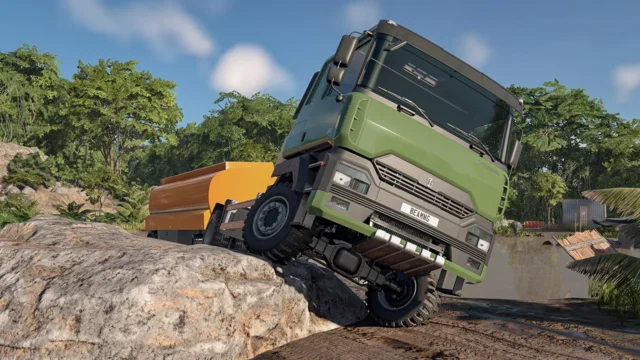
[CEEP] Classic Engine Expansion Pack for BeamNG.drive
Big engine pack for Gavril, Bruckell and Burnside classics: manifolds, heads, oil pans, adjustable cams, V8, V6, I6 and diesel engines, and two crate engines.
Download [CEEP] Classic Engine Expansion Pack![[CEEP] Classic Engine Expansion Pack for BeamNG.drive](https://holymod.com/wp-content/uploads/2026/10/ceep-classic-engine-expansion-pack-beamng-1280x720.webp)
More screenshots on Official BeamNG Repository (beamng.com/resources) ↗
What this mod does
[CEEP] Classic Engine Expansion Pack, by JΛVI, massively expands the mechanics of BeamNG.drive’s classic cars. Every part has its own model and affects power, so you can mix and match components like in a real shop. With an average rating of 4.9 out of 5, it’s one of the highest-rated engine mods on the Repository.
What’s included
- Intake and exhaust manifolds, exhausts, oil pans, cylinder heads, distributors, fans and oil coolers, split into gasoline and diesel lists.
- Factory and performance V8, V6 and inline-six engines, diesel versions and two “crate” engines available on every car: the 621 cui “Flying-Fox” and the 1000 cui “The-Goliath”.
- Camshaft tuning, body parts, paints, wheels and tires.
- Period-correct and custom configurations for each car.
Compatible cars
Gavril D-Series, Bluebuck and Barstow, Bruckell Moonhawk and Nine, and Burnside Special. The author plans to expand the list and has an engine overhaul, an exhaust overhaul and stock car parts in the works.
Release notes
Version 1.6.7 Repo, from August 5, 2026, brings fixes for 0.39, a rewrite of the Lua code, and updated lights and interiors. If you see invisible parts, clear the game cache. It’s still in Beta, and the author offers paid development builds on Ko-fi and Patreon.
User rating
Highlights and things to keep in mind
- Engine parts with their own models that change power
- Very high rating (4.9 from 148 votes)
- Updated for 0.39
- Still in Beta
- Very large file, almost 440 MB
- Some new features come out first in paid builds (Ko-fi and Patreon)
- May need an update for 0.40 (released October 19, 2026)
Requirements
- BeamNG.drive 0.39
- About 440 MB of free space for the .zip file
How to install it
- Open the [CEEP] Classic Engine Expansion Pack page on the official BeamNG Repository.
- Click Download to get the .zip, or subscribe from the in-game Repository (Subscribe button).
- If you download it manually, copy the .zip (don't unzip it) into the mods folder inside your BeamNG.drive user folder.
- Launch the game and check in the Mod Manager that it's enabled.
- Pick a compatible car (D-Series, Bluebuck, Barstow, Moonhawk, Nine or Burnside Special) and look for the CEEP configurations and parts in the Vehicle Config menu.
Version history
-
1.6.7 Repo5 Aug 2026Current
Fixes for 0.39, Lua rewrite, lights using the new standard and updated interiors.
-
1.6.3 Repo16 Mar 2026
Alder Cyclone wheels rebuilt with three styles, colors and more sizes, plus quality-of-life improvements.
-
1.6.06 Oct 2025
Support for the Bruckell Nine and remastered flathead engines for all CEEP cars.
Common problems
Some parts are invisible. What should I do?
Clear the game cache from the launcher, as the author advises.
Where do I report bugs?
In the mod's forum thread, not in the reviews, as the author asks.
Can I make a CEEP-compatible mod?
Only if you let the author know first; they also ask that the mod not be reuploaded.
More mods for BeamNG