AI Traffic No Default SCS Cars for Euro Truck Simulator 2
Removes SCS's original cars from traffic so the car packs you have installed show up much more often. Needs at least one traffic car pack.
Download AI Traffic No Default SCS Cars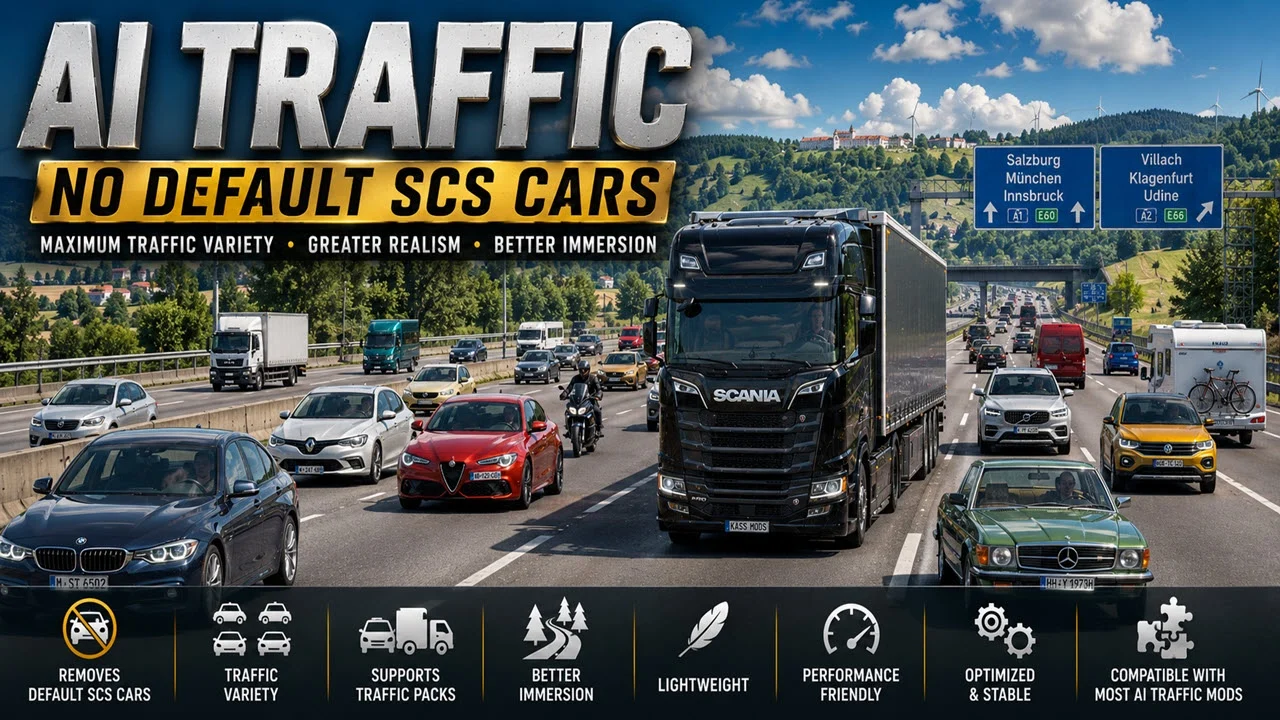
More screenshots on brutaluniverse.com (author's website) ↗
What this mod does
When you install a traffic car pack, the new models share the roads with the game’s original cars and often don’t show up much. This mod by Kass, also the author of Realistic Brutal Graphics and Weather, removes the SCS cars from AI traffic so only the ones from your packs are on the road.
What it changes
- SCS’s original passenger cars stop appearing in traffic.
- Cars from your active traffic packs take their place, so you’ll see more variety.
- It’s just a config tweak: it adds no models and doesn’t affect performance.
Important requirement
It doesn’t work on its own. You need at least one traffic car mod enabled, for example Jazzycat’s AI Traffic Pack. If you enable it without any pack, car traffic will be left with no cars.
Version
Version 1.3 was updated on September 18, 2026, and the author says it works on ETS2 1.61, tested since 1.57. According to the author, the load order relative to traffic packs doesn’t matter.
Holyfix Check
Will it work with your mods?
Load your game.log.txt and check whether this mod is for your ETS2 version, whether you're missing a mod or DLC it needs and where to place it.
It's in Documents › Euro Truck Simulator 2 › game.log.txt. It's read in your browser: the file is never uploaded.
Something else failing? Holyfix for ETS2 checks all your mods at once.
User rating
Highlights and things to keep in mind
- Makes your car packs really stand out on the road
- Lightweight, with no performance cost
- From a well-known author and updated for 1.61
- It's useless without a traffic car pack
- If you disable your traffic packs, disable this mod too
Requirements
- Euro Truck Simulator 2 version 1.61 (tested since 1.57)
- At least one traffic car pack enabled, for example Jazzycat's AI Traffic Pack
How to install it
- First install and enable at least one traffic car pack.
- Download the mod from Kass's official page on brutaluniverse.com.
- Copy the .scs file to Documents/Euro Truck Simulator 2/mod.
- Enable the mod in the Mod Manager; it can go above or below the traffic packs.
- Start your save and check that SCS's original cars no longer appear.
Common problems
I don't see any cars on the road
You're missing an enabled traffic car pack. The mod removes the SCS cars and needs another pack to replace them.
What order should I put it in?
The author says it doesn't matter whether it goes above or below the traffic packs.
Does it affect traffic trucks or buses?
The author only mentions SCS passenger cars; traffic trucks and buses aren't mentioned.
More mods for ETS2
 ✓ ETS2 1.61
  ✓ ETS2 1.61
  ✓ ETS2 1.61
  ✓ ETS2 1.61
  ETS2 1.60Requires DLC
  ✓ ETS2 1.61