Realistic Air Seat Suspension: a more realistic air-suspended seat for Euro Truck Simulator 2
The air-suspended seat moves more realistically over bumps, in corners and under braking. Tested on 1.57 and 1.58, with recommended camera settings. Free and tiny.
Download Realistic Air Seat Suspension: a more realistic air-suspended seat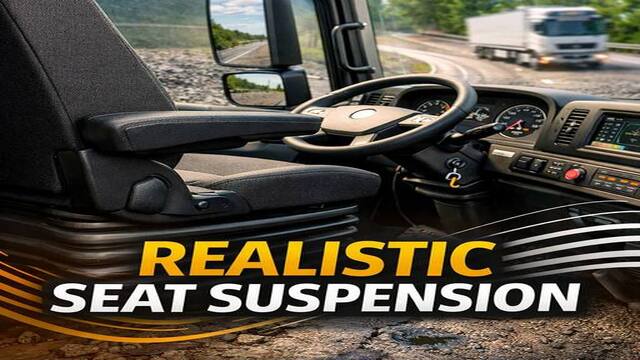
More screenshots on Steam Workshop ↗
What this mod does
Realistic Air Seat Suspension, by lambo, makes the movement of the air-suspended driver’s seat feel more like the real thing in Euro Truck Simulator 2. It has over 53,000 subscribers on Steam Workshop.
What it does
- Smooth movement over bumps and uneven roads.
- Natural reactions when leaning, turning, braking and accelerating.
- Almost no jerking at low speed and when parking.
Required settings
- Enable physical camera movement.
- Physical camera movement factor: 155% (balanced) or 200% (more immersive).
- Interior camera horizon lock: 10% (balanced) or 0% (more immersive).
- Recommended: road bumpiness simulation between 120 and 155 (140 is the balanced sweet spot) and cabin and suspension stiffness at 0%.
The author says these recommendations are for the default 1.58 physics. If you use a physics mod, you may need to tweak them.
Version
Tested by the author on 1.57 and 1.58. The last update was on April 29, 2026. The description is in English and Russian.
Holyfix Check
Will it work with your mods?
Load your game.log.txt and check whether this mod is for your ETS2 version, whether you're missing a mod or DLC it needs and where to place it.
It's in Documents › Euro Truck Simulator 2 › game.log.txt. It's read in your browser: the file is never uploaded.
Something else failing? Holyfix for ETS2 checks all your mods at once.
User rating
Our rating
0.0 / 5- A livelier cab without motion sickness
- Clear settings from the author
- Only 16 KB
- Latest game version confirmed by the author: 1.58. It may cause errors on 1.61; Holyfix will warn you if so.
- Requires physical camera movement to be enabled
- The recommended settings are for the default physics
Requirements
- Euro Truck Simulator 2
- A Steam account to subscribe on the Workshop
- Physical camera movement enabled
- No DLC needed
How to install it
- Open the “Realistic Air Seat Suspension” page on Steam Workshop and click “Subscribe”.
- Launch Euro Truck Simulator 2 and wait for Steam to finish the download.
- Open your profile's Mod Manager and enable the mod.
- In the camera options, enable physical camera movement and set it to 155% or 200%.
- Set the interior camera horizon lock to 10% or 0%.
Common problems
I don't notice anything
Check that physical camera movement is enabled: the mod needs it.
What values should I use?
Camera factor at 155% and horizon lock at 10% for a balanced feel; 200% and 0% for more immersion.
Does it work with physics mods?
The author gives the settings for the default 1.58 physics.
More mods for ETS2
 ETS2 1.59
  ETS2 1.58
  ETS2 1.60
  ETS2 1.59
  ✓ ETS2 1.61
  ✓ ETS2 1.61