Realistic & Immersive Interaction Markers (ground markings) for Euro Truck Simulator 2
Swaps floating pickup, delivery, fuel and service icons for markings painted on the asphalt, and dead-end barriers for yellow hatching. ETS2 1.60 and 1.61, ProMods too.
Download Realistic & Immersive Interaction Markers (ground markings)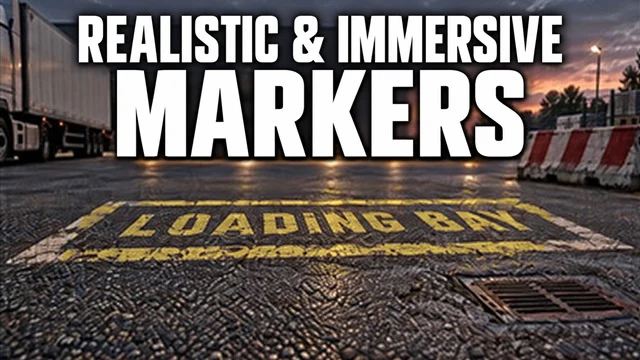
More screenshots on Steam Workshop ↗
What this mod does
Realistic & Immersive Interaction Markers, by XenonCK53, replaces the floating icons in Euro Truck Simulator 2 with markings painted on the asphalt, so interaction points blend into the scenery. It passed 11,000 subscribers on Steam Workshop in less than a month.
What’s included
- Distinct markings for picking up the job, loading, unloading and choosing the delivery.
- Fuel stations, services, garages, recruitment agencies, dealerships, rest areas, ferries, trains, customs, tolls, weigh stations and viewpoints.
- Works with Special Transport and with compatible bus and car jobs.
- Yellow hatching with flashing light cones instead of the barriers on dead-end roads.
- Markings with no light of their own, in worn yellow paint and readable from both directions.
Compatibility
It works on 1.60 and 1.61; the author tested it on 1.61.1.0 with ProMods Europe 2.84. Place it above ProMods and any other mods that change icons or interaction markers. The original triggers and AI routes are unchanged.
Known issues
The hatching on closed roads is visual only: you can drive through it and might fall off the map, so the author doesn’t recommend it. In some places there’s no marker to replace, and on very uneven terrain the markings can end up clipped or floating. It’s a preview version and the author asks you to report any bugs.
Holyfix Check
Will it work with your mods?
Load your game.log.txt and check whether this mod is for your ETS2 version, whether you're missing a mod or DLC it needs and where to place it.
It's in Documents › Euro Truck Simulator 2 › game.log.txt. It's read in your browser: the file is never uploaded.
Something else failing? Holyfix for ETS2 checks all your mods at once.
User rating
Highlights and things to keep in mind
- No more icons floating in the middle of the road
- Covers almost every interaction point
- Tested with ProMods
- Preview version: it may have bugs
- You can drive through the dead-end hatching and might fall off the map
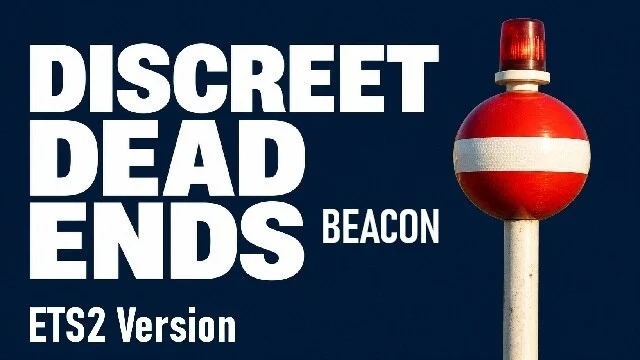
- Conflicts with other mods that change the same barriers or icons, such as Discreet Dead Ends
- About 33 MB
Requirements
- Euro Truck Simulator 2 1.60 or 1.61
- Steam account
- No DLC required (with Special Transport it also changes its markers)
How to install it
- Open the "Realistic & Immersive Interaction Markers" page on Steam Workshop and click "Subscribe".
- Launch Euro Truck Simulator 2 and open the Mod Manager.
- Enable the mod and place it above ProMods and any other icon or marker mods.
- Load your profile and drive up to a company or fuel station to see the ground markings.
Version history
-
9 Oct 2026Current
Cones with flashing lights at the edge of dead-end roads
-
0.3.23 Oct 2026
All markings in worn yellow and a bigger ferry marker
-
2 Oct 2026
Flat yellow hatching instead of the red-and-white barriers
-
27 Sep 2026
First release (preview)
Common problems
Does it work with ProMods?
Yes. The author tested it with ProMods Europe 2.84; place it above ProMods.
Can I drive through the yellow hatching on closed roads?
You can, since it's visual only, but you might fall off the map: the author doesn't recommend it.
Does it change where actions trigger?
No. The original triggers and AI routes stay the same.
More mods for ETS2
 ✓ ETS2 1.61
  ✓ ETS2 1.61
  ✓ ETS2 1.61Multiplayer
  ✓ ETS2 1.61
  ✓ ETS2 1.61
  ✓ ETS2 1.61Multiplayer