TerraFarm for Farming Simulator 22
A script for shaping terrain with shovels, buckets and graders like real construction machines. Not on ModHub: download it from the author's GitHub. PC/Mac only.
Download TerraFarm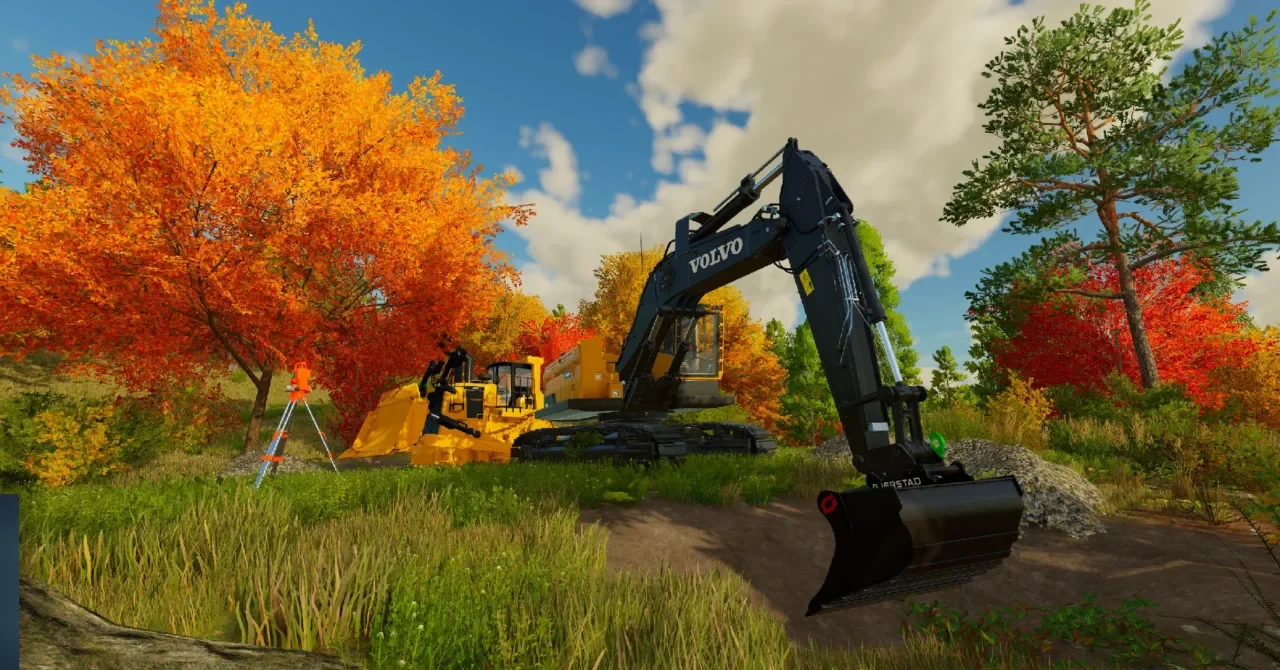
More screenshots on GitHub (author's repository) ↗
What this mod does
TerraFarm changes how earthmoving works in FS22. Instead of using the landscaping tool from the menu, you pick a machine and it digs, fills, levels or flattens the terrain while you work. The author distributes it for free on his GitHub repository; it isn’t on the GIANTS ModHub.
What it does
- Turns loader buckets, excavator buckets and graders into terraforming tools.
- Lets you choose the material you work with from all the fill types on the map, including those added by other mods.
- Includes a surveyor tool to calibrate the machine and level to a specific height or with a fixed slope.
- Saves each machine’s settings and allows several active at once (vehicle and implement).
- In 1.0.0.0, excavators can take material directly from trailers or other buckets.
Compatible machines
Out of the box it works with base game equipment (for example the Düvelsdorf and Holaras graders or the Magsi and Albutt buckets) and with the Platinum (Volvo) and Premium expansions. For many modded machines there’s the official TerraFarm Machines add-on.
Who it’s for
For players who build custom farms, do mining or just want to shape the terrain to their liking. In multiplayer it works fully, with permissions: you need landscaping permission, or to be the farm manager or admin.
User rating
Highlights and things to keep in mind
- Realistic earthmoving with your own machines
- Precise leveling with the surveyor tool
- Full multiplayer with permissions
- Not on ModHub; download only from the author's GitHub
- PC/Mac only
- Modded machines need the add-on or a compatible configuration
Requirements
- Farming Simulator 22 on PC/Mac (scripts don't work on console)
- Optional: TerraFarm Machines add-on for machinery from other mods
- Optional: Platinum or Premium expansions to use their machines
How to install it
- Open the latest release page on scfmod's GitHub.
- Download the FS22_0_TerraFarm.zip file from the Assets section.
- Copy the ZIP without unzipping it into Documents\My Games\FarmingSimulator2022\mods.
- If you use modded machinery, also download FS22_0_TerraFarmMachines.zip from the add-on's repository.
- Enable TerraFarm in your savegame and open its in-game menu to configure machine and material.
- In multiplayer, make sure you have landscaping permission or are the farm manager or admin.
Common problems
Is it on ModHub or consoles?
No. The author only publishes it on GitHub and points out that script mods don't come to console.
Why doesn't my machine do anything?
It probably has no TerraFarm configuration; try the TerraFarm Machines add-on.
Do configurations from old versions work?
No, you need to use the new ones; the author says they're now much easier to create.
In multiplayer, tire tracks don't disappear when leveling
It's a known visual bug on clients; it doesn't affect the terrain.
More mods for FS22
 Multiplayer
  PC and consoles
  PC and consoles
  PC and consoles
  PC and consoles
  PC and consoles