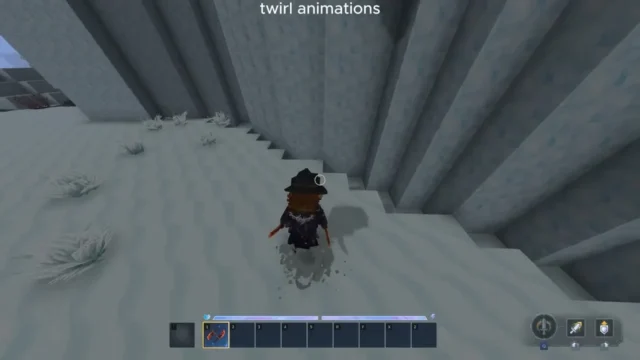
Alec’s Nametags! for Hytale
Adds a craftable name tag for naming your pets and tamed creatures in Hytale, with a random name generator. Requires Alec’s Tamework; version 1.3.0 for 0.6.
Download Alec’s Nametags!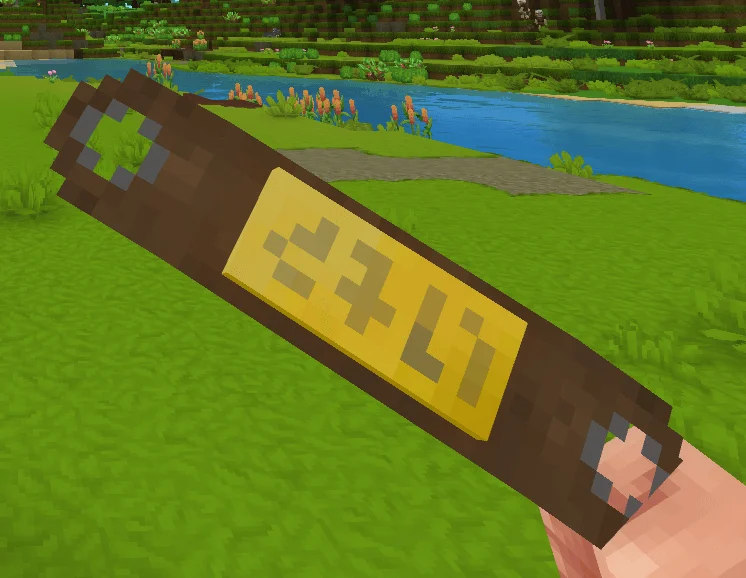
More screenshots on CurseForge ↗
What this mod does
Alec’s Nametags! is a small mod by alechilles, the author of Alec’s Cats! and Alec’s Animal Husbandry!, that adds one very specific item: a name tag for naming the creatures you’ve tamed. It runs on top of Alec’s Tamework!, the taming system all of his mods share, so it works with any NPC tamed through that system.
How it works
- The tag is crafted with 2 Light Leather and 1 Gold Bar. Without Animal Husbandry it’s made at the Farmer’s Workbench; if you have Alec’s Animal Husbandry 4.0.0 or later, it moves to that mod’s breeding bench.
- With the tag in hand, left-click the creature and type the name in the window that pops up.
- It includes a random name generator with hundreds of names from different countries, in case you can’t think of one.
- The creature has to be tamed. You can rename it as many times as you like, and names can use letters, numbers and spaces.
Version and compatibility
Version 1.3.0, uploaded by the author on October 5, 2026, is tagged for Hytale 0.6 and accepts Tamework 4 and 5. Since 1.2.8 the item has been translated into Spanish, as well as German, French and Brazilian Portuguese. If you already play with Alec’s Cats! or Alec’s Animal Husbandry!, it’s the natural add-on for telling your animals apart.
Update (October 20, 2026): the author has now released a file for Hytale 0.7 (Update 7): version 1.3.1, from October 13, 2026.
User rating
Highlights and things to keep in mind
- Very lightweight and easy to use: craft, aim and type
- Random name generator included
- Translated into Spanish since version 1.2.8
- Doesn't work without Alec's Tamework!
- Only works on tamed creatures, not on any NPC
Requirements
- Hytale (Early Access) on PC, version 0.6 (file Alec's Nametags! v1.3.0.zip)
- Alec's Tamework! 4.0.0 or later (within 4.x or 5.x) installed and enabled
- Optional: Alec's Animal Husbandry! 4.0.0 or later (changes the bench where it's crafted)
How to install it
- Open the Alec's Nametags! page on CurseForge and click Install to install it with the CurseForge app, or download the file Alec's Nametags! v1.3.0.zip (version for 0.6) from the Files tab.
- Also install Alec's Tamework! from its CurseForge page (the app downloads it automatically if you use Install) and enable it in the same world.
- If you download it manually, copy the file as is, without unzipping it, into the mods folder: on Windows %APPDATA%\Hytale\UserData\Mods.
- Open Hytale, right-click the world where you want to use it, tick Alec's Nametags! in the mod list and save the world settings.
- On a dedicated server, place the file in the server's mods folder and restart it.
- In game, craft the tag (2 Light Leather and 1 Gold Bar), hold it and left-click a tamed creature to name it.
Version history
-
1.3.113 Oct 2026Current
File for Hytale 0.7 (Update 7)
-
1.3.05 Oct 2026
Recipe at the Alec's Animal Husbandry 4.0.0+ bench and Tamework 5 compatibility
-
1.2.814 Sep 2026
German, Spanish, French and Brazilian Portuguese translations; requires Tamework 4.0.0 or later
Common problems
The game doesn't load the mod or crashes on startup
Check that you have Alec's Tamework! installed and enabled, and that it's version 4.0.0 or later. The tag doesn't work without Tamework.
It won't let me name an animal
It only works with creatures tamed through the Tamework system. Tame the animal first and try again.
I can't find the recipe at the Farmer's Workbench
If you have Alec's Animal Husbandry 4.0.0 or later, the tag is crafted at its breeding bench instead of the Farmer's Workbench.
Mods that need Alec’s Nametags!
If you're installing any of these, you need this one first.
More mods for Hytale
 Multiplayer
 Multiplayer