ACE Results Companion (ACE-RC) for Assetto Corsa EVO
Assetto Corsa EVO version of the popular ACC and LMU Results Companion: saves your results and laps, per-car records, a fuel calculator and on-screen widgets. Free.
Download ACE Results Companion (ACE-RC)
More screenshots on OverTake.gg ↗
What this mod does
ACE Results Companion, or ACE-RC, is the Assetto Corsa EVO port of an app Doug Duthie already maintains for Assetto Corsa Competizione and Le Mans Ultimate. The idea is simple: you don’t lose anything you do on track. It saves your sessions, laps and best times so you can review and compare them later.
What it offers
- Results history with lap records and individual laps.
- Fastest lap for each car.
- Log of penalties and incidents.
- Fuel calculator in manual and automatic mode.
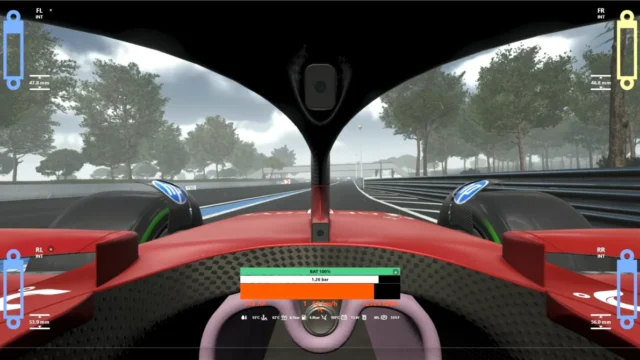
- On-screen widgets: fuel, standings, throttle and brake, and wheel slip.
- Standings table with values like tire compound.
Project status
The author describes it as a beta, mainly because EVO doesn’t yet provide all the detailed information it needs. Even so, it’s updated often: 0.1.4 was adapted to the game’s 0.8 (KTM, VW Golf R and Kyalami), and 0.2.1 now recognizes modded cars installed on your PC, although badly defined ones may not show up.
Installation
The final download is on Google Drive, linked by the author himself from the OverTake page. Installation and troubleshooting instructions are in the thread for the Le Mans Ultimate version, since they work the same way. Inside the program, the check for updates button turns into an install button when there’s a new version.
User rating
Highlights and things to keep in mind
- Complete history of results and laps
- Fuel calculator
- Frequent updates
- Still in beta
- The final download is on Google Drive: only click the file's download button
- The instructions are in the LMU version thread, in English
Requirements
- Assetto Corsa EVO on PC (Steam)
- Windows
- Free OverTake.gg account to see the download link
How to install it
- Go to the mod's page on OverTake.gg while logged in.
- Click the author's download link (it goes to Google Drive) and download the file.
- Follow the installation guide linked on the page (LMU Results Companion thread).
- Open the program before driving in EVO.
- Set up the widgets you want to see on screen.
- Use Check for Updates to install new versions.
Version history
-
0.2.16 Sep 2026Current
Standings rewritten to avoid slowdowns, more data and recognition of local modded cars
-
0.1.510 Aug 2026
Fixes unrecognized cars, adds the Racing class, a slip widget and Red Bull Ring National corner names
-
0.1.411 Jul 2026
Adapted to EVO 0.8 (KTM, VW Golf R and Kyalami) and working standings
Common problems
Is it paid?
No. It's free; the author accepts voluntary donations via PayPal.
Does it recognize modded cars?
Since 0.2.1 it recognizes locally installed ones, except badly defined ones.
Why is some data missing?
The author says EVO doesn't yet provide all the detailed information; that's why it's still in beta.
More mods for AC EVO

 Multiplayer
  Multiplayer
  Multiplayer