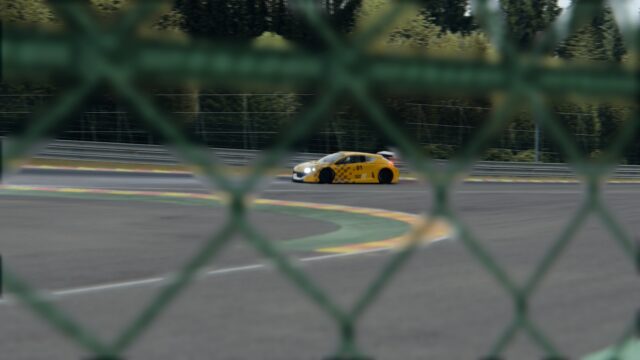
Improved Visuals Pure CS: filter for screens and VR for Assetto Corsa
Improved Visuals Pure CS (IV PureCS 2.0): free Assetto Corsa filter for Pure, for screens and VR, rated 5/5 on OverTake. Requirements and installation.
Download Improved Visuals Pure CS: filter for screens and VR
More screenshots on OverTake.gg (formerly RaceDepartment) ↗
What this mod does
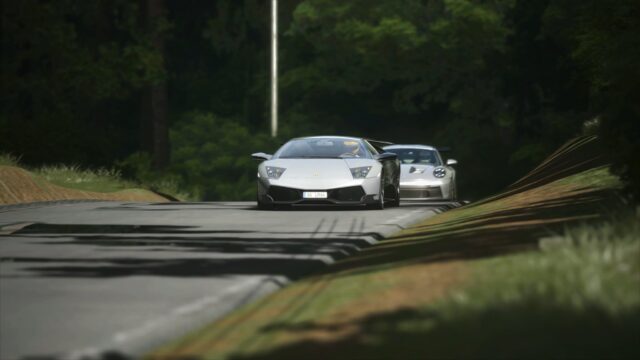
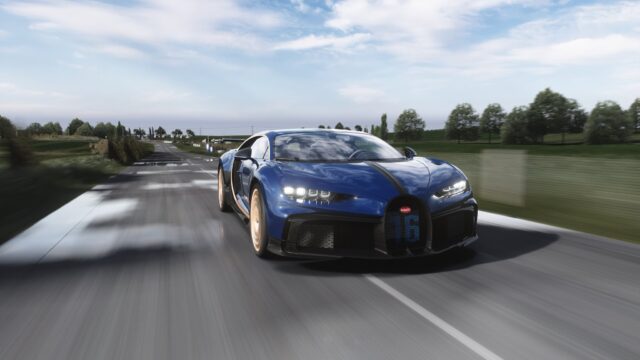
Improved Visuals Pure CS is a post-processing filter by CS0CS0 for monitors, TVs and virtual reality. Released in September 2022, it has a perfect 5 out of 5 rating from over 50 reviews and almost 38,000 downloads on OverTake. In game it shows up as IV PURE CS 2.0, even though the version on the mod page is 2.27.
What it offers
- The screen and VR versions are combined into a single filter: the VR settings only apply if you launch the game in virtual reality.
- It adapts to the time of day and the weather.
- Its own controls with hover descriptions, in the Script tab of Pure’s post-processing app.
- Works with Pure Gamma and Pure LCS; the LCS script is still in development.
Requirements
You need the latest version of Pure, since it was made for Pure 2.0, and the latest Custom Shaders Patch. The author thanks Peter Boese, creator of Pure, for his help.
Installation and tips
It’s installed manually. The first time you open it, check the Pure config for controls whose name or number shows in yellow: right-click and save each one until they all show in white or blue. For VR, the author provides a settings guide and a text file with performance tips.
Pure and this filter: Pure is Peter Boese’s graphics and weather mod for Assetto Corsa and isn’t included; IV Pure CS is a post-processing filter used on top of Pure and Custom Shaders Patch, both on their latest versions. It works with Pure Gamma and Pure LCS (the LCS script is still in development).
- The filter’s own settings are in the Script tab of Pure’s post-processing app; hovering over each control shows its explanation.
- For VR, the author provides a settings guide and a text file with performance tips.
- On OverTake: 5.00/5 from 54 reviews and about 37,900 downloads since September 10, 2022 (checked on October 22, 2026).
User rating
Highlights and things to keep in mind
- Perfect 5 out of 5 rating
- One filter for both monitor and VR
- Its own controls with explanations
- Manual installation
- The Pure LCS script is still in development
- No updates since November 2024
Requirements
- Assetto Corsa for PC
- Latest version of Pure (Gamma or LCS)
- Latest version of Custom Shaders Patch
- Free OverTake.gg account to download
How to install it
- Update Pure and Custom Shaders Patch.
- Go to the mod page on OverTake.gg, log in and download the file (about 90 KB).
- Copy the system folder from the download into the Assetto Corsa root folder; if you had the original Pure CS, delete its files from system/cfg/ppfilters first.
- In the video settings, choose IV PureCS 2.0.
- Reset and adjust the filter's own controls; if any show in yellow, right-click and save them.
Version history
-
2.278 Nov 2024Current
Latest published update
Common problems
Is there a separate VR version?
No. Screen and VR are in the same filter; the VR settings kick in automatically when you play in virtual reality.
Some controls show in yellow
Right-click each one and click save until they show in white or blue.
The mod page says 2.27 and the game says IV PURE CS 2.0
That's normal: the author notes that the number on the site doesn't match the filter's name.
How is it different from PureLIFE?
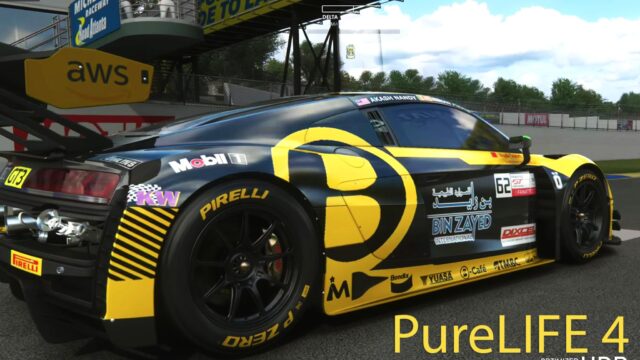
IV Pure CS is a single filter with settings for screens and VR; PureLIFE is a pack of several variants (base, EVO, EVO GT and EVO GTS). Both need Pure.
Does it work without Pure?
No. It needs the latest version of Pure and Custom Shaders Patch; without them the filter won't show up or won't look right.
More mods for Assetto Corsa