SimHub TV Style Leaderboards + Timings SideScreen for Assetto Corsa
Broadcast-style SimHub leaderboards: sidebar, scrolling and a second timing screen, with fastest lap and battle pop-ups. Free; great for streamers and leagues.
Download SimHub TV Style Leaderboards + Timings SideScreen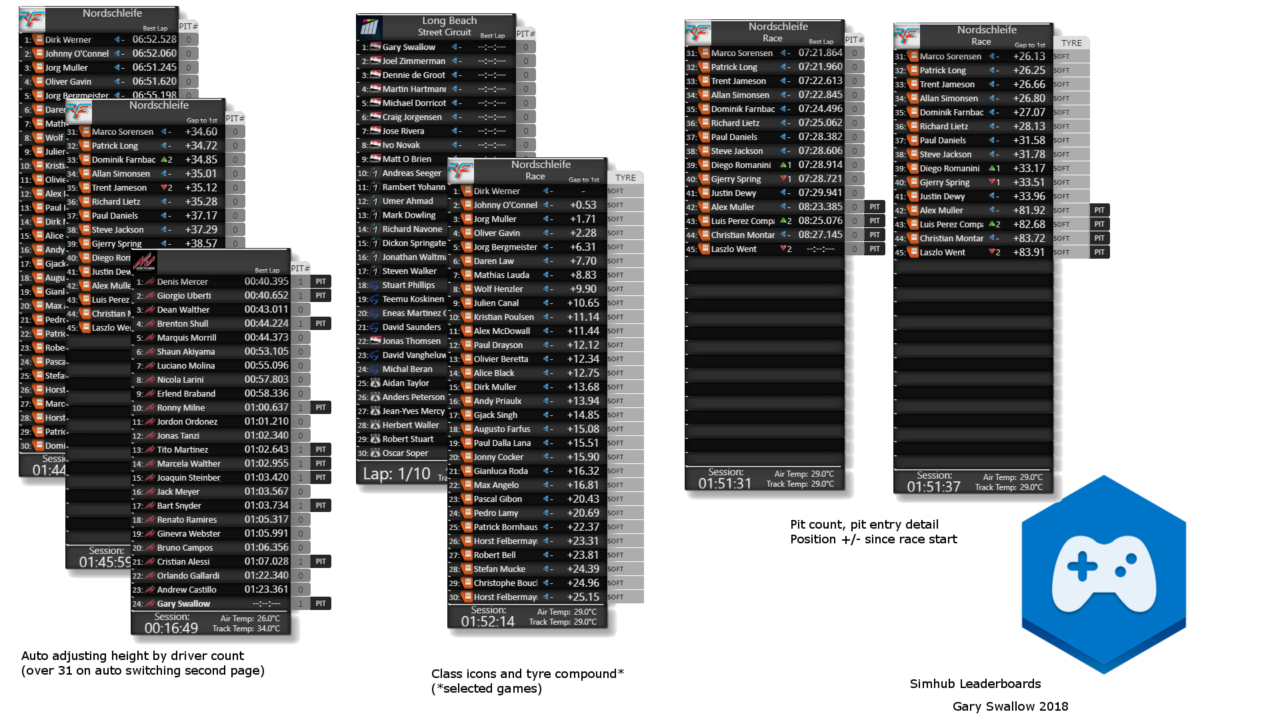
More screenshots on OverTake.gg (formerly RaceDepartment) ↗
What this mod does
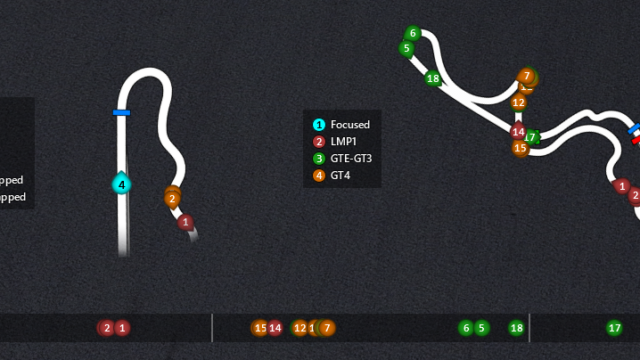
This pack by GarySwallow turns SimHub into a small broadcast graphics system. It adds TV-style leaderboard overlays and a timing screen for a second monitor or a tablet. It works with Assetto Corsa and other sims, and it was used in the 2019 ESL Racing Series MAPFRE league.
What’s included
- Scrolling leaderboard for up to 60 drivers, with position changes, gaps, multiclass icons and a transparent mode.
- Sidebar leaderboard for up to 60 drivers with automatic paging, themes, pit lane alerts and retirements or disqualifications.
- Fastest lap and «battle for position» pop-ups, plus flags.
- Secondary broadcast screen with up to 30 drivers, class position, best times and sectors, gaps, pit info and per-sector flags.
- Plugin with director options: laps, tires, pit stops, intervals and the spectated driver.
Installation
The dashboard folders go in SimHub’s DashTemplates folder and the .dll plugin in the SimHub root folder; then you enable it in Settings/Plugins. If you had an earlier version, delete its folders first to avoid conflicts.
Who it’s for
For anyone who streams races, runs leagues or wants to see everyone’s times on another screen. The author asks that you link to the official download instead of redistributing it, and he doesn’t provide support for basic SimHub use.
User rating
Mod video
Highlights and things to keep in mind
- Professional broadcast look
- Timing screen for a second monitor or tablet
- Highly configurable: themes, colors and director options
- Depends on SimHub
- About 75 MB in size
- Some features are specific to other sims, not Assetto Corsa
Requirements
- Assetto Corsa for PC (or another supported sim)
- SimHub, preferably the latest version
- Free OverTake.gg account to download
How to install it
- Install SimHub from its official website.
- Go to the pack's page on OverTake.gg, log in and download the file (about 75 MB).
- If you had an earlier version, delete its DashTemplates folders.
- Copy the dashboard folders into SimHub's DashTemplates folder.
- Copy the plugin's .dll file into the SimHub root folder; if it doesn't show up, unblock it in its properties.
- Open SimHub, enable the plugin in Settings/Plugins and pick the overlays you want to show.
Version history
-
6.6.728 Jun 2023Current
Hotfix for an F1 2023 bug with SimHub 8.4.4 or later
-
F1 2023 support and fixes
-
Fixed F2 names in F1 2022 and missing files
Common problems
The plugin doesn't show up in SimHub
Unblock the .dll file from its properties in Windows and restart SimHub.
Does it work with Assetto Corsa?
Yes, the mod page lists it among the supported sims.
Positions gained reset
It can happen if the game is paused and loses data; it's a known limitation.
More mods for Assetto Corsa
 Multiplayer