BOX cam for Assetto Corsa
Three new cameras in one app: a camera "tethered" to the car that follows with a delay, one that mimics the track's TV cameras and a chase cam. Free.
Download BOX cam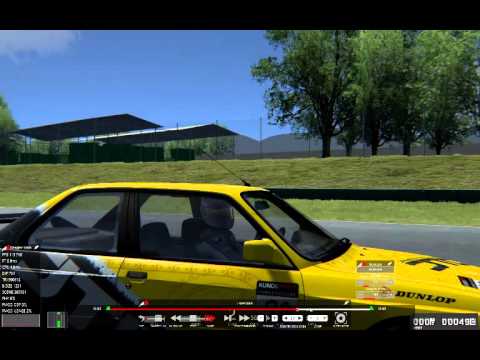
More screenshots on OverTake.gg (formerly RaceDepartment) ↗
What this mod does
BOX cam is a camera app for Assetto Corsa by Stereo. It adds three camera types designed for recording videos or simply driving with a more natural exterior view, and it has racked up over 90,000 downloads on OverTake.gg.
The three cameras
- BOX cam: behaves like a camera mounted in a box tied to the car with a rope. It follows the car with a bit of delay and gives much more dynamic shots than the usual chase cams.
- Track cam: reads the track’s TV camera files and mimics them, with their position and how they cut in and out. It reloads the .ini files when you switch camera sets, so you can edit them live.
- Chase cam: a chase camera with eight buttons to position it, which you can save for all cars or for a specific one. It’s smoother than the game’s and keeps the horizon steady.
Version
Version 0.7.0 added support for the Custom Shaders Patch LightFX extension, which back then was called Shaders Lights Patch. Earlier versions added a look-ahead option for the chase cam and fixed a pitch drift.
Things to keep in mind
The author warns that the app has occasionally crashed the game. Installation and usage instructions are in the READ ME.txt file in the package.
User rating
Mod video
Highlights and things to keep in mind
- Exterior camera with very natural movement
- Mimics the track's TV cameras
- Chase cam configurable per car
- Can occasionally crash the game
- Manual installation following the READ ME
- No updates since 2018
Requirements
- Assetto Corsa for PC
- Python apps enabled in the game or in Content Manager
- 7-Zip or similar to open the .7z file
- Free OverTake.gg account to download
How to install it
- Go to the BOX cam page on OverTake.gg and log in.
- Download the .7z file (about 80 KB) and open it with 7-Zip.
- Read the included READ ME.txt and copy the files into your main Assetto Corsa folder as it explains.
- Enable BOX cam in the apps settings in the game or in Content Manager.
- On track or in a replay, open the app from the sidebar and choose BOX cam, Track cam or Chase cam.
- Save the Chase cam position for all cars or just the current one.
Version history
-
0.7.017 Sep 2018Current
LightFX Python extension features for Shaders Lights Patch
-
Forward-looking Chase cam with the F- and F+ buttons
-
Fixed camera drift caused by pitch
Common problems
Do I need Custom Shaders Patch?
Not for the cameras. The LightFX feature added in 0.7.0 is for CSP users.
The game crashed while using the app
The author acknowledges occasional crashes, which he attributes to missing error checks in the game itself.
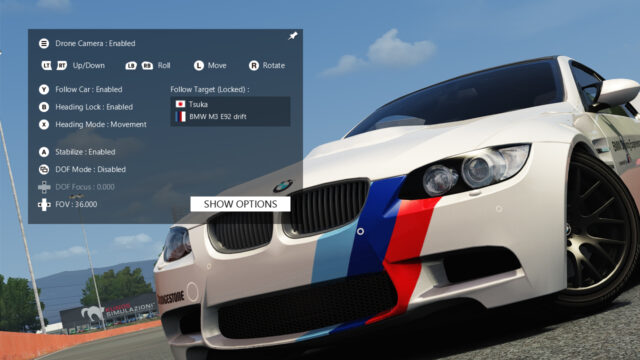
Can I use it alongside Drone Camera?
The Drone Camera author recommends disabling other camera apps such as BOX cam while you use his.
More mods for Assetto Corsa

 Multiplayer