Drone Camera for Assetto Corsa
Drone-style free camera you fly with an XInput gamepad that follows any car, with stabilization and adjustable FOV and depth of field. Free; needs CSP.
Download Drone Camera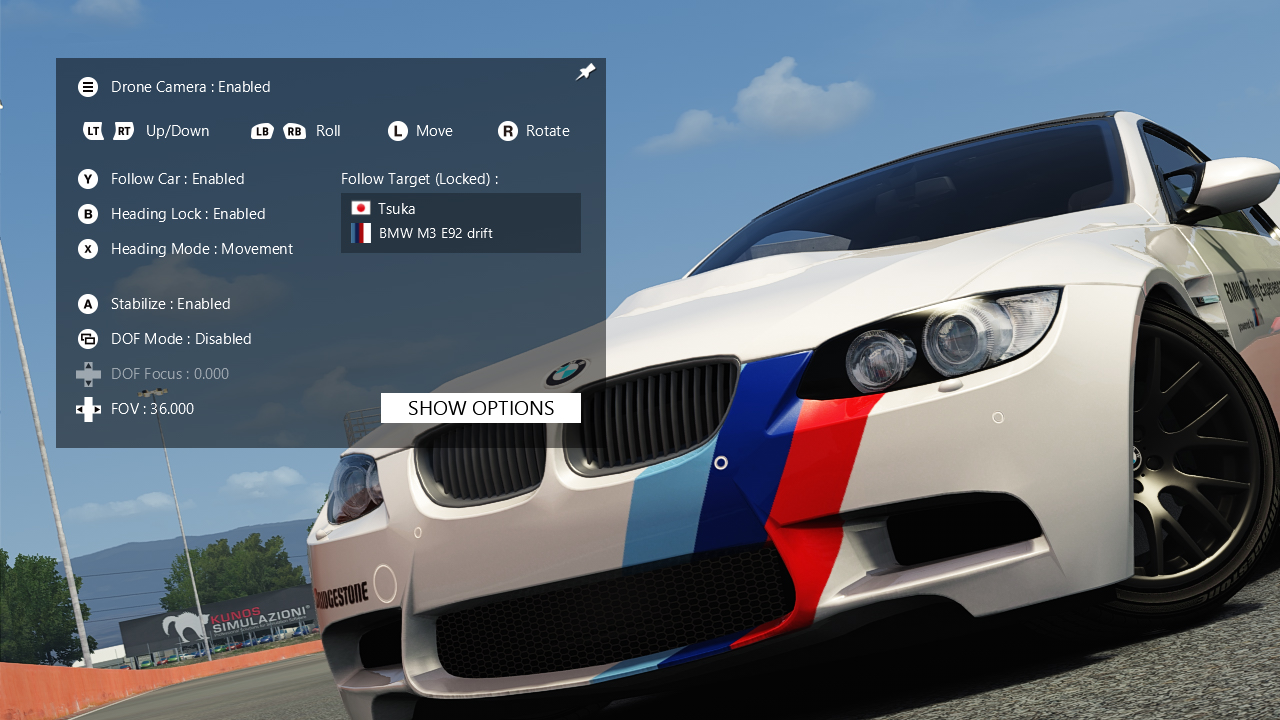
More screenshots on OverTake.gg (formerly RaceDepartment) ↗
What this mod does
Drone Camera is a free camera for Assetto Corsa by Japanese creator Tsuka1427, inspired by the idea behind stereo_joycam. It turns the view into a drone you fly with a console controller to record replays or spectacular shots, and it has over 120,000 downloads on OverTake.gg.
What it lets you do
- Follow any vehicle, including the ones near you.
- Choose whether the camera follows all of the car’s movement or just its rotation.
- Stabilize pitch and roll while the camera turns.
- Adjust field of view and depth of field through Custom Shaders Patch.
- Lock altitude and adjust the gain on each controller axis.
Requirements
It only works with XInput controllers (the author recommends an Xbox One controller); it doesn’t support keyboard or mouse. If you drive with a wheel, you also need a controller plugged in. For non-XInput controllers, the mod page suggests x360ce. Users report that PS4 and PS5 controllers don’t work directly.
Tips
Turn off other camera apps such as joycam, BOX cam or CamTool while you use it, since they can conflict. If you want to use a keyboard or remap the controls freely, the same author later released Drone Camera Pro, which is also free.
User rating
Mod video
Highlights and things to keep in mind
- Very smooth drone shots with stabilization
- Follows any car in the session
- Adjustable field of view and depth of field
- XInput controllers only, no keyboard
- Can conflict with other camera apps
- No updates since 2022: development continues in Drone Camera Pro
Requirements
- Assetto Corsa for PC
- Custom Shaders Patch
- XInput-compatible controller (Xbox One recommended) or x360ce for other controllers
- Free OverTake.gg account to download
How to install it
- Install or update Custom Shaders Patch from Content Manager.
- Go to the Drone Camera page on OverTake.gg and log in.
- Download the file (about 82 KB).
- Drag it into Content Manager or copy its contents into your main Assetto Corsa folder.
- Enable the app in the apps settings in Content Manager or the game.
- Connect the XInput controller, open the app on track or in a replay and turn off other camera apps.
Version history
-
1.2.28 Jan 2022Current
Fixed the camera not moving with Altitude Lock enabled
-
1.2.019 Oct 2020
Effect when switching follow mode and per-axis controller gain
Common problems
My PlayStation controller doesn't respond
The app only reads XInput controllers. Try x360ce or use an Xbox controller.
Can I use it with a keyboard?
Not in this version. The author points you to Drone Camera Pro, which supports keyboard, mouse and any gamepad.
The camera doesn't move with Altitude Lock enabled
That was a bug fixed in version 1.2.2.
More mods for Assetto Corsa
 Multiplayer

 Multiplayer