Comfy Map for Assetto Corsa
A Lua app for Custom Shaders Patch that shows a track map with other players and lets you teleport on servers that support it. Free; needs CSP 1.78 or later.
Download Comfy Map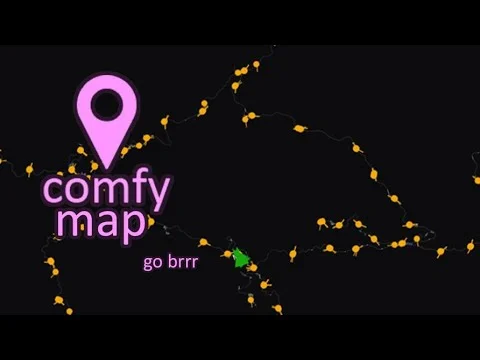
More screenshots on OverTake.gg ↗
What this mod does
Comfy Map is a map app for Assetto Corsa written in Lua for Custom Shaders Patch. It’s become a must-have on traffic, drift and free-roam servers like Shutoko Revival Project because, besides showing where you are, it lets you jump to the server’s teleport points with a single click.
What it does
- Shows the track map with every player and their name, and highlights your Content Manager friends.
- Click-to-teleport on servers that have points set up.
- Experimental teleport in single-player practice and selection with the spacebar (CSP 2.0 or later).
- Minimap in a second window, zoom, player tracking with the middle mouse button and configurable colors and sizes.
- Support for the AssettoServer safety rating.
Who it’s for
If you play online on big maps, it saves you a lot of miles driving around looking for your friends. It’s also handy for server admins: the author has a video explaining how to set up teleport points. With 59 ratings, all five stars, it’s one of the highest-rated apps on OverTake.
Version
Version 0.0091, from October 2024, fixed the ZIP structure that was causing problems when installing it with Content Manager. Version 0.009 added a new drawing mode and the option to hide the map when your mouse isn’t over it.
User rating
Mod video
Highlights and things to keep in mind
- One-click teleport on servers
- Very lightweight: 16 KB
- Perfect rating from 59 votes
- Needs Custom Shaders Patch
- Single-player teleport is experimental
- The maps aren't pixel-perfect: sometimes you need to adjust your click
Requirements
- Assetto Corsa for PC
- Custom Shaders Patch 1.78 or later (2.0 or later for some features)
- Content Manager recommended
- Free OverTake.gg account
How to install it
- Check in Content Manager that you have Custom Shaders Patch 1.78 or later.
- Download Comfy Map from its page on OverTake.gg.
- Drag the ZIP into the Content Manager window and install it.
- If that fails, copy the comfy_map folder into assettocorsa/apps/lua.
- In the CSP settings, enable the new taskbar for apps.
- Once on track, open Comfy Map from the right-hand sidebar.
Version history
-
0.009118 Oct 2024Current
Fixed ZIP structure for installing with Content Manager
-
0.00913 Oct 2024
New drawing mode, hide map when the mouse isn't over it, AssettoServer safety rating and fixes
-
0.00817 Dec 2023
Map arrows fixed in CSP 2.1 and tagged players highlighted
Common problems
I can't see any teleport points
They only show up if the server has them set up; on a server without teleports you'll just see the map.
The spacebar doesn't do anything
That feature needs CSP 2.0 or later.
Content Manager won't install it
That was a ZIP bug fixed in 0.0091; if it still happens, copy it manually into apps/lua.
More mods for Assetto Corsa
 Multiplayer
  Multiplayer