Content Manager for Assetto Corsa
Alternative Assetto Corsa launcher: organize cars, tracks and skins, install mods via drag and drop and manage Custom Shaders Patch. The Lite version is free.
Download Content Manager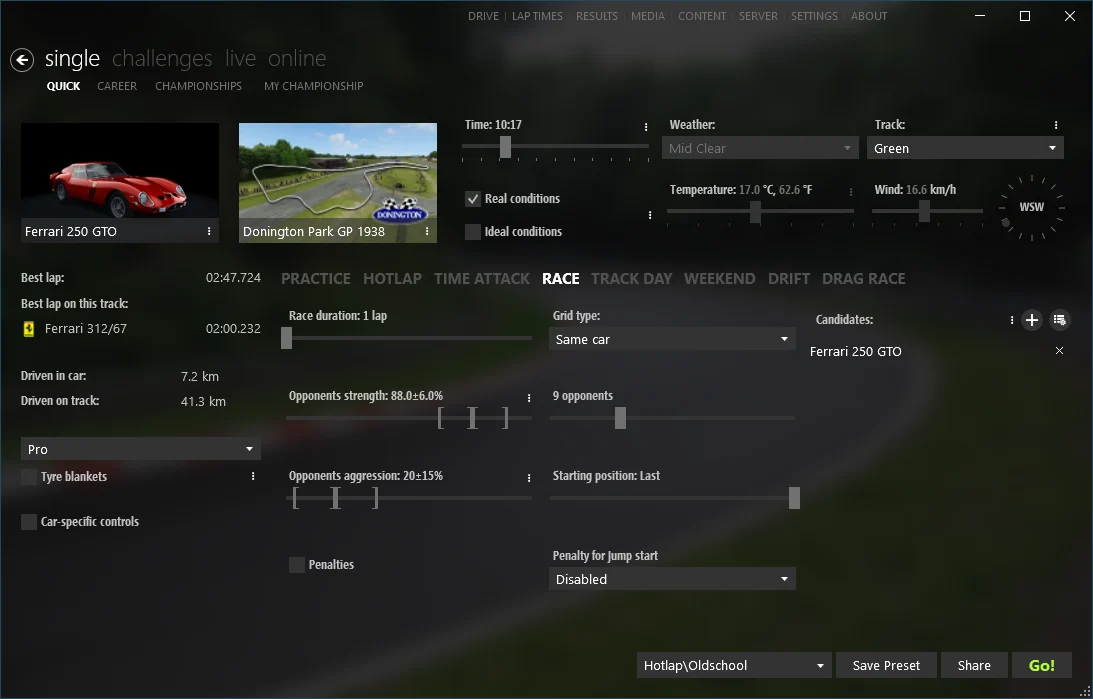
More screenshots on acstuff.ru ↗
What this mod does
Content Manager is the launcher used by almost the entire Assetto Corsa community. It replaces the original launcher with a far more complete one: quick races, online servers with filters, management of all your installed content and a mod installer that works by dragging the downloaded file into the window.
It’s developed by the same team behind Custom Shaders Patch (acstuff). The Lite version is free and includes the main features; a donation to the author gets you a key that unlocks in-development features and preview versions.
Lite or full?
The Lite version is all you need to install mods, manage CSP and play online. The full version (with a donation starting at around $2) adds in-development features and preview versions; if you’re not sure you need it, start with Lite: you can activate the full version later without reinstalling.
What it offers
- Install cars, tracks, skins and apps by dragging in the .zip or .rar.
- Install, update and configure Custom Shaders Patch right from the launcher.
- Online server browser that downloads any missing content.
- Its own showroom, livery and weather editors, and tools to fix problematic cars.
If you’re going to install any graphics mod such as CSP, Pure or Sol, this is the first step.
User rating
Highlights and things to keep in mind
- Installing mods is drag and drop
- Manages CSP without touching files by hand
- Finds and downloads the content online servers need
- Some features are only in the full version
- Windows only
- Replacing the original launcher is optional: keep a backup copy if you do
Requirements
- Assetto Corsa installed (PC)
- Windows with an up-to-date .NET Framework
- Space in a folder with write permissions (for example, Documents)
How to install it
- Download the Lite version from the official page (acstuff.ru/app).
- Extract the archive into its own folder, for example Documents\Content Manager. Inside you'll see Content Manager.exe and Manifest.json. Avoid Program Files, where Windows may block updates.
- Open Content Manager.exe. On first launch it will ask for the game folder: usually C:\Program Files (x86)\Steam\steamapps\common\assettocorsa.
- Enter your driver name and, if prompted, your Steam account.
- To install a mod, drag the .zip, .rar or .7z into the window and click Install.
- Optional: under Settings › Custom Shaders Patch, install CSP right from the launcher.
Common problems
Is Content Manager free?
Yes. The Lite version is free; the full version comes with a donation to the author and adds in-development features.
Does it work with Assetto Corsa EVO or Competizione?
No. It's made for the original Assetto Corsa.
It can't find the game folder
Set it manually: it's the assettocorsa folder inside steamapps\common.
Do I need Content Manager to use CSP?
It's not mandatory, but it's the easiest way to install, update and configure it.
More mods for Assetto Corsa
 Multiplayer