RealRoads AI Traffic – Heavy Rush Hour for American Truck Simulator
RealRoads' densest preset: packed highways, intense rush hours and more trucks at ports and industry, with quiet nights. Free, updated in October 2026.
Download RealRoads AI Traffic – Heavy Rush Hour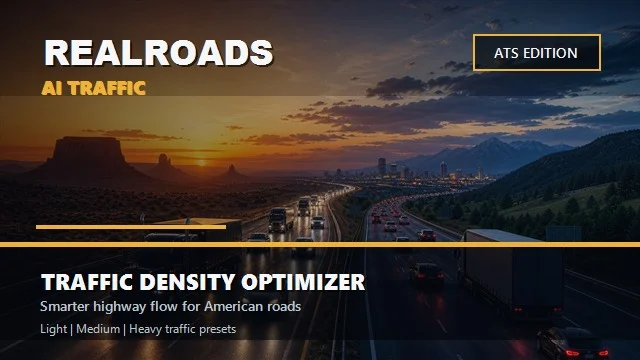
More screenshots on Steam Workshop ↗
What this mod does
RealRoads AI Traffic – Heavy Rush Hour is the busiest preset in snazzyatoms‘s RealRoads series. It’s made for players who want packed highways, demanding rush hours and lots of truck movement, without losing the calm of the early morning hours.
What changes compared to Medium
- More density and more spawn pressure, especially at rush hour.
- More traffic on highways, city approaches, ports, depots and industrial areas.
- Earlier spawning so traffic fills up sooner where the map allows it.
- Somewhat more assertive safety, patience and yield values than Medium.
Usage and load order
It’s standalone and you can only have one RealRoads preset active. Place it above other density mods and, if you use RealRoads AI Flow Assist, put Heavy above Flow Assist. Start with g_traffic at 1; if performance drops, switch to Medium or Light. It calls for a PC with headroom.
Known issues
In October 2026 the author found that highways inside big cities were left almost empty: the game spreads a global vehicle cap across every street. He raised that cap from 260 to 340 and urban groups by 20-25 %, but warns that this only mitigates it. For more density he suggests g_traffic between 1.5 and 2. In July he fixed another bug where hardly any cars spawned, only trucks.
Holyfix Check
Will it work with your mods?
Load your game.log.txt and check whether this mod is for your ATS version, whether you're missing a mod or DLC it needs and where to place it.
It's in Documents › American Truck Simulator › game.log.txt. It's read in your browser: the file is never uploaded.
Something else failing? Holyfix for ATS checks all your mods at once.
User rating
Highlights and things to keep in mind
- Truly intense rush hours
- More trucks at ports and industrial areas
- Active author who explains bugs and fixes them
- Demanding on performance
- Urban highways with less traffic than expected
- Incompatible with other density mods
Requirements
- American Truck Simulator 1.61 (updated in October 2026)
- Steam account
- A PC with performance headroom
- No other traffic density mod active
How to install it
- Open the RealRoads AI Traffic - Heavy page on Steam Workshop and click Subscribe.
- Disable other RealRoads presets and other density mods.
- Enable the mod in the Mod Manager and place it above your traffic mods and RealRoads AI Flow Assist.
- Try g_traffic at 1; if you want more, the author suggests 1.5 to 2.
Version history
-
—11 Oct 2026Current
Vehicle cap from 260 to 340, urban groups +20-25 % and Flow Assist with the same ceiling
-
0.3.1122 Jul 2026
Bigger vehicle budget and fewer trucks at rush hour so cars come back
Common problems
Why do city highways have little traffic?
The game spreads a vehicle cap across all nearby streets; the October update mitigates it but doesn't eliminate it.
Does it work with Flow Assist?
Yes, but Heavy must sit above Flow Assist in the Mod Manager.
What if my performance drops?
The author recommends switching to Medium or Light.
No cars spawning, only trucks?
That was a July bug, now fixed; unsubscribe and resubscribe to force the download.
More mods for ATS
 ✓ ATS 1.61
  ✓ ATS 1.61
  ✓ ATS 1.61
  ATS 1.59
  ✓ ATS 1.61
  ✓ ATS 1.61