RealRoads AI Traffic – Medium for American Truck Simulator
RealRoads' recommended preset: more traffic than the base game, clear rush hours and quiet nights, without constant jams. Free, compatible with ProMods.
Download RealRoads AI Traffic – Medium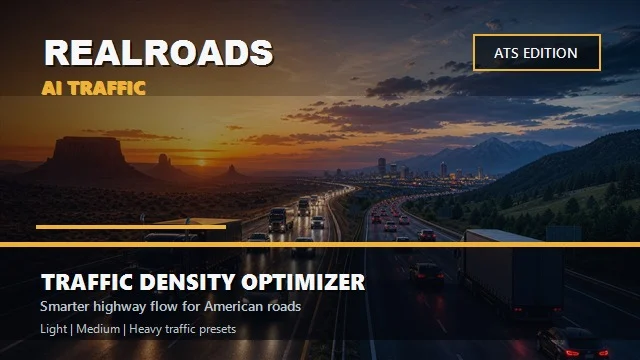
More screenshots on Steam Workshop ↗
What this mod does
RealRoads AI Traffic – Medium is the traffic density preset its author, snazzyatoms, recommends for everyday driving in American Truck Simulator. It aims for livelier roads than the base game, without turning every intersection into gridlock.
What it changes
- Tunes AI traffic density and spawning.
- Defines morning and evening rush hours and brings more life to highways and city approaches.
- Quieter nights to keep a believable day-and-night rhythm.
- Softer safety, patience and yield values so traffic flows better.
- Respects SCS’s speed limits and truck rules.
Usage and load order
It’s standalone: it doesn’t need the Light, Heavy or Echo Flow presets, and only one should be active, because they all edit the same files. Place it above other density mods or remove them, and start with g_traffic at 1. In Convoy, the host and guests must use the same version and the same order.
Compatibility
It doesn’t replace map sectors, prefabs, vehicle lists or the full traffic rules file, so it works with ProMods and map combos. Issues like braking on ramps or hesitation at traffic lights come from the game itself. The author confirmed in September that it works on ATS 1.61.
Holyfix Check
Will it work with your mods?
Load your game.log.txt and check whether this mod is for your ATS version, whether you're missing a mod or DLC it needs and where to place it.
It's in Documents › American Truck Simulator › game.log.txt. It's read in your browser: the file is never uploaded.
Something else failing? Holyfix for ATS checks all your mods at once.
User rating
Highlights and things to keep in mind
- Balance between realism and smooth flow
- Compatible with ProMods and traffic packs
- Clear preset guide (Echo Flow, Light, Medium, Heavy)
- Incompatible with other density mods
- Doesn't fix the game's AI bugs
- One user notes the in-game description doesn't match the mod
Requirements
- American Truck Simulator 1.61
- Steam account
- No other traffic density mod active
How to install it
- Open the RealRoads AI Traffic - Medium page on Steam Workshop and click Subscribe.
- Disable other RealRoads presets and other traffic density mods.
- Enable the mod in the Mod Manager and place it above your traffic mods.
- Try g_traffic at 1 first before raising it.
Version history
-
—19 Sep 2026Current
Latest update on Steam (14 change notes in total)
-
—4 May 2026
Released on Steam Workshop
Common problems
Can I enable Medium and Heavy at the same time?
No. Only one RealRoads preset, because they edit the same files.
Does it work with ProMods?
Yes, according to the author, as long as only one density mod is active.
Does it work in multiplayer?
In Convoy, yes, if everyone uses the same version and the same mod order.
Does it fix every AI bug?
No. Braking on ramps or missing green arrows come from the game and the maps.
More mods for ATS
 ✓ ATS 1.61
  ✓ ATS 1.61
  ✓ ATS 1.61
  ATS 1.59
  ✓ ATS 1.61
  ✓ ATS 1.61