Digital Gauges & Centre Display — Segra Ultimat (digital cluster and touchscreen for the BeamNG.drive truck) for BeamNG.drive
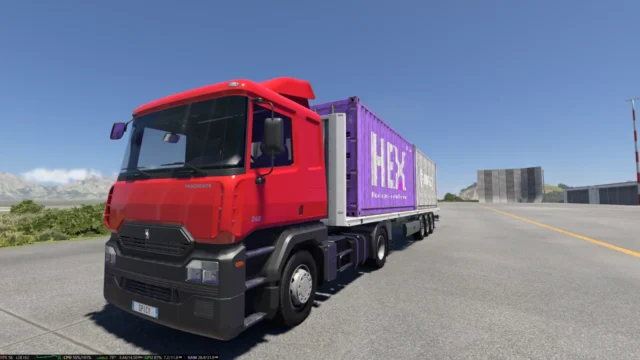
Digital gauges and an interactive touchscreen for the Segra Ultimat truck in BeamNG.drive, by Lotnaler: fuel economy, range, temperatures, axle loads and navigation. Free 4.4 MB beta; version 1.0 from November 6, 2026.
Download Digital Gauges & Centre Display — Segra Ultimat (digital cluster and touchscreen for the BeamNG.drive truck)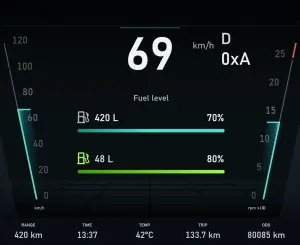
More screenshots on beamng.com ↗
What this mod does
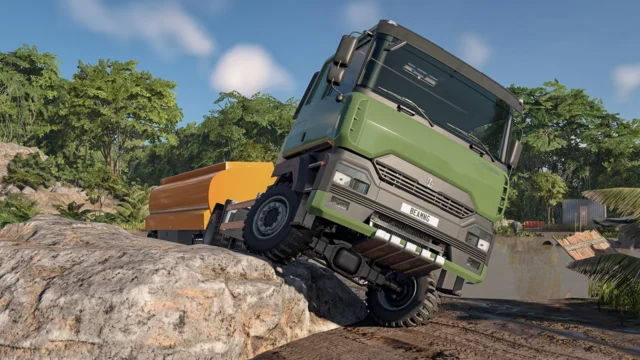
Digital Gauges & Centre Display — Segra Ultimat modernizes the interior of the Segra Ultimat truck in BeamNG.drive with a digital instrument cluster and an interactive centre touchscreen that is actually useful. It is by Lotnaler; it came out on October 29, 2026, and version 1.0 from November 6 added navigation.
What’s included
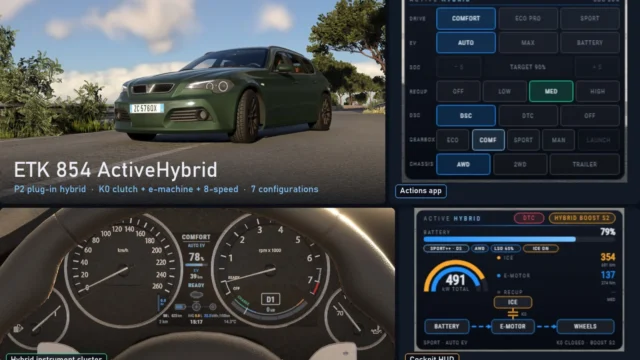
- Digital cluster with speed, rpm, gear and telltales; the left, centre and right panels cycle independently.
- Centre screen with navigation (pan the map, set a destination, re-center), vehicle information and controls.
- Fuel: level, instantaneous and average consumption and estimated range.
- Engine: coolant and oil temperatures, boost and oil pressure.
- Air and suspension: air brake pressure, suspension state and axle loads.
- Gear, cruise control, lights and warning indicators.
Compatibility
The author developed it alongside his Sigma SmartShift mod (automated manual transmission) and recommends using both, because some of the displayed data relies on SmartShift; it is not required. He gives no BeamNG.drive version. The art is by Archeckt. The file is 4.4 MB.
Keep in mind
It is marked as a beta and, for now, works only on the Segra Ultimat.
User rating
Mod video
Highlights and things to keep in mind
- Touchscreen with navigation, fuel economy, range, temperatures and axle loads
- Digital cluster with three independently configurable panels
- Very light (4.4 MB) and updated on November 6, 2026
- Pairs with Sigma SmartShift by the same author
- It is a beta and works only on the Segra Ultimat
- Without Sigma SmartShift some data is not shown
- The author does not state which BeamNG.drive version it is tested on
Requirements
- BeamNG.drive (the author gives no minimum version)
- Segra Ultimat, included in the game
- Recommended: Sigma SmartShift by the same author, so all data is shown
How to install it
- Quick option: in the game open Repository, search for Digital Gauges Segra Ultimat and click Subscribe.
- Manual option: download the .zip from the official repository page and do not unzip it.
- Copy the .zip into the mods folder of your BeamNG.drive user folder.
- If you want all the data on screen, also install Sigma SmartShift by the same author.
- Open the game, pick the Segra Ultimat and use the interior view to operate the touchscreen.
Version history
-
1.06 Nov 2026Current
Added navigation functions
-
—29 Oct 2026
Released on the official repository as a beta
Common problems
Which vehicle is it for?
Only the game's Segra Ultimat truck.
Does it need Sigma SmartShift?
It is not required, but the author recommends it because some data relies on that mod.
What does the centre screen show?
Navigation with map and destination, vehicle information and controls.
Which BeamNG.drive version is it for?
The author does not say; version 1.0 is from November 6, 2026.
Is it free?
Yes, it downloads from the official BeamNG repository.
More mods for BeamNG