Enhanced Chase Camera for BeamNG.drive
Arcade-style chase camera with dynamic field of view, high-speed shake and G-force effects, configurable with its own settings app.
Download Enhanced Chase Camera
More screenshots on Official BeamNG Repository (beamng.com/resources) ↗
What this mod does
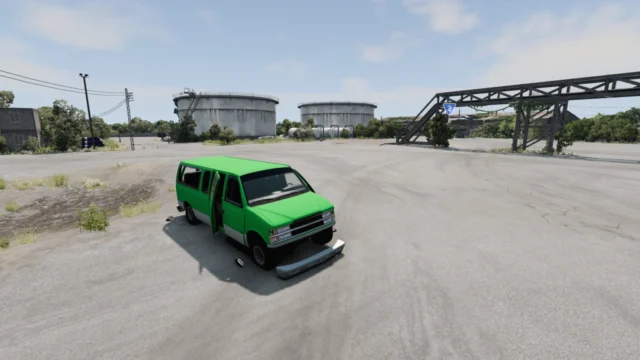
Enhanced Chase Camera is an alternative chase camera for BeamNG.drive, designed to give a more arcade feel and boost the sense of speed. It’s a tiny file, just 37 KB, with over 800,000 downloads.
What it offers
- Arcade-style camera control.
- Dynamic field of view that widens with speed.
- High-speed vibration and shake.
- Extra G-force effects.
- A settings app to configure everything to your liking.
How to enable it
Go to Options, Camera, Switching order and enable the new camera. Then switch to it while driving with the change camera control (C by default). For the settings app, open UI Apps from the pause menu, click “+ ADD APP”, search for “ecc” and add the camera settings app.
It doesn’t support rotating the camera with the mouse: use the “Rotate camera” controls under Options, Controls, Camera (by default, the numpad or the gamepad’s right stick).
Release notes
Version 1.1, which the author titled “The Last”, is from January 21, 2026. Some users mention occasional glitches: the Z-Bounce effect can push the car out of frame and, at extreme speeds, the camera goes haywire.
User rating
Mod video
Highlights and things to keep in mind
- Much greater sense of speed
- Highly configurable with its app
- Super lightweight file
- No mouse rotation support
- Occasional glitches at extreme speeds or with Z-Bounce
- Latest version predates 0.39
- May need an update for 0.40 (released October 19, 2026)
Requirements
- BeamNG.drive 0.38 or later
How to install it
- Open the Enhanced Chase Camera page on the official BeamNG Repository.
- Click Download to get the .zip, or subscribe from the in-game Repository (Subscribe button).
- If you download it manually, copy the .zip (don't unzip it) into the mods folder inside your BeamNG.drive user folder.
- Launch the game and check in the Mod Manager that it's enabled.
- Go to Options > Camera > Switching order, enable the new camera and switch to it while driving with the C key; add the settings app from UI Apps by searching for “ecc”.
Version history
-
1.121 Jan 2026Current
Update titled “The Last” (no detailed notes).
-
—16 Jan 2024
“Set it up” (no detailed notes).
-
—22 Dec 2023
“Shake and bounce” (no detailed notes).
Common problems
I can't find the new camera. Where is it?
You have to enable it in Options > Camera > Switching order and then select it with the change camera key (C by default).
Can I rotate it with the mouse?
No. Use the Rotate camera controls (numpad or the gamepad's right stick).
The car goes out of frame. What should I do?
One user links it to the Z-Bounce effect; try changing it from the settings app.
More mods for BeamNG