Speedometer for BeamNG.drive
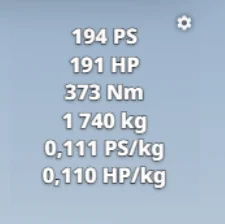
Simple digital speedometer with a gray or transparent background, wheel or airspeed readout and metric or imperial units. Updated for 0.39.
Download Speedometer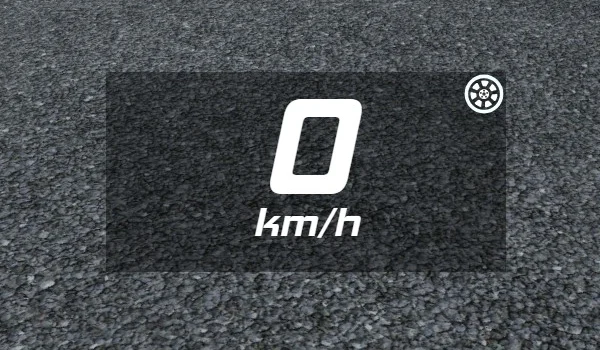
More screenshots on Official BeamNG Repository (beamng.com/resources) ↗
What this mod does
Speedometer is a clean, unobtrusive digital speedometer for BeamNG.drive’s UI. It follows the style of the same author’s Gears app, so the two look good together if you use both, and you control it by clicking directly on the app itself, with no menus.
What it offers
- Gray or transparent background, which you toggle by right-clicking the app.
- Wheel speed or airspeed, by left-clicking the icon in the top-right corner.
- Metric or imperial units, by left-clicking the app.
- Adjustable font size.
- Saves your last configuration between updates.
What it’s for
It’s handy if you find the stock gauge cluttered or if you want a big, readable speed readout when recording videos. The airspeed option is interesting during drifts and jumps, where the wheel speed doesn’t match the real speed. The transparent background works well with the cockpit view.
Compatibility
Version 1.3, from August 4, 2026, is a specific fix for 0.39, after a user reported that the previous one had stopped working. Keep in mind that the settings reset if you clear the game cache.
User rating
Highlights and things to keep in mind
- Simple and readable
- Transparent background and selectable units
- Specifically updated for 0.39
- The current game version is 0.40 (October 19, 2026): the mod doesn't list it and may need an update; also, after a major update the game disables mods and you have to re-enable them
- Settings are lost when you clear the cache
- Very few ratings (4)
Requirements
- BeamNG.drive 0.39
How to install it
- Open the Speedometer page on the official BeamNG Repository.
- Click Download to get the .zip, or click Subscribe to install it from the in-game Repository.
- If you download it manually, copy the .zip (don't unzip it) into the mods folder in your user folder (AppData > Local > BeamNG > BeamNG.drive > current > mods; the launcher opens it with Manage User Folder).
- Launch the game and check in the Mod Manager that it's enabled.
- In the game, press Esc, open UI Apps, edit the layout and add Speedometer.
- Right-click to change the background and left-click to change units or speed type.
Version history
-
1.34 Aug 2026Current
Fix for 0.39.
-
—3 Feb 2025
Transparent background and saved configuration.
-
—26 Feb 2024
Airspeed and switching of units and speed type.
Common problems
How do I make the background transparent?
Right-click the app.
What is airspeed?
It's the car's actual speed relative to the air, as opposed to the speed calculated from the wheels; you switch it with the icon in the top-right corner.
Why were my settings wiped?
They reset if you clear the game cache.
More mods for BeamNG