Flood for BeamNG.drive
A tool for flooding any map that has an ocean without using the editor: raise the water level, add rain and control the speed from a menu. Fixed for 0.37.
Download Flood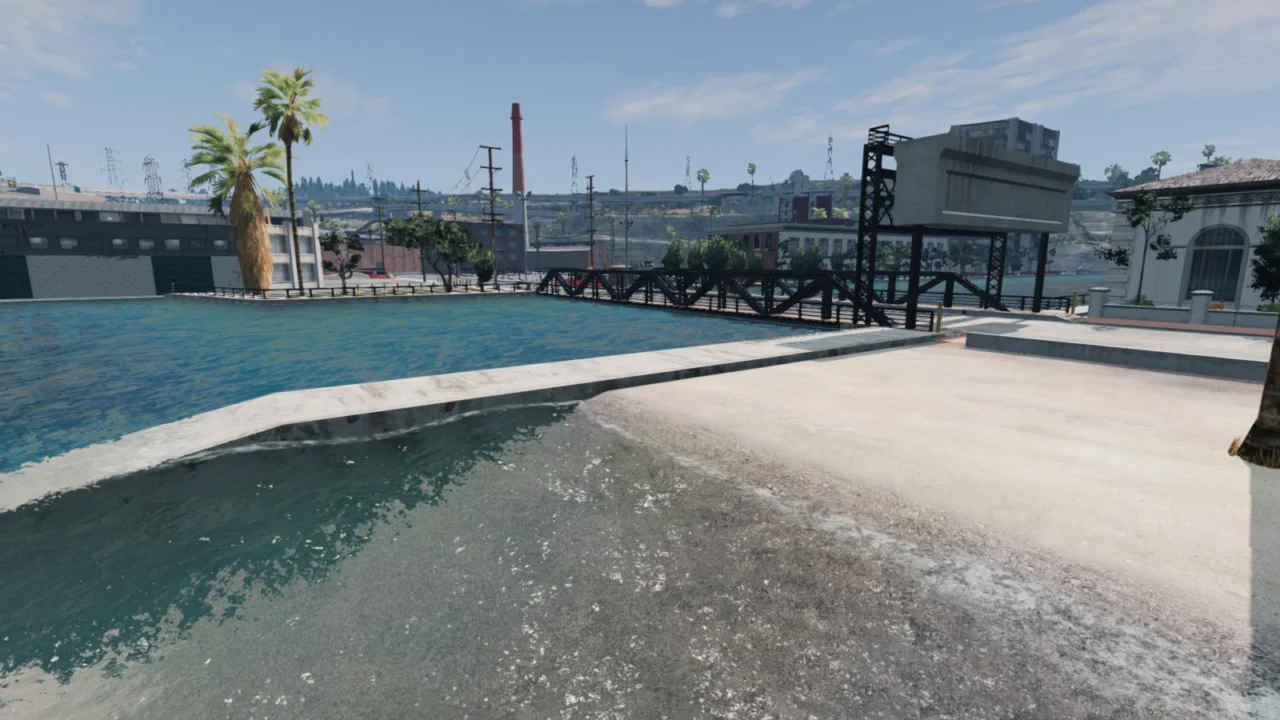
More screenshots on Official BeamNG Repository (beamng.com/resources) ↗
What this mod does
Flood is a utility mod that lets you flood a map without touching the level editor. You raise the sea level bit by bit and watch the water swallow roads, cars and towns, which looks great in videos and is handy for testing how vehicles behave in water.
What’s included
- Its own menu for controlling the flood: start and stop, speed and maximum water height.
- Rain with sound, and flooding while it rains.
- An option to stop when the vehicle is submerged.
- Rise speed of up to 50, also adjustable from the console, that respects slow motion.
- An option to hide water sources under the ocean and show them again.
How to use it
Bind a key in Options > Controls by searching for «Flood» and press it with a map already loaded. If the menu is grayed out, the map has no ocean (this happens on Utah, for example). If it doesn’t show up, reload Lua with Ctrl+L.
Version notes
Version 1.4.1, from October 2025, fixes UI problems with 0.37 and a rain sound that wouldn’t turn off. Before that fix, several players were getting Lua errors. There’s a BeamMP version on GitHub, linked from the mod page.
User rating
Highlights and things to keep in mind
- Floods maps without opening the editor
- Rain with sound included
- Very lightweight file
- Listed for 0.37; may need an update for 0.40 (released October 19, 2026)
- Only works on maps with an ocean
- Mixed opinions: several 2025 reviews mention Lua errors
Requirements
- BeamNG.drive 0.37
- About 32 MB of free space for the .zip file
- A map with an ocean
How to install it
- Open the Flood page on the official BeamNG Repository.
- Click Download to get the .zip, or subscribe from the in-game Repository.
- If you download it manually, copy the .zip (don't unzip it) into the mods folder in your user folder (from the launcher: Manage User Folder > Open in Explorer).
- Launch the game and check in the Mod Manager that it's enabled.
- In Options > Controls, search for "Flood" and bind a key.
- Load a map with an ocean and press the key to open the menu.
Version history
-
1.4.115 Oct 2025Current
UI fixes for 0.37 and a rain sound fix; time of day moves to the game's environment menu.
-
1.4.016 Jan 2024
Help menu, option to stop when submerged, start/stop button and maximum speed of 50.
-
1.3.616 Jan 2023
The water doesn't rise while the game is paused, and the speed no longer depends on FPS.
Common problems
Why is the menu grayed out?
The mod didn't find an ocean on the map; it doesn't work on maps like Utah.
The menu won't open, what do I do?
Make sure the mod is enabled and press Ctrl+L to reload Lua.
Does it work in multiplayer?
There's a separate BeamMP version linked on GitHub from the mod page; this one is single-player.
More mods for BeamNG
 Multiplayer