Lumen.NG – Floating Light Source for BeamNG.drive
Floating light you can place instantly to light up models and scenes in BeamNG.drive, with no gravity or shadows, intensity in lumens and color temperature.
Download Lumen.NG – Floating Light Source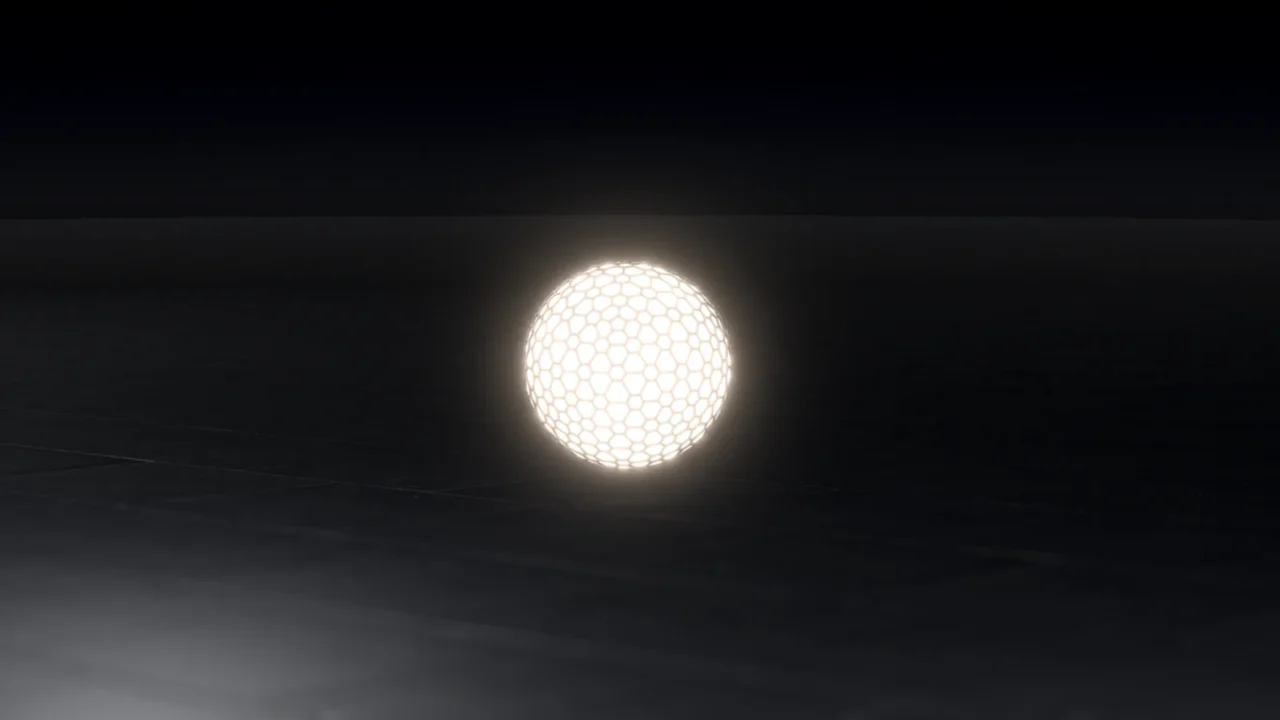
More screenshots on Official BeamNG Repository (beamng.com/resources) ↗
What this mod does
Lumen.NG, by xpogosam, is a tool aimed mainly at modders and anyone who takes screenshots or makes videos in BeamNG.drive. The author created it because placing lights with the World Editor means positioning them and adjusting their color by hand, which takes a lot of time. With this mod, you just spawn an object that acts as a light.
What’s included
- An object that spawns instantly and emits 360-degree light without casting shadows.
- It isn’t affected by gravity or physics, so it stays floating wherever you put it.
- Adjustable intensity in real lumens and color temperature from the Tuning menu.
- Since version 2.0, a model remade in Blender and a torus-shaped variant that works the same way.
How to use it
Switch to the free camera with Shift + C and place it with F7. Turn the light on with the fog light control, Alt + N by default. Then adjust the intensity and color in the Tuning menu.
Compatibility
Version 2.0, from October 14, 2026, is a remaster for 0.39. It’s marked as experimental, and the mod page doesn’t mention Career or multiplayer. The author says he’ll keep updating it if he adds features; reviewers have asked to be able to attach it to any vehicle.
User rating
Highlights and things to keep in mind
- Saves a lot of time when lighting scenes
- Intensity in real lumens
- Lightweight file
- Marked as experimental
- Mostly useful for modders and screenshots
- Can't be attached to vehicles
- May need an update for 0.40 (released October 19, 2026)
Requirements
- BeamNG.drive 0.39 or later
- About 13 MB of free space for the .zip file
How to install it
- Open the Lumen.NG page on the official BeamNG Repository.
- Click Download to get the .zip, or subscribe from the in-game Repository (Subscribe button).
- If you download it manually, copy the .zip, without unzipping it, into the mods folder inside your BeamNG.drive user folder.
- Launch the game and check in the Mod Manager that it's enabled.
- Switch to the free camera (Shift + C), place the light with F7 and turn it on with the fog light control (Alt + N).
Version history
-
2.014 Oct 2026Current
Remaster for 0.39: model remade in Blender, torus variant and lumen-based intensity control.
-
—8 Jul 2024
Brightness variable fix plus range and color temperature tweaks.
Common problems
What's it for?
For lighting models, cars or scenes without having to place lights by hand with the World Editor.
How do I turn it on?
With the fog light control, Alt + N by default.
Can I change the color?
You can adjust the intensity in lumens and the color temperature in the Tuning menu.
More mods for BeamNG