Universal Exhaust Tuner for BeamNG.drive
Tune the exhaust sound of almost any car with 13 controls (volume, pops, flames, bass, rasp…) and five presets, with no dependencies.
Download Universal Exhaust Tuner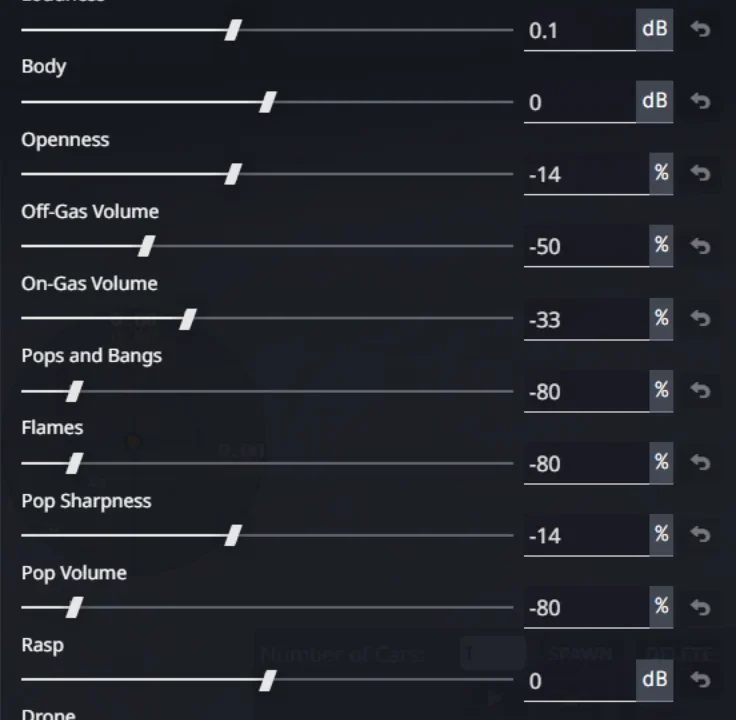
More screenshots on Official BeamNG Repository (beamng.com/resources) ↗
What this mod does
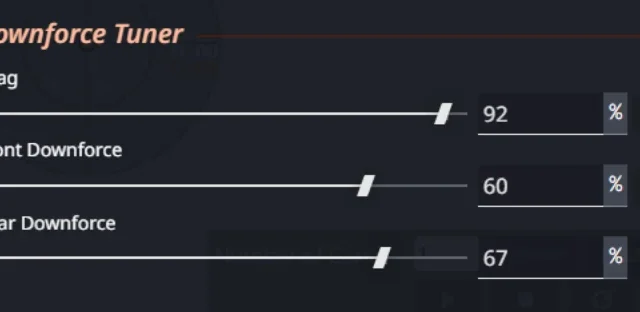
Universal Exhaust Tuner lets you fine-tune the exhaust sound of BeamNG.drive cars from the tuning menu. It works fully on every official car and on most modded ones, needs no other mods and uses the game’s own engine sounds.
Controls
- 13 sliders: volume, openness, pops, pop volume and sharpness, flames, bass, brightness, drone, rasp, body, and on-throttle and off-throttle volume.
- Five presets: Custom, Muscle, JDM Turbo, Race and Quiet/Stealth.
How to fit it on each car
On official cars, open the parts menu, set the Additional Modification slot to Universal Exhaust Tuner, apply and adjust it in the Tuning menu, under its own category. On modded cars you use the License Plate Design slot with the «(mods)» version. Don’t enable both versions at once on the same car.
Limitations
On modded cars you get volume, openness, the full equalizer, dynamics and presets, but pops and flames only work on official cars, because they depend on each vehicle’s exhaust nodes.
Compatibility
Version 1.3, from June 2026, moves all the functionality to Lua and fixes bugs with exhausts falling off. The mod page doesn’t list a game version; going by the date, it corresponds to 0.38. The author has a Discord server for questions and requests.
User rating
Highlights and things to keep in mind
- Very fine control over exhaust sound
- Works on official cars and most modded ones
- Over 30,000 downloads
- Pops and flames only on official cars
- Beta not updated since June 2026: the current game version is 0.40 (released October 19, 2026): the mod doesn't list it and may need an update; after a major update the game disables mods and you have to re-enable them
Requirements
- BeamNG.drive 0.38
How to install it
- Open the Universal Exhaust Tuner page on the official BeamNG Repository.
- Click Download to get the .zip, or subscribe from the in-game Repository (Subscribe button).
- If you download it manually, copy the .zip, without unzipping it, into the mods folder inside your BeamNG.drive user folder (the launcher opens it via Manage User Folder).
- Launch the game and check in the Mod Manager that it's enabled.
- In the parts menu of an official car, pick Universal Exhaust Tuner in the Additional Modification slot (on modded cars, the (mods) version in License Plate Design).
- Apply and adjust the sound in the Tuning menu.
Version history
-
1.311 Jun 2026Current
The whole mod runs on Lua; fixed exhausts falling off.
-
—9 Jun 2026
Multi-tuner setup.
Common problems
Does it work with modded cars?
Yes, on most of them, through the License Plate Design slot, but without pops or flames.
Can I use both versions at once?
No: the author asks you not to enable the Additional Modification and License Plate Design versions on the same car.
Does it need other mods?
No, it's standalone and uses the game's own engine sounds.
More mods for BeamNG