Additional Field Info for Farming Simulator 25
Script that adds each field's area, the price per hectare and the expected harvest to the field info panel. Rated 4.9. Free, PC/Mac only.
Download Additional Field Info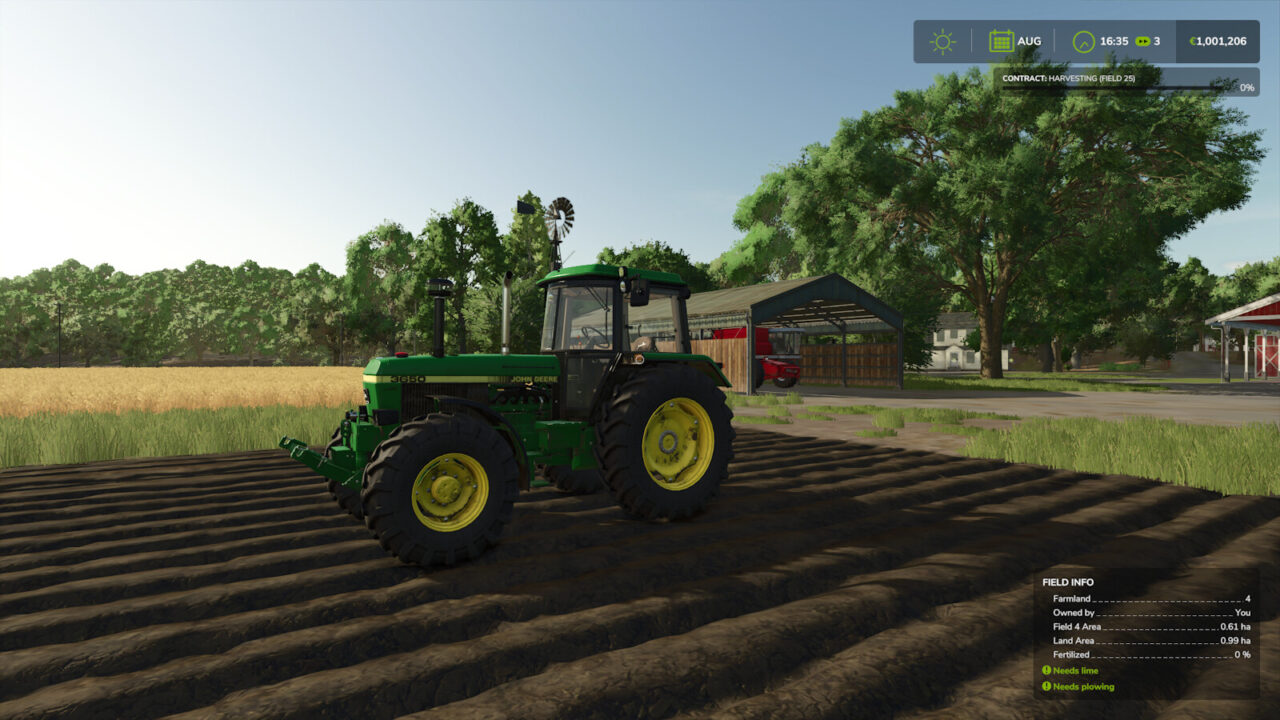
More screenshots on GIANTS ModHub (farming-simulator.com) ↗
What this mod does
Additional Field Info by yumi is a small script that expands the info panel that appears when you walk across a field. It’s one of the best-rated interface mods on the Farming Simulator 25 ModHub: 4.9 out of 5 from almost 1,400 votes.
What info it adds
- The area of each field within the land plot you’re on.
- The total area of the land plot.
- The price per hectare (or per acre) of cultivated land you don’t own yet.
- The expected harvest amount and yield on fields ready to harvest.
- The crop’s growth stages.
Why it’s useful
Knowing how big a field is and how much it’ll yield helps you decide which land to buy, how much seed or fertilizer you need and whether it’s worth hiring someone to harvest. It’s ideal if you play with the economy in mind.
Versions
Version 1.0.2.0, from November 2025, also calculates the area with the Precision Farming DLC installed and adds a Spanish translation.
It’s only for PC and Mac, weighs 88 KB and doesn’t need other mods. The code is published on GitHub.
Holyfix Check
Will it work with your mods?
Load your log.txt and check whether this mod is for your FS25 version, whether you're missing a mod or DLC it needs and where to place it.
It's in Documents › My Games › FarmingSimulator2025 › log.txt. It's read in your browser: the file is never uploaded.
Something else failing? Holyfix for FS25 checks all your mods at once.
User rating
Highlights and things to keep in mind
- Useful info for planning
- Rated 4.9 from almost 1,400 votes
- Super light: 88 KB
- PC/Mac only
- The info only shows up when you're on foot in the field
Requirements
- Farming Simulator 25 on PC or Mac
- Less than 1 MB of free space
How to install it
- Open the ModHub from the game menu and search for "Additional Field Info", or download FS25_additionalFieldInfo.zip from the official page.
- If you download it manually, copy the .zip (don't unzip it) into Documents > My Games > FarmingSimulator2025 > mods.
- Enable the mod when you load or create your savegame.
- Walk across a field and check the info panel in the corner of the screen.
Version history
-
1.0.2.026 Nov 2025Current
Area with Precision Farming, plus Spanish and Italian translations
Common problems
Is it on consoles?
No. The ModHub only offers it for PC/Mac.
Is it available in Spanish?
Yes, since version 1.0.2.0.
Does it work with Precision Farming?
Yes, since 1.0.2.0 it also calculates the area with that DLC installed.
More mods for FS25
 PC and consoles
  PC and consoles
  PC and consoles
  PC and consoles