Atmosphere (ReShade preset) for Hytale
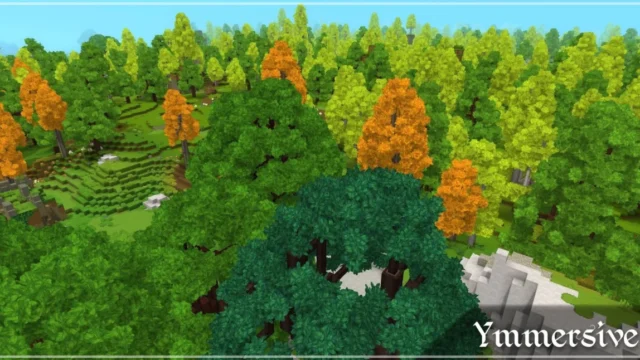
ReShade preset that improves Hytale's lighting and color without changing its style: no heavy bloom or new palette, and darker nights. ReShade is installed separately.
Download Atmosphere (ReShade preset)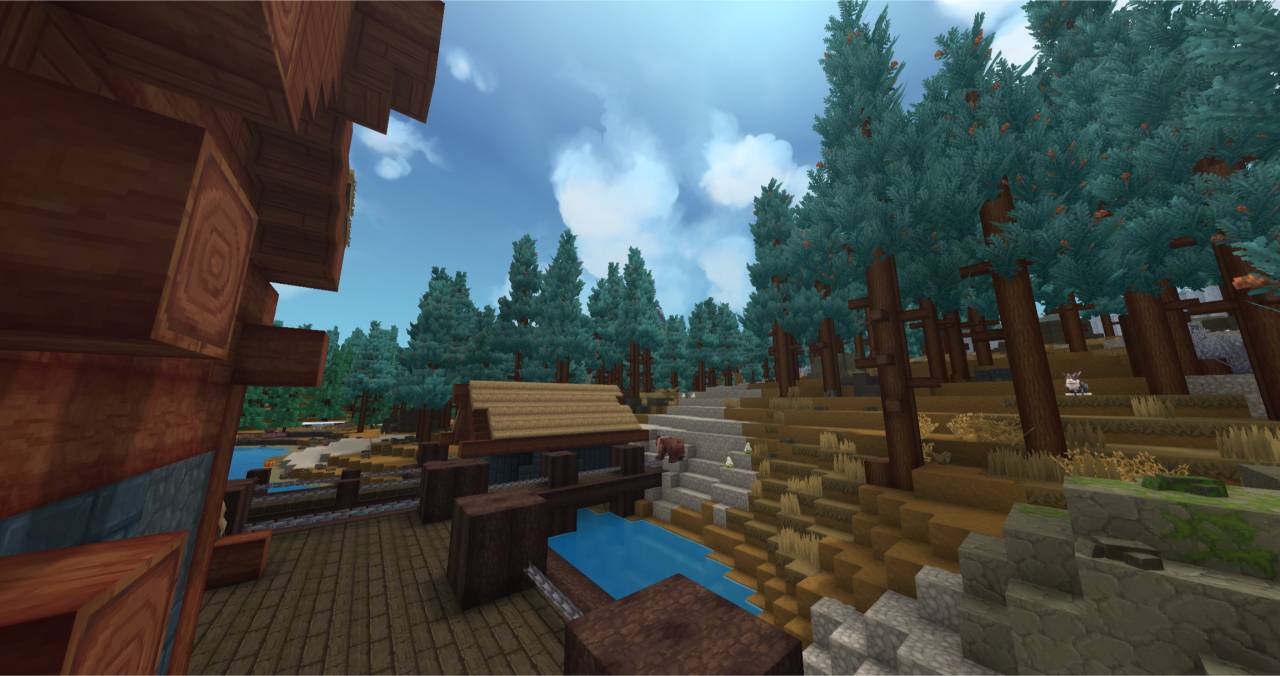
More screenshots on CurseForge ↗
What this mod does
If you’re looking for Hytale shaders, it helps to know the current landscape: the Hytale section of CurseForge has no shader loader like Iris or OptiFine. What people do use is ReShade, a free program that applies post-processing effects (ambient occlusion, color correction, sharpening…) on top of the game’s image. Atmosphere is a ReShade preset, that is, a config file with those effects already tuned for Hytale.
What it changes
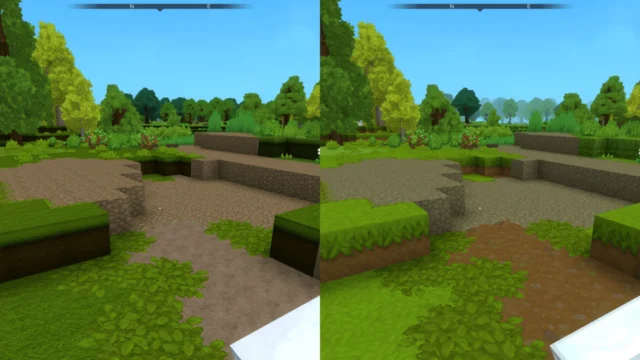
- It gives the image more depth and richness while keeping the game’s original look.
- It avoids over-the-top bloom and doesn’t change the color palette.
- Nights are deliberately darker, for more immersion.
- The UI is slightly affected, although it’s barely noticeable.
- If your PC is struggling, you can turn on ReShade’s performance mode.
Who it’s for
For players who want a more atmospheric Hytale without it looking like a different game. The preset is tiny and was released in January 2026; ReShade runs on top of the game, so it doesn’t depend on any specific Hytale mod, but after game updates you may have to reinstall it.
Checked on October 20, 2026: the author hasn’t yet released a file tagged for Hytale 0.7 (Update 7) on CurseForge. We’ll check again and update this page as soon as it’s out.
User rating
Highlights and things to keep in mind
- Noticeable improvement without changing Hytale's style
- Very lightweight and easy to turn on or remove
- Works independently of the world's mods
- Requires installing ReShade separately
- May affect performance on modest machines
- The preset hasn't been updated since January 2026
Requirements
- Hytale (Early Access) on Windows
- ReShade installed separately (free, from reshade.me)
- A PC with some headroom: on modest machines performance may drop
How to install it
- Download the ReShade installer from its official website.
- Run it, choose the Hytale client executable (on Windows, inside %APPDATA%\Hytale\install\release\package\game\latest\Client) and select OpenGL as the API.
- Download the Atmosphere preset from its CurseForge page and unzip it.
- Open Hytale and press Home to open the ReShade menu.
- In the preset selector, find and choose Atmosphere.ini.
- If you notice stuttering, turn on Performance Mode in ReShade.
Common problems
Is it a real shader mod?
Not exactly: it's a ReShade preset, which applies post-processing effects on top of the image. Right now it's the most direct way to get that effect in Hytale.
Nights look too dark
According to the author, that's intentional. You can tone down that effect by adjusting the preset from the ReShade menu.
After updating Hytale, ReShade no longer shows up
Updates can change the executable's folder. Run the ReShade installer again on the current Client folder.
Can I use it on servers?
The author doesn't say. ReShade disables depth information in multiplayer on its own, so some effects may change online.
More mods for Hytale