Lootr for Hytale
Makes chests in generated structures give each player their own loot, so in multiplayer nobody arrives late to an already-looted dungeon. Version 0.3.12.
Download Lootr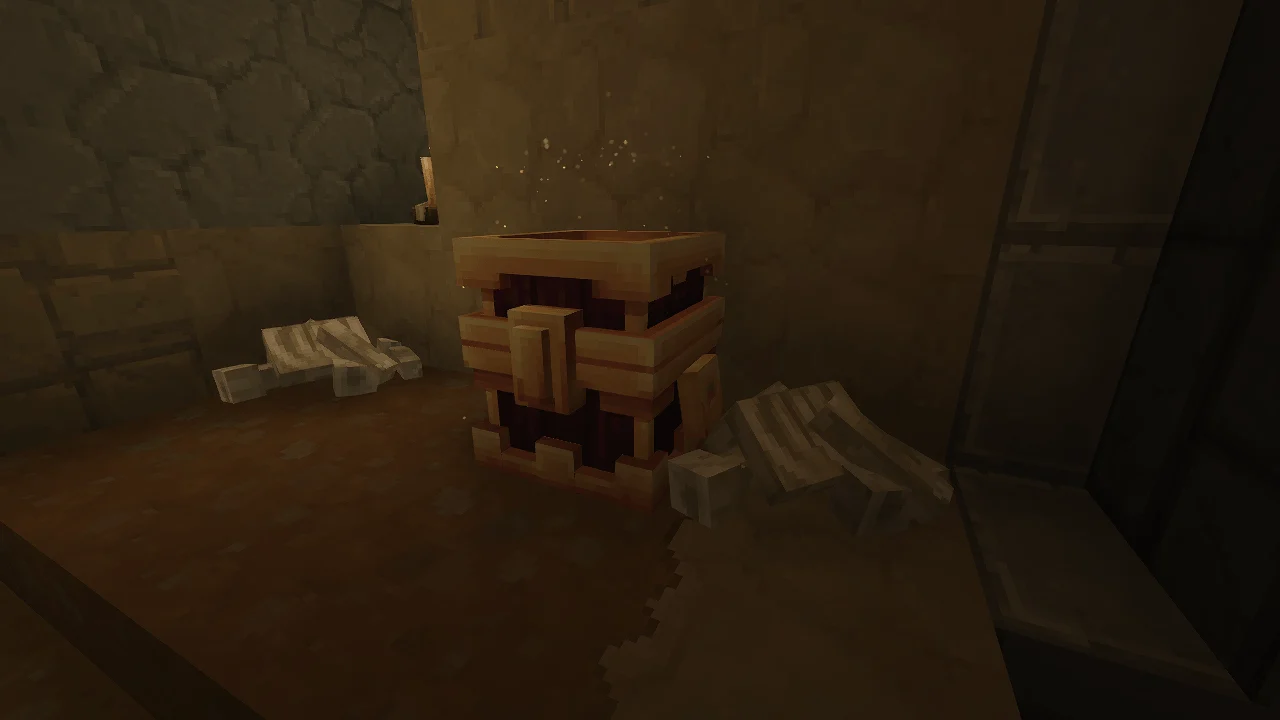
More screenshots on CurseForge ↗
What this mod does
Lootr is the Hytale version of Noobanidus’s well-known mod, and it solves a classic server problem: whoever reaches a structure first takes everything and everyone else finds empty chests. With Lootr, each player gets their own loot from world-generated chests, with no races and no leftovers. Version 0.3.12, from August 31, 2026, is released for Update 6 (0.6).
How it works
- Chests in generated structures become personal loot chests: what you take doesn’t affect what others find.
- Chests you haven’t opened yet give off golden sparkles, so you know which ones you’re missing.
- Operators can turn a chest with items into a custom chest with /lootr custom x y z: every player who opens it gets a copy of its contents. Very handy for adventure maps and events.
Before you install it
Lootr isn’t retroactive: it only converts chests in areas generated after you install it, so in an old world you’ll have to explore new terrain. Also, if you uninstall it, the converted chests will show up as black and purple blocks. Since version 0.0.7 there’s an option, Disable_Conversion, to stop converting chests before you remove it.
It’s ideal for servers with friends and for anyone who runs dungeons and structures as a group.
Update (October 20, 2026): the author has now released a file for Hytale 0.7 (Update 7): version 0.4.13, from October 13, 2026.
User rating
Highlights and things to keep in mind
- Ends loot races in multiplayer
- Unopened chests stand out with golden sparkles
- Very lightweight (about 73 KB) and open source (MIT)
- Doesn't affect chests in already-generated areas
- Uninstalling it leaves converted chests as corrupted blocks
- The author considers it early-stage
Requirements
- Hytale (Early Access) on PC, version 0.6
- No other mods needed
- Best in a new world or in areas not yet generated
How to install it
- Open the Lootr page on CurseForge and click Install to install it with the CurseForge app, or download the file Lootr-0.4.13.jar (version for 0.6) from the Files tab.
- If you download it manually, copy the file as is, without unzipping it, into the mods folder: on Windows %APPDATA%\Hytale\UserData\Mods.
- Open Hytale, right-click the world where you want to use it, tick Lootr in the mod list and save the world settings.
- On a dedicated server, place the file in the server's mods folder and restart it.
- Explore new areas: chests in structures generated from now on will give each player their own loot and will glow until you open them.
Version history
-
0.4.1313 Oct 2026Current
File for Hytale 0.7 (Update 7)
-
0.3.1231 Aug 2026
Updated for game version 0.6.2
Common problems
The chests in my world don't change
Lootr isn't retroactive: it only converts chests in chunks generated after installing it. Explore new areas.
I removed the mod and there are black and purple blocks
Those are the converted chests. Before uninstalling, enable Disable_Conversion in the config (since 0.0.7) so no more get converted.
How do I make a reward chest for everyone on my server?
Fill it with whatever you want and, as an operator, use /lootr custom x y z with its coordinates: every player will get a copy.
More mods for Hytale