Pathinator for Hytale
Paths form on their own wherever players walk most: grass dries out and eventually turns into a trail. Version 1.8.0 for Hytale 0.7, configurable and server-side.
Download Pathinator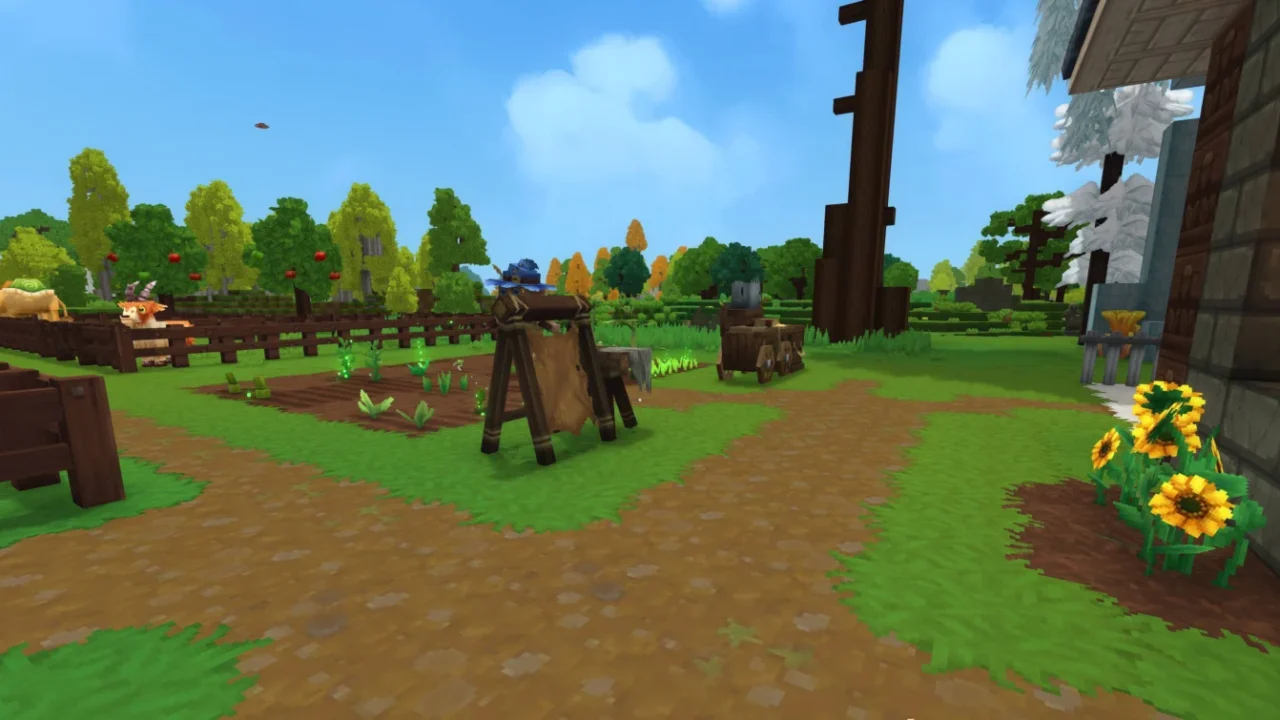
More screenshots on CurseForge ↗
What this mod does
Pathinator makes paths appear on their own: it counts how many times players step on each block and, once a threshold is reached, turns it into the next step of a chain. With use, grass dries out and ends up as a trail, just like in a real village. It’s published by defxor, and version 1.8.0, released October 12, 2026, is the one for Hytale 0.7.
How it works
- By default, grass turns into dry grass after 10 steps and into a dirt path after 100.
- Tall grass gets shorter as you walk through it until it disappears.
- Chains and thresholds can be changed in the config file that’s created on first launch.
- Options to toggle path creation, save the data between restarts, set how many minutes between processing changes, and choose the log level.
Commands
/pathinator shows the options; with –version, –reload, –clear and –config you can see the version, reload the config, wipe the tracking data or check the settings.
Important: the mod edits your world, and removing it doesn’t undo the paths already created. Back up before trying it. Version 1.8.1 came out on October 22, but only for the game’s 0.8 pre-release. To set up your own server, see how to create a Hytale server.
User rating
Highlights and things to keep in mind
- Simple idea that brings villages and servers to life
- Highly configurable
- Lightweight (52 KB) with no dependencies
- Changes your world permanently
- Few downloads (around 1,700)
- The page doesn't explain multiplayer behavior in detail
Requirements
- Hytale (Early Access) 0.7 on a server or local world (file pathinator-v1.8.0.jar)
- No dependencies
- A backup of your world: the changes are permanent
How to install it
- Back up your world: paths created by the mod aren't undone when you remove it.
- Open the Pathinator page on CurseForge, go to the Files tab and download pathinator-v1.8.0.jar (the file tagged 0.7; 1.8.1 is for the 0.8 pre-release).
- Copy the .jar into the server's mods folder (for a local world on Windows, %APPDATA%\Hytale\UserData\Mods) and start it up: the config file will be generated.
- Tweak the block chains and thresholds in the config if you like, and apply them with /pathinator --reload.
- Walk around as usual: paths will start appearing along the most-used routes.
Version history
-
1.8.122 Oct 2026Current
File for the 0.8.0-pre.2 pre-release
-
1.8.012 Oct 2026
Updated for Hytale 0.7.0
-
1.6.027 Aug 2026
Version for Hytale 0.6
Common problems
Can it be undone?
No. The author warns that removing the mod doesn't revert the changed blocks. Back up first.
Can I stop it from touching tall grass?
Yes. Just remove the default grass chains from the config file.
What is version 1.8.1?
A file from October 22 for Hytale's 0.8 pre-release. For stable 0.7, use 1.8.0.
More mods for Hytale
 Multiplayer

 Multiplayer
  Multiplayer