Air Ride (air suspension seat) for American Truck Simulator
Simulates the truck's air-ride seat: the driver's view moves up and down with the truck. Requires camera physics at max. Free on Steam; September 2026.
Download Air Ride (air suspension seat)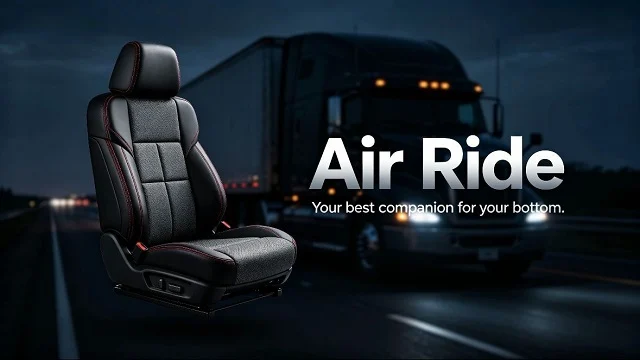
More screenshots on Steam Workshop ↗
What this mod does
Air Ride, by Seren, mimics the air-suspension seat found in American trucks. The author jokingly calls it “your butt’s best friend”: it makes the driver’s head move up and down with the truck’s motion, so the virtual seat feels more comfortable and driving feels more alive.
Settings required
For the effect to be noticeable, camera physics must be enabled and set to maximum in the game options. Without that setting the change is minimal.
Compatibility
- Compatible with most truck physics mods.
- It must have higher priority (sit higher in the list) than other physics mods.
- It can’t be used together with other mods of the same type, that is, other seat mods.
In the comments, people ask whether it works alongside Frkn64’s Realistic Truck Physics; another user replies that placing it above is enough, but the author hasn’t confirmed it.
Version
It was released on September 9, 2026, shortly before the final version of ATS 1.61; the author doesn’t list a game version. It’s a tiny file (18 KB) and bugs are reported in the comments. Some users are already asking for an ETS2 version.
Holyfix Check
Will it work with your mods?
Load your game.log.txt and check whether this mod is for your ATS version, whether you're missing a mod or DLC it needs and where to place it.
It's in Documents › American Truck Simulator › game.log.txt. It's read in your browser: the file is never uploaded.
Something else failing? Holyfix for ATS checks all your mods at once.
User rating
Highlights and things to keep in mind
- Simple effect that brings the cab view to life
- Compatible with most physics mods
- Tiny file
- Requires camera physics at the max
- Incompatible with other seat mods
- Very short description with no game version
Requirements
- American Truck Simulator (no version listed; released in September 2026)
- Steam account
- Camera physics enabled and set to max
How to install it
- Open the “Air Ride” page on Steam Workshop and click “Subscribe”.
- Launch American Truck Simulator and wait for Steam to finish downloading the mod.
- In your profile's Mod Manager, enable “Air Ride”.
- Place it above any other physics mod and disable other seat mods.
- In Options, enable camera physics and turn it up to the max.
Version history
-
9 Sep 2026Current
Release (1 changelog note)
Common problems
Why can't I notice anything?
The author asks you to enable camera physics and set it to the max.
Can I use it with other physics mods?
Yes, with most of them, but it must sit above them.
And with another seat mod?
No; the author says they can't be combined.
More mods for ATS
 ATS 1.57
  ✓ ATS 1.61
  ATS 1.60
  ATS 1.58
  ✓ ATS 1.61
  ATS 1.60