Enhanced LED Traffic Safety Signs for American Truck Simulator
Over 50 real North American road safety messages for the LED signs over ATS highways. Free, 43 KB and more than 42,000 subscribers.
Download Enhanced LED Traffic Safety Signs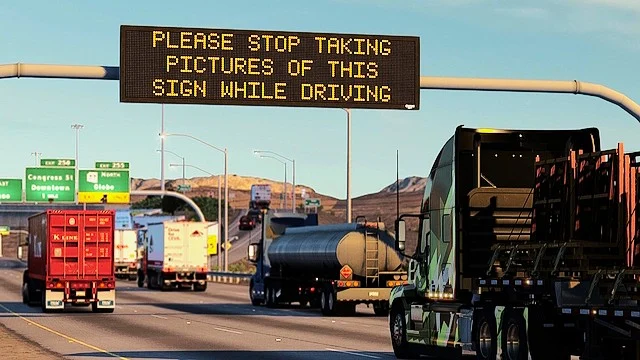
More screenshots on Steam Workshop ↗
What this mod does
Enhanced LED Traffic Safety Signs changes the text on the LED variable message signs over American Truck Simulator highways. Instead of the few stock warnings, it shows more than 50 road safety messages that have actually appeared on North American roads.
What it changes
- Real messages, mostly written by transportation department staff or the people who program the signs.
- Highway-appropriate tone: the author says they keep the usual decorum and contain nothing inappropriate.
- Some wildfire prevention notices, including one reminding drivers to keep the way clear for firefighters.
It’s a very light mod (43 KB) that only touches text, so it doesn’t affect performance. It’s the first mod by its author, eno_75, and it already has over 42,000 subscribers and 31 updates.
Compatibility and issues
The author doesn’t list a game version; the latest update is from September 18, 2026, with ATS 1.61 already out. He doesn’t give a load order: if another mod changes the signs, commenters recommend moving this one toward the top of the Mod Manager. The author has seen blank signs in South Dakota, although he doesn’t think the mod causes them.
Holyfix Check
Will it work with your mods?
Load your game.log.txt and check whether this mod is for your ATS version, whether you're missing a mod or DLC it needs and where to place it.
It's in Documents › American Truck Simulator › game.log.txt. It's read in your browser: the file is never uploaded.
Something else failing? Holyfix for ATS checks all your mods at once.
User rating
Highlights and things to keep in mind
- More variety and realism on highway signs
- Very lightweight
- Frequently updated
- Messages in English, as in the US
- Blank signs in South Dakota (cause unconfirmed)
- No load order given by the author
Requirements
- American Truck Simulator 1.61 (the author doesn't list a version; updated in September 2026)
- Steam account
- No required DLC
How to install it
- Open the mod's page on Steam Workshop and click Subscribe.
- Launch ATS and enable Enhanced LED Traffic Safety Signs in the Mod Manager.
- If another mod changes the message signs, place this one above it.
- Drive on the highway and watch the LED signs to see the new messages.
Version history
-
—18 Sep 2026Current
Latest update on Steam (31 change notes in total)
Common problems
Are the messages made up?
No. According to the author, most are real messages seen on North American roads.
Does it affect performance?
No; it's 43 KB and only changes the sign text.
Why do I see blank signs in South Dakota?
The author has seen it too and doesn't think the mod causes it.
Does it work on ATS 1.61?
The author doesn't say; the latest update came after 1.61 was released.
More mods for ATS
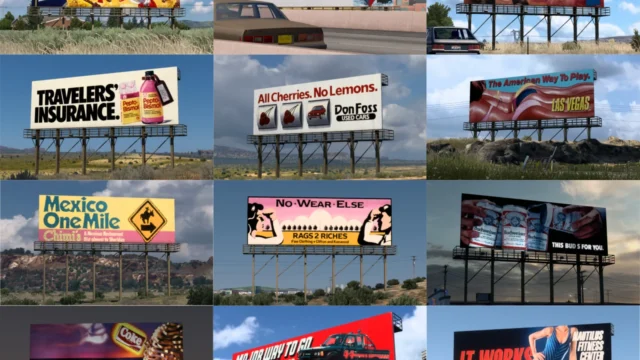 ATS 1.59
  ✓ ATS 1.61
 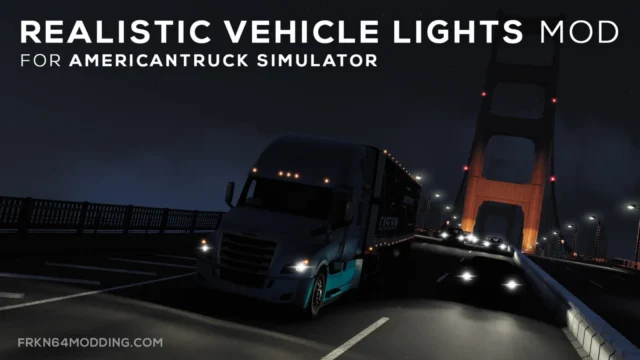 ✓ ATS 1.61
  ATS 1.60
  ✓ ATS 1.61
  ✓ ATS 1.61