Faster AI Traffic Speeds for American Truck Simulator
Makes AI cars and trucks often drive above the speed limit, like on real highways, while keeping some slow vehicles around. Free, version 1.05.
Download Faster AI Traffic Speeds
More screenshots on Steam Workshop ↗
What this mod does
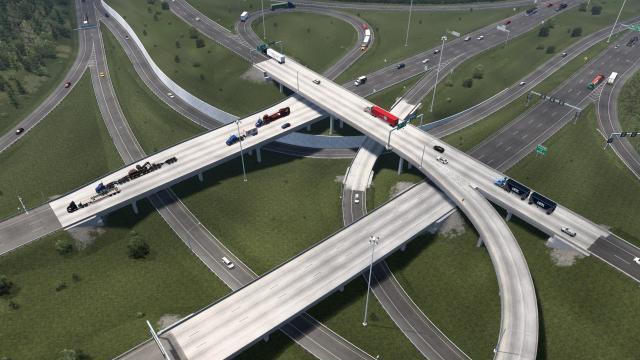
Faster AI Traffic Speeds, by TreesOnALeaf, changes a habit of American Truck Simulator traffic: the AI almost always drives right at the limit or below it. With this mod, cars and trucks frequently go over the limit, just like on real highways, while a few slow vehicles stick around for variety.
What it changes
- Most AI drives at the limit or above it.
- Slower vehicles still show up now and then.
- Speed parameters hand-tuned by the author.
Installation and order
According to the description, it’s compatible with most maps and traffic mods and should load after density mods. In the comments the author recommends placing it highest of all your traffic mods in the Mod Manager. He suggests g_traffic at 1.
Known issues
Early versions caused a lot of crashes between AI vehicles. Version 1.05 cut them down a lot, although the author admits they still happen occasionally. Some players feel the interstate looks like a racetrack and see AI patrol cars blow past them at high speed while they get fined for going 5 mph over. It works best if you usually drive with the flow of traffic. The latest update is from July 2026 and the author doesn’t list a game version.
Holyfix Check
Will it work with your mods?
Load your game.log.txt and check whether this mod is for your ATS version, whether you're missing a mod or DLC it needs and where to place it.
It's in Documents › American Truck Simulator › game.log.txt. It's read in your browser: the file is never uploaded.
Something else failing? Holyfix for ATS checks all your mods at once.
User rating
Highlights and things to keep in mind
- Highways with a more realistic pace
- Lightweight and easy to combine
- Keeps a mix of speeds
- Occasional crashes between AI vehicles
- Can feel over the top on interstates
- Somewhat contradictory load order instructions
Requirements
- American Truck Simulator 1.60 or later (the author doesn't list a version; updated in July 2026)
- Steam account
- No required DLC
How to install it
- Open the Faster AI Traffic Speeds page on Steam Workshop and click Subscribe.
- Launch ATS and enable the mod in the Mod Manager.
- Place it above your other traffic mods, as the author recommends in the comments.
- Keep g_traffic at 1 while testing it.
Version history
-
1.0520 Jul 2026Current
Big reduction in crashes between AI vehicles
Common problems
Does the AI crash more?
Early versions did; 1.05 greatly reduced crashes, although there's still the occasional one.
Where does it go in the load order?
The author recommends placing it highest of all traffic mods.
Are there still slow vehicles?
Yes, the mod keeps some for variety.
Is there a version for slower driving?
No; a user asked for one in the comments.
More mods for ATS
 ATS 1.60
  ✓ ATS 1.61
  ✓ ATS 1.61
  ✓ ATS 1.61
  ✓ ATS 1.61
  ✓ ATS 1.61