Real Traffic Density for American Truck Simulator
Increases ATS traffic realistically, with rush hours, quieter nights and density by road type. Free on Steam Workshop and updated for ATS 1.61.
Download Real Traffic Density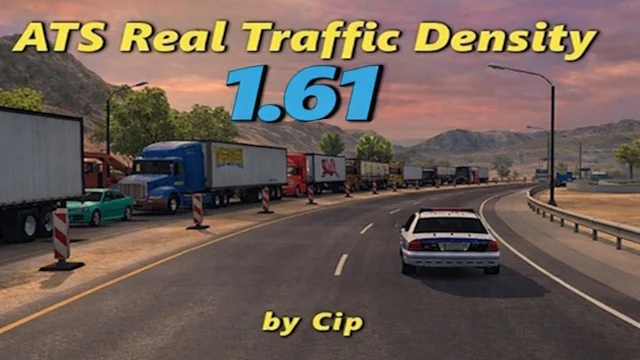
More screenshots on Steam Workshop ↗
What this mod does
American Truck Simulator’s default traffic is sparse and barely changes between day and night or between a highway and a back road. Real Traffic Density fixes that by raising vehicle density sensibly, instead of simply multiplying it like the g_traffic command does.
What it changes in the game
- More traffic at rush hour and less in the early morning hours.
- Different density depending on road type and city size.
- Motorcycles, sports cars and classic cars as separate traffic types, each with its own frequency.
- Special speeds for emergency vehicles and motorcycles, which can exceed normal limits.
- Retimed traffic light cycles to handle more traffic, especially on left turns.
Compatibility
It works with the base map, all state DLC and AI traffic packs. In fact, the author recommends adding a traffic pack, because with more cars on the road the stock models repeat a lot.
Recommended settings
Leave g_traffic at 1. The author suggests launch options to expand memory (-mm_pool_size, -mm_max_resource_size and -mm_max_tmp_buffers_size), setting the pool size to half your RAM.
Version
The latest update, from September 2026, is for ATS 1.61.
Holyfix Check
Will it work with your mods?
Load your game.log.txt and check whether this mod is for your ATS version, whether you're missing a mod or DLC it needs and where to place it.
It's in Documents › American Truck Simulator › game.log.txt. It's read in your browser: the file is never uploaded.
Something else failing? Holyfix for ATS checks all your mods at once.
User rating
Mod video
Highlights and things to keep in mind
- Very lightweight (under 6 MB)
- Updated for ATS 1.61
- Compatible with the base map, DLC and traffic packs
- More traffic means more load on your PC
- You have to respect the load order and leave g_traffic alone
Requirements
- American Truck Simulator 1.61
- No DLC required
- Recommended: an AI traffic pack
How to install it
- Subscribe to Real Traffic Density ATS on Steam Workshop.
- Open the game and enable the mod in the Mod Manager.
- Place it above map mods and any other mod that changes traffic density.
- Check in the console or in config.cfg that g_traffic is set to 1.
- Optional: in Steam, under the game's properties, add the memory launch options the author recommends.
Version history
-
21 Sep 2026Current
Minor update for 1.61
-
18 Jun 2026
Update for 1.60
-
7 May 2026
Update for 1.59
Common problems
Should I raise g_traffic for even more traffic?
No. The author asks you to leave it at 1; the mod already calculates the right density.
I keep seeing the same cars
That's normal with higher density. Add an AI traffic pack, which is compatible.
There's little traffic in Los Angeles
The author mentions it as a limitation of the game, not the mod, just like the issues when merging onto highways.
More mods for ATS
 ATS 1.58
  ATS 1.57
  ATS 1.60
  ATS 1.60Requires DLC
  ATS 1.59
  ✓ ATS 1.61