Avalanche Climb for BeamNG.drive
A small hill where rocks, cars and crates never stop falling: ten scenarios in which you have to drive to the top while dodging the avalanche.
Download Avalanche Climb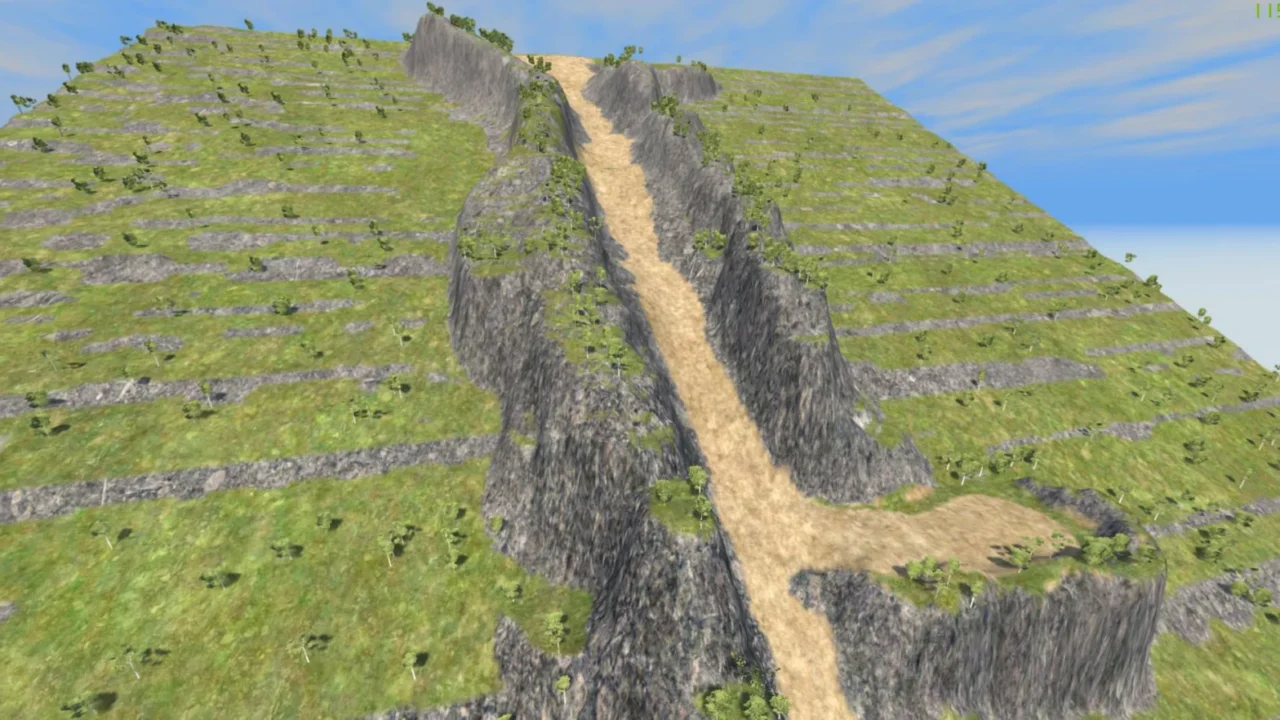
More screenshots on Official BeamNG Repository (beamng.com/resources) ↗
What this mod does
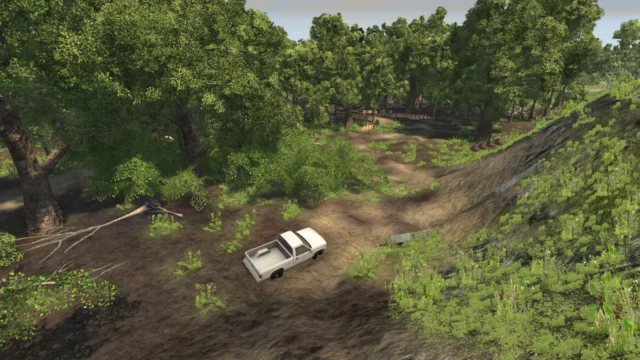
Avalanche Climb is a small map with scenarios where the goal is simple and very BeamNG: drive up a slope while all kinds of objects keep rolling down it nonstop. Rocks, cars, crates and other obstacles tumble down the road, and you have to find the gap to reach the top without getting crushed.
What’s included
- A hill built from a heightmap, with a dirt road, mud, small rocks and vegetation.
- Ten scenarios with different avalanches, from rocks of various sizes to cars rolling downhill.
- An object teleport system that sends them back to the top so the avalanche never ends.
- Free access to the map (AC1) if you just want to drive around the hill.
How to play
The scenarios are launched from the Scenarios menu. The author warns that the vehicle selector in the scenarios isn’t fully supported and may look odd, though it works. If the physics get weird after restarting a scenario several times, reload the level.
Compatibility
It’s a veteran mod, released in 2018 and marked as experimental, but the author brought it up to date in February 2026, during the 0.38 era. It doesn’t mention 0.39 or 0.40, so it’s worth testing it and keeping an eye out for possible bugs on the current version.
User rating
Mod video
Highlights and things to keep in mind
- Simple and really fun idea for wrecking cars
- Ten scenarios with different avalanches
- Brought up to date in 2026 after years without changes
- The current game version is 0.40 (October 19, 2026): the mod doesn't list it and may need an update; also, after a major update the game disables mods and you have to re-enable them
- Marked as experimental
- Physics can glitch after several restarts
- Few recent reviews: the latest are from 2023
Requirements
- BeamNG.drive 0.38
- About 77 MB of free space for the .zip file
How to install it
- Open the Avalanche Climb page on the official BeamNG Repository.
- Click Download to get the .zip, or Subscribe to have it installed from the in-game Repository.
- If you download it manually, copy the .zip (don't unzip it) into the mods folder in your user folder (AppData > Local > BeamNG > BeamNG.drive > current > mods; the launcher opens it with Manage User Folder).
- Launch the game and check in the Mod Manager that it's enabled.
- Open the Scenarios menu and pick one of the Avalanche Climb scenarios.
- To drive around the map without the avalanche, go to Freeroam and pick AC1 at the top of the list.
Version history
-
0.8.2.217 Feb 2026Current
Big cleanup: the mod is brought up to date, the object code is tidied up and there are fewer console messages.
-
—20 Dec 2021
Ground vegetation tweaked, textures fixed and materials touched up.
-
—20 Oct 2019
Smaller rocks on the path, mud on the road and two new scenarios with more rock sizes.
Common problems
Can I play the map without the scenarios?
Yes: go to Freeroam and pick AC1, which appears at the top of the map list.
The physics get weird after restarting, is that normal?
The author acknowledges it; reloading the level usually fixes it.
Why does the vehicle selector look strange?
It isn't fully supported in these scenarios, but it still works.
More mods for BeamNG