Enhanced Dashboard for BeamNG.drive
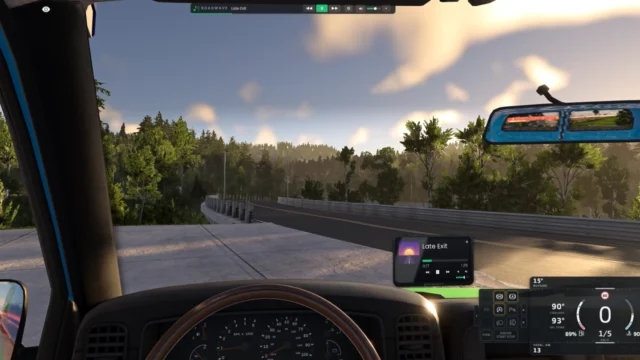
An all-in-one dashboard with cruise control, emergency braking, parking sensors, cameras, a trip computer, off-road mode and bus mode.
Download Enhanced Dashboard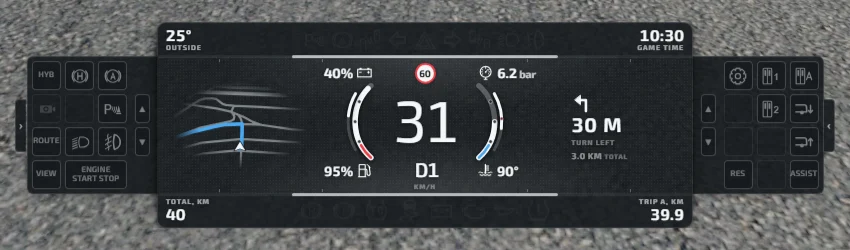
More screenshots on Official BeamNG Repository (beamng.com/resources) ↗
What this mod does
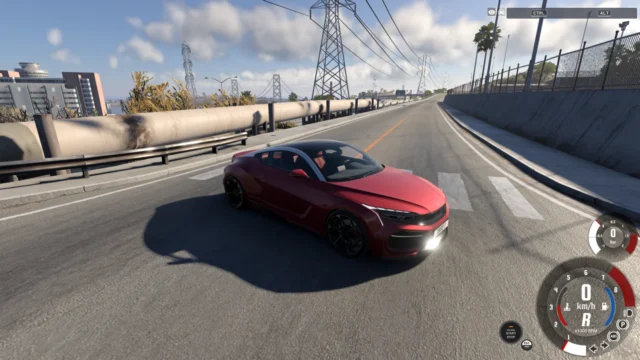
Enhanced Dashboard is a complete dashboard UI designed for realistic driving. It brings together many of a modern car’s driver aids and displays in a single app.
What’s included
- Cruise control and speed limiter with automatic, assisted and manual modes, Eco, Standard and Dynamic profiles, and speeding warnings.
- Forward collision warning, automatic emergency braking, cross-traffic alerts and blind spot monitoring.
- Auto Hold, hill start assist, start-stop for combustion engines, automatic headlights and a gear shift indicator.
- Front and rear parking sensors and front, rear and side cameras with guide lines and night vision.
- A trip computer with consumption, range, trip odometers and fuel cost.
- Off-road mode with low range, 2WD/4WD and hill descent control, and bus mode with doors, kneeling and route number.
- A 2D/3D map with route guidance and an alert for the nearest gas station or charger.
What’s new
Version 1.1 adds modular widgets and an analog view with its own gauges app, with a fully analog mode that disables almost all the driver aids.
Things to keep in mind
The automatic and assisted modes need maps with properly defined speed limits, and the cameras can lower your frame rate. Fuel memory, refueling and custom mileage don’t work in Career mode. It’s available in English, German and Ukrainian.
User rating
Highlights and things to keep in mind
- Tons of driver aids and displays in a single app
- Almost daily updates since launch
- Specific support for some popular modded vehicles
- The cameras can reduce your frame rate
- Some features don't work in Career mode
- The current game version is 0.40 (released October 19, 2026): the mod doesn't list it and may need an update; after a major update the game disables mods and you have to re-enable them
Requirements
- BeamNG.drive 0.39
How to install it
- Open the Enhanced Dashboard page on the official BeamNG Repository.
- Click Download to get the .zip, or subscribe from the in-game Repository (Subscribe button).
- If you download it manually, copy the .zip, without unzipping it, into the mods folder inside your BeamNG.drive user folder (the launcher opens it via Manage User Folder).
- Launch the game and check in the Mod Manager that it's enabled.
- In the game, press Esc, open UI Apps and add Enhanced Dashboard (and, if you like, the analog gauges app).
Version history
-
1.114 Oct 2026Current
Modular widgets, analog view and a new analog gauges app.
-
—12 Oct 2026
Fixes with the arcade gearbox: Auto Hold no longer makes the car roll backward.
-
—9 Oct 2026
The speed limit warning no longer resets when you reset the car.
Common problems
Does it work in Career mode?
Yes, but fuel memory, refueling and custom mileage don't work in that mode.
Why doesn't it detect the speed limit?
The automatic and assisted modes depend on the map having its speed limits properly set up.
Does it include adaptive cruise control or lane keeping?
No, and the author says they're not planned.
More mods for BeamNG