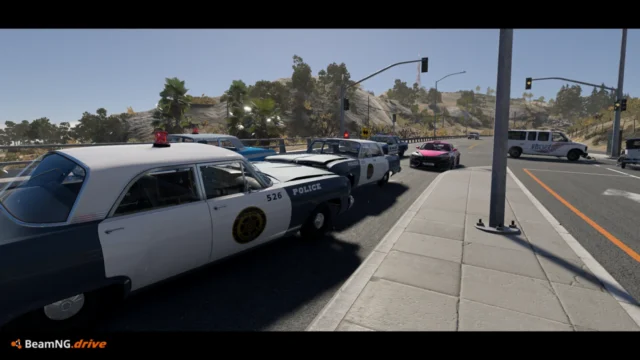
Enhanced Interior Camera for BeamNG.drive
Makes the interior camera react to G-forces, speed, drifts and impacts, with adjustable presets (including two for VR). Requires BeamNG.drive 0.39 or later.
Download Enhanced Interior Camera
More screenshots on beamng.com/resources (official BeamNG.drive Repository) ↗
What this mod does
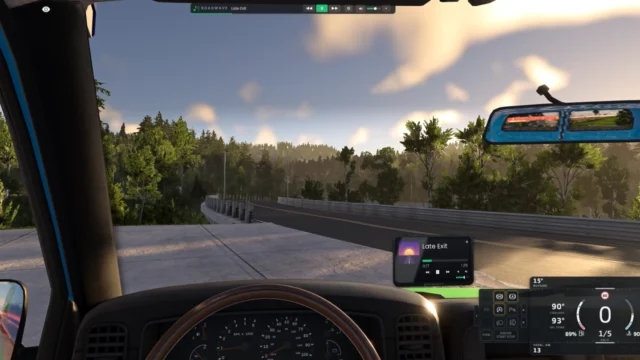
Enhanced Interior Camera improves the driver’s-seat view so it feels more alive. Instead of a fixed camera glued to the cabin, the driver’s head reacts to what the car is doing, along the lines of what some console racing games offer.
What changes in the game
- Camera movement based on G-forces when accelerating, braking and going over bumps.
- Screen shake that increases with speed, plus a specific shake when drifting.
- Dynamic field of view.
- Reactions to impacts, including side impacts, and to rollovers.
- The camera leans into tight corners and can look where you turn the steering wheel.
Settings
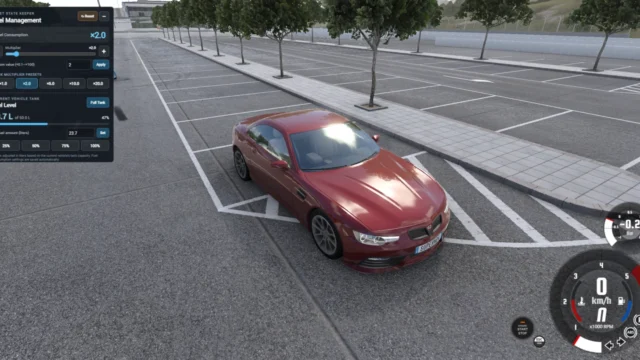
You enable it in Options > Camera > Enhanced Interior Camera and configure it from the pause menu, in the mods section (EIC Settings). It comes with several presets: Default, Lookahead, Intense, Smooth and two designed for virtual reality, VR Comfort and VR Thrill, and you can also adjust each effect separately.
Who it’s for
For anyone who drives almost exclusively in interior view, with a wheel or a controller, and misses a sense of weight and speed. If you get motion sick easily, start with the Smooth preset or the VR ones.
Version
2.8.2 (August 2026) requires at least BeamNG.drive 0.39 and fixes camera stutter with traffic enabled.
User rating
Mod video
Highlights and things to keep in mind
- A much greater sense of speed and weight in interior view
- Ready-to-use presets, including VR ones
- Highly configurable from inside the game
- You have to enable it manually in the camera options
- The intense presets can make some players motion sick
Requirements
- BeamNG.drive 0.39 or later (as stated by the author)
- The vehicle's interior camera view
How to install it
- Open the Repository from the BeamNG.drive main menu.
- Search for "Enhanced Interior Camera" and click Subscribe.
- If you install it manually, download the .zip from the official mod page and copy it, without extracting it, into the mods folder in your user folder (Manage User Folder > Open in Explorer in the launcher; on Windows it's usually %LOCALAPPDATAamNGBeamNG.drivecurrentmods).
- Start the game and go to Options > Camera to enable Enhanced Interior Camera.
- Get into any vehicle and switch to the interior view.
- Adjust the effects or pick a preset from the pause menu, mods section, EIC Settings.
Version history
-
2.8.218 Aug 2026Current
Fixed camera stutter with active traffic and brought back impact effects during rollovers
-
2.8.14 Aug 2026
More stable camera in rollovers, steering-based look returns after reloading the vehicle and fewer jumps after resetting or rewinding
-
2.8.030 Jul 2026
New settings panel in the pause menu, side impact effects, cornering lean and steering-based look
Common problems
I installed the mod but the camera is still the same.
You have to enable it in Options > Camera > Enhanced Interior Camera; installing it isn't enough.
The camera moves too much and I get motion sick.
Try the Smooth or VR Comfort presets, or reduce the intensity of each effect in EIC Settings.
The camera stuttered with traffic enabled.
That bug was fixed in version 2.8.2; update the mod.
Does it work on older versions of the game?
The current version requires at least BeamNG.drive 0.39.
More mods for BeamNG